Check-In Pass
Verify memberships and bookings at a glance.
Written By Logan Daly-Doersam
Last updated 6 days ago
What is the Check-In Pass?
The Check-In Pass offers a simple, hardware-free way for clubs to instantly verify members and track attendance, whether at the front desk or the start of a class/appointment.
How Does It Work?
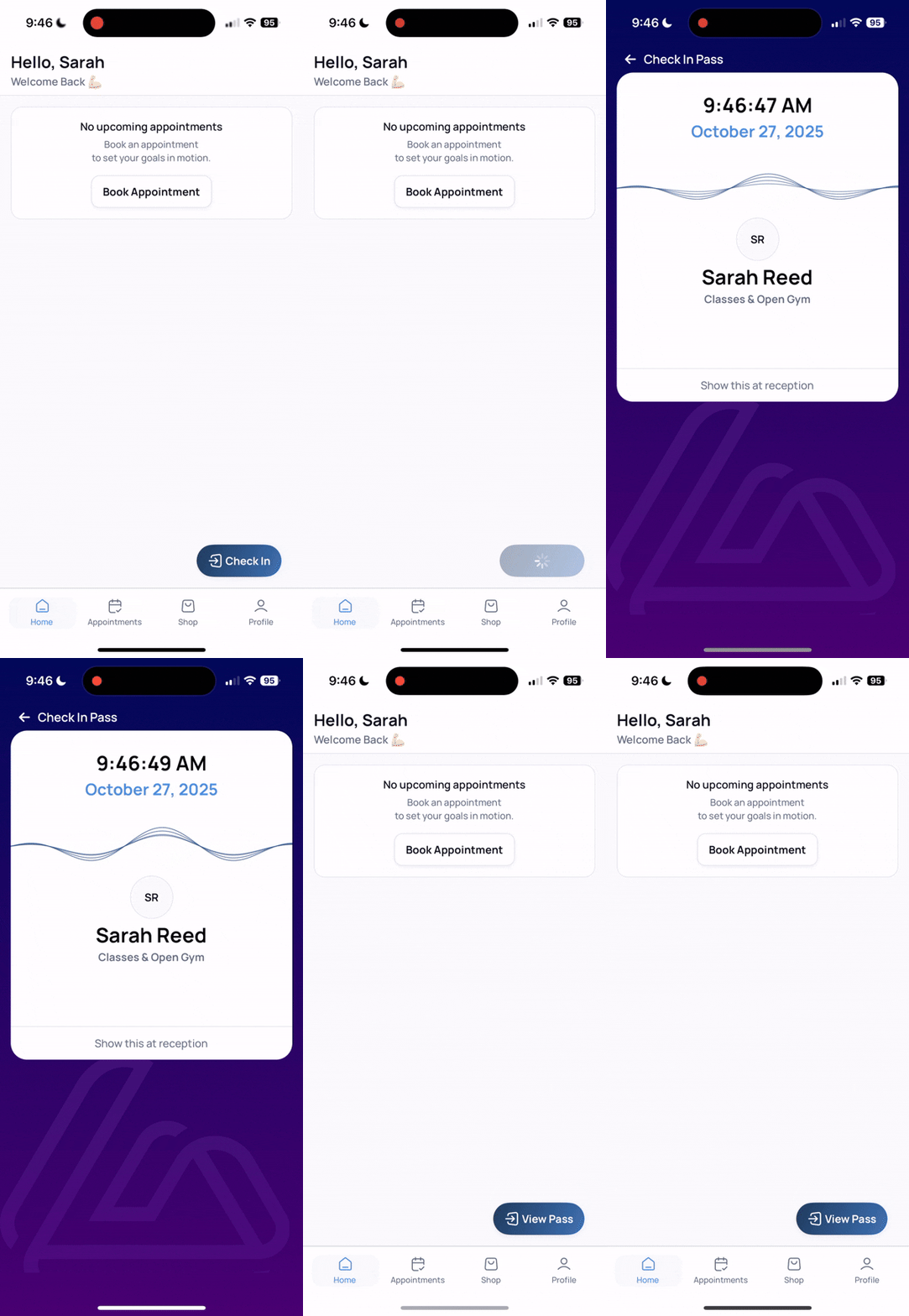
Successful Check-in:
An active member taps the button to generate a digital "Access Pass" which automatically checks them in
The pass shows their name, profile picture if available, memberships and various fraud protection measures such as live date and time and animation.
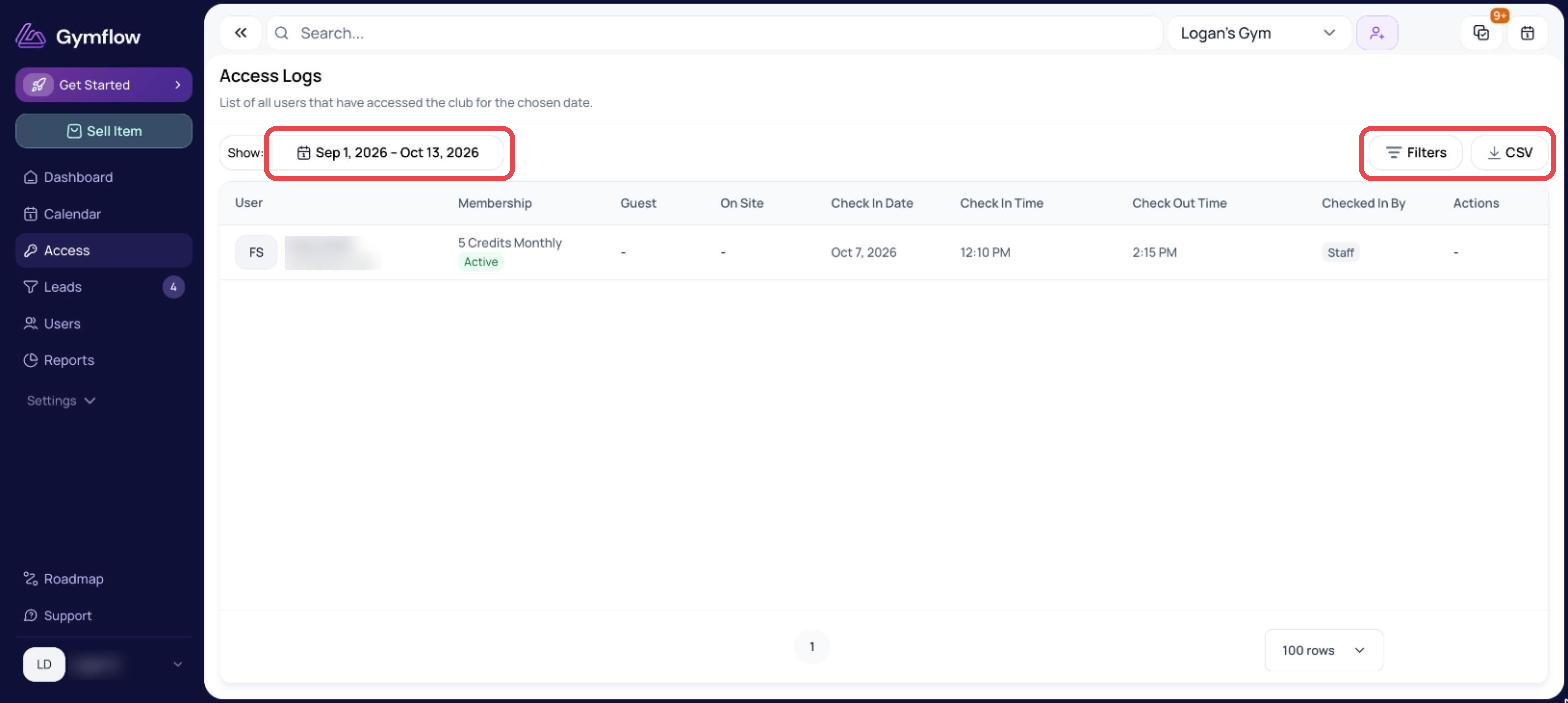
Your staff can visually check this pass to validate they are members as well as see their check in on the Access page in Gymflow.
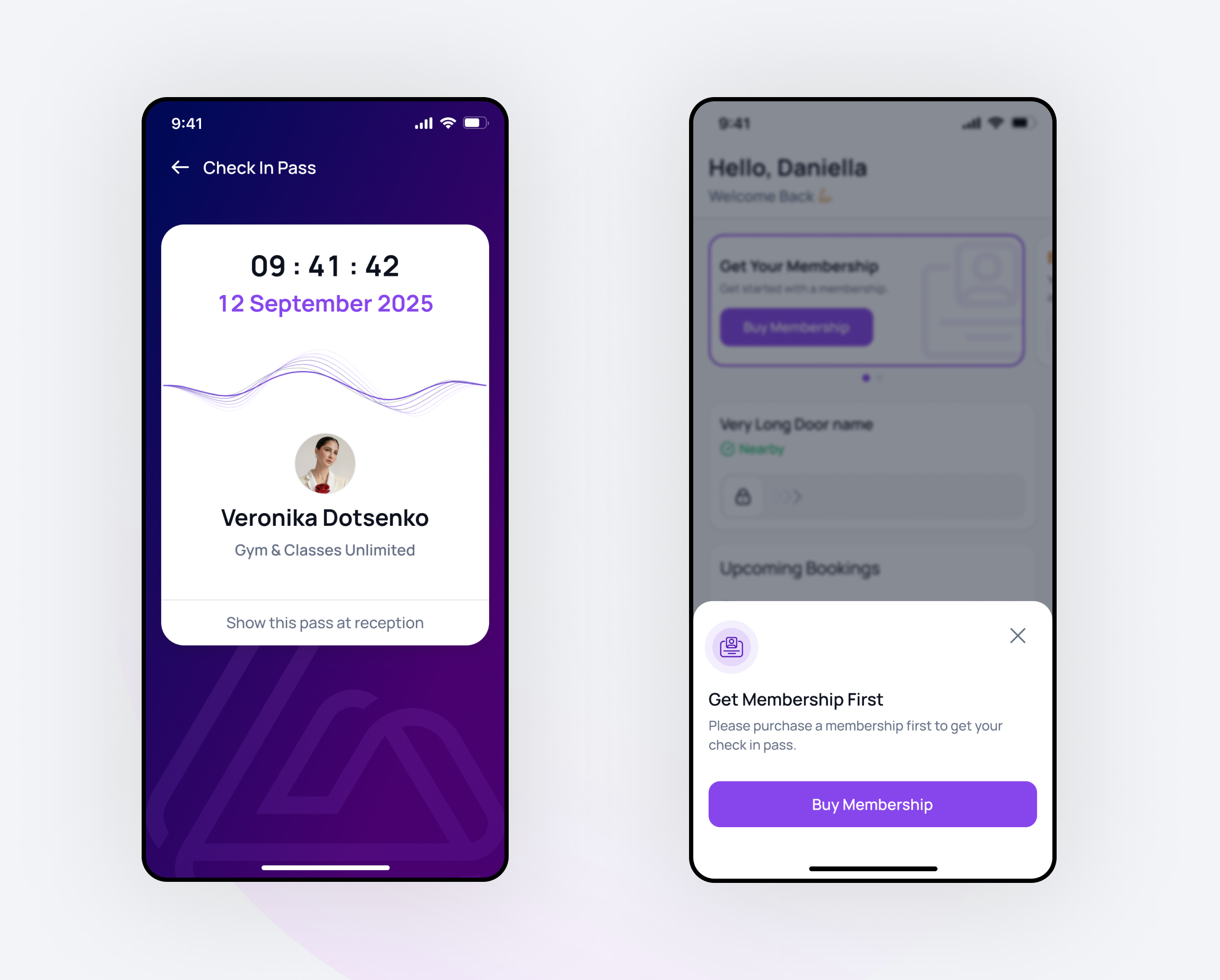
Unsuccessful Check-in:
If a user does not have an active membership or booking, they will not be able to generate a pass.
Instead, the app will prompt them to purchase a membership or credits to gain access.
Once the member checks in, the button change to “View pass”. The system will automatically check them out based on your access rules.
What are the benefits?
Instant Verification: Immediately confirm members are active and paid.
Track Attendance: Every check-in is logged, giving you accurate visit data. If the user has a class or appointment at the same time they check-in, this will also automatically check them in for their class/appointment.
No Hardware: Works entirely within the member app. No scanners or fobs needed.
Here is what the Access Logs look like when a member checks in:
How to set up the Check-In Pass
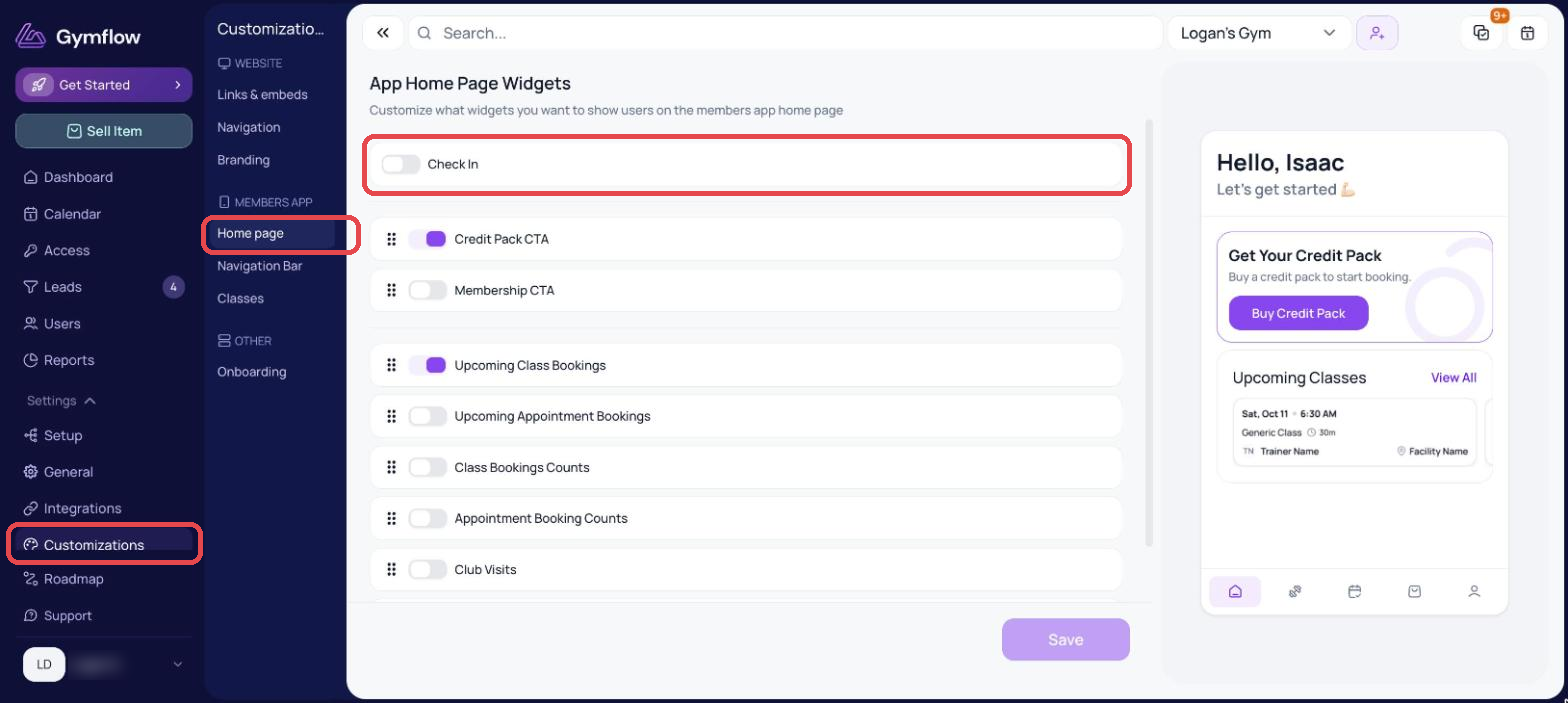
Go to Settings > Customizations > Members App > Home page
Turn on the Check In widget
Click Save to activate
Was this helpful?
Still need help? Share an idea