Communiсate with class participants
Learn how to send email or SMS to class participants
Written By Anna Gertsen
Last updated About 1 year ago
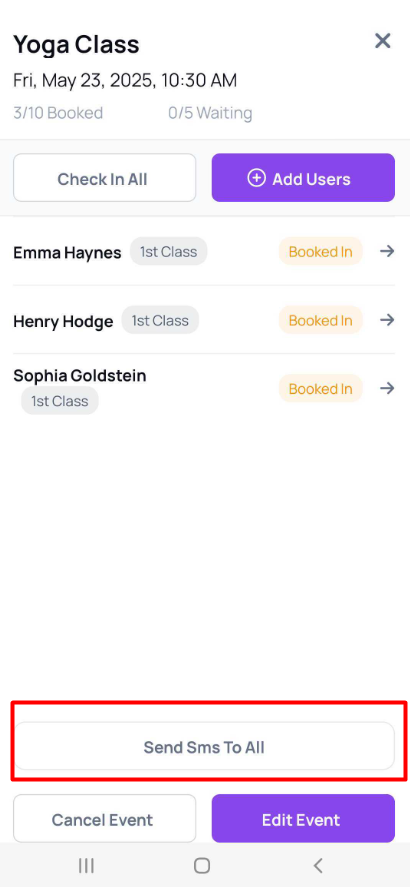
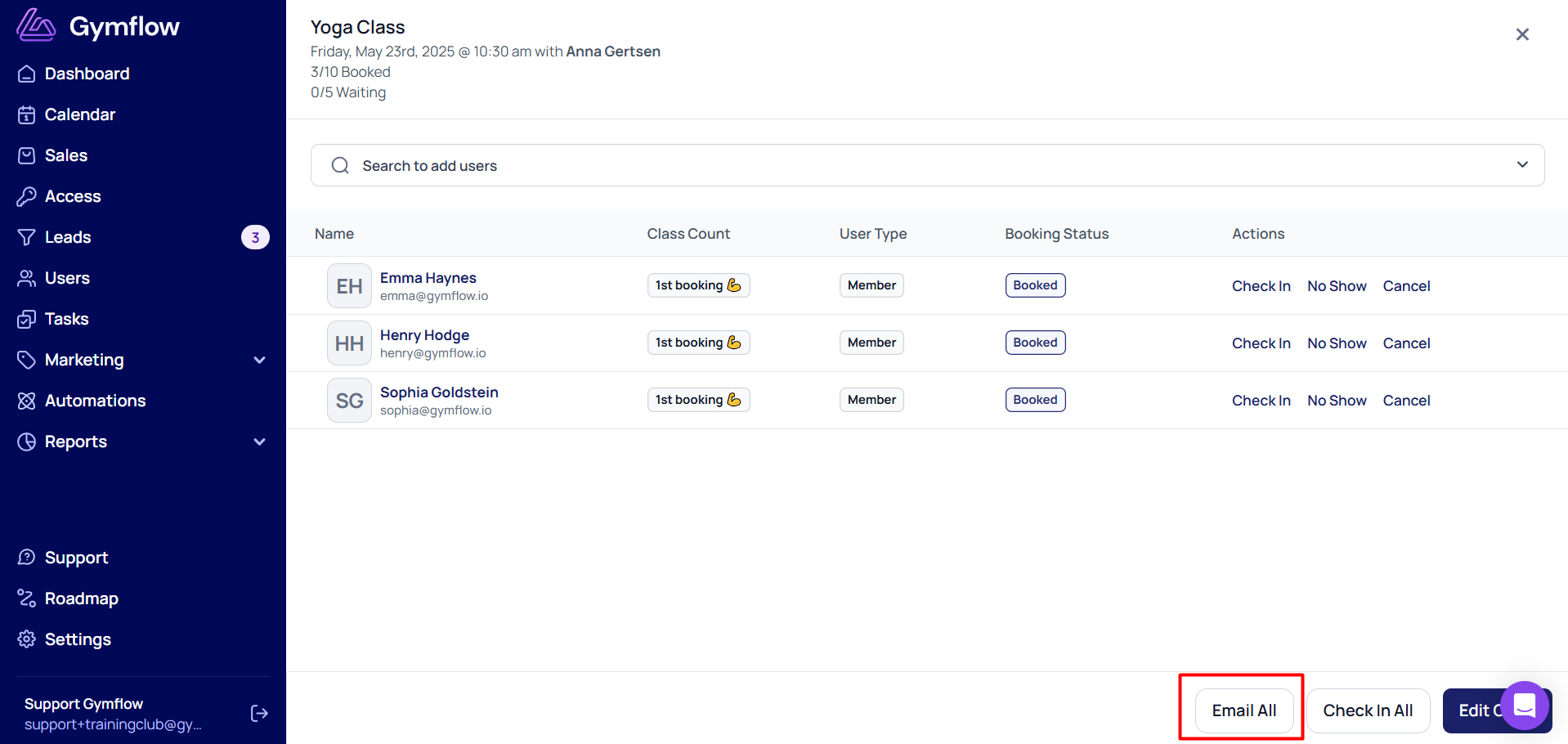
If you need to communicate some important changes to people who have booked into your class, you can send them a bulk email (from the staff portal) or a bulk SMS (from the staff app).
Staff Portal:
1) Go to the Calendar and find the class you need
2) Click on the class
3) Click the "Email all" button
4) Compose your email
5) Select Send
Staff App:
1) Log into the Staff App
2) Click the Calendar Tab and find the class you need (if you can't find the right class, make sure the filters are set up correctly)
3) Tap on the class
4) Tap the Send SMS To All button
5) Compose your SMS
6) Tap Send SMS