Manage Failed Payments
Learn how Gymflow helps you manage failed payments.
Written By Isaac Buchanan
Last updated 8 days ago
What happens when a payment fails
When a payment fails, the customer’s invoice changes to the Past Due status, and:
The customer | The club owner/manager |
🔒 loses access to the gym immediately (if your club uses an access control system) | 📈sees a new record in the Overdue Memberships Report and can click the customer’s name on the report to check heir profile and see the reason the payment failed. Find out more about this report. |
❌ can no longer book classes or appointments | |
✉️ receives an automated email notifying them that their membership is overdue and providing instructions on how to make a payment (provided that you have the Membership Overdue automation enabled. To change the text of the email, please see this guide). | |
🔔 sees an alert on the members app that tells them their membership is overdue and prompts them to make a payment through the app. 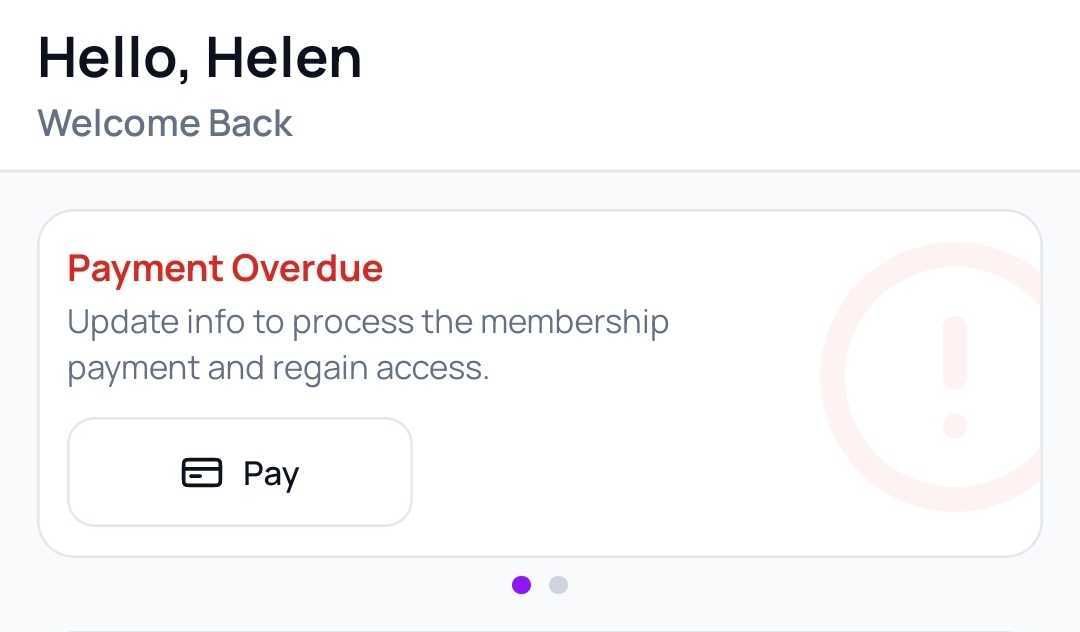 |
Automatic Failed Payment Retries
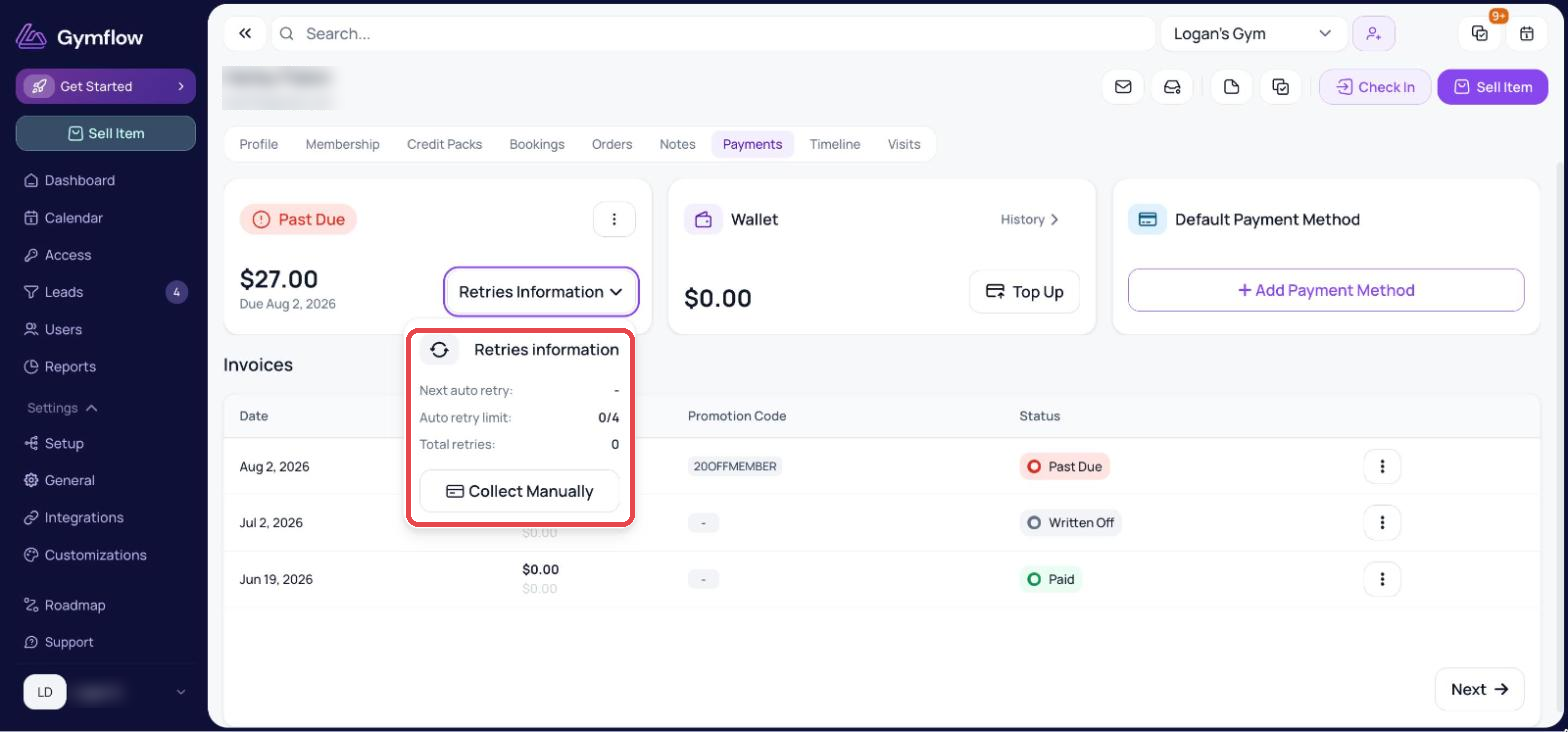
Gymflow will attempt to collect failed payments up to four times at intervals designed to avoid card blocking:
+1 day after the failure
+2 days after the last attempt
+3 days after the last attempt
+7 days after the last attempt
Example: If a payment fails on 1st October, retries will occur on 2nd, 4th, 7th, and 14th of October.
Please Note: Manually attempting collection during this process resets the time period until the automatic retry, delaying further attempts.
You can track how many retries have been made and when the next retry will be from the users payments page.
Manually Managing Failed Payments
You will at times need to manage a failed payment manually, this could be when:
The card is blocked, lost/stolen or otherwise no longer valid
Automatic attempts have not been successful
Important: Gymflow will not continue to bill a membership that has an overdue payment. This makes it critically important to resolve any overdue payments within the same period they failed in.
For all failed payment you have three options to deal with it:
Collect: Either the member self serves and pays or you can manually collect the payment to get the membership back to active.
Waive: This apply a credit and forgives the outstanding amount and returns the membership back to active.
Write Off: Cancel the membership and write off the payment as un-recoverable. This will remove the amount from your accounts receivable report.
At Gymflow, our data shows that if a payment isn't collected within 14 days, the likelihood of recovery decreases with every passing day. To keep your system clean and your reporting accurate, we strongly recommend either applying a credit to the invoice or writing it off as described above.
Was this helpful?
Still need help? Share an idea