Add or Update Your Club Waiver and Terms
Add or update the club waiver and terms that members must agree to when creating an account, and learn where to find signed waiver and terms on member profiles.
Written By Isaac Buchanan
Last updated 8 days ago
Every member must agree to your club's waiver and terms before they can use Gymflow. A copy of the waiver and terms, along with the date they agreed to it, is stored on their profile for reference.
It's important to add your club waiver and terms before you have any users register or purchase memberships.
Add Your Club Waiver and Terms
You write your waiver and terms directly in Gymflow, so there's no file to upload.
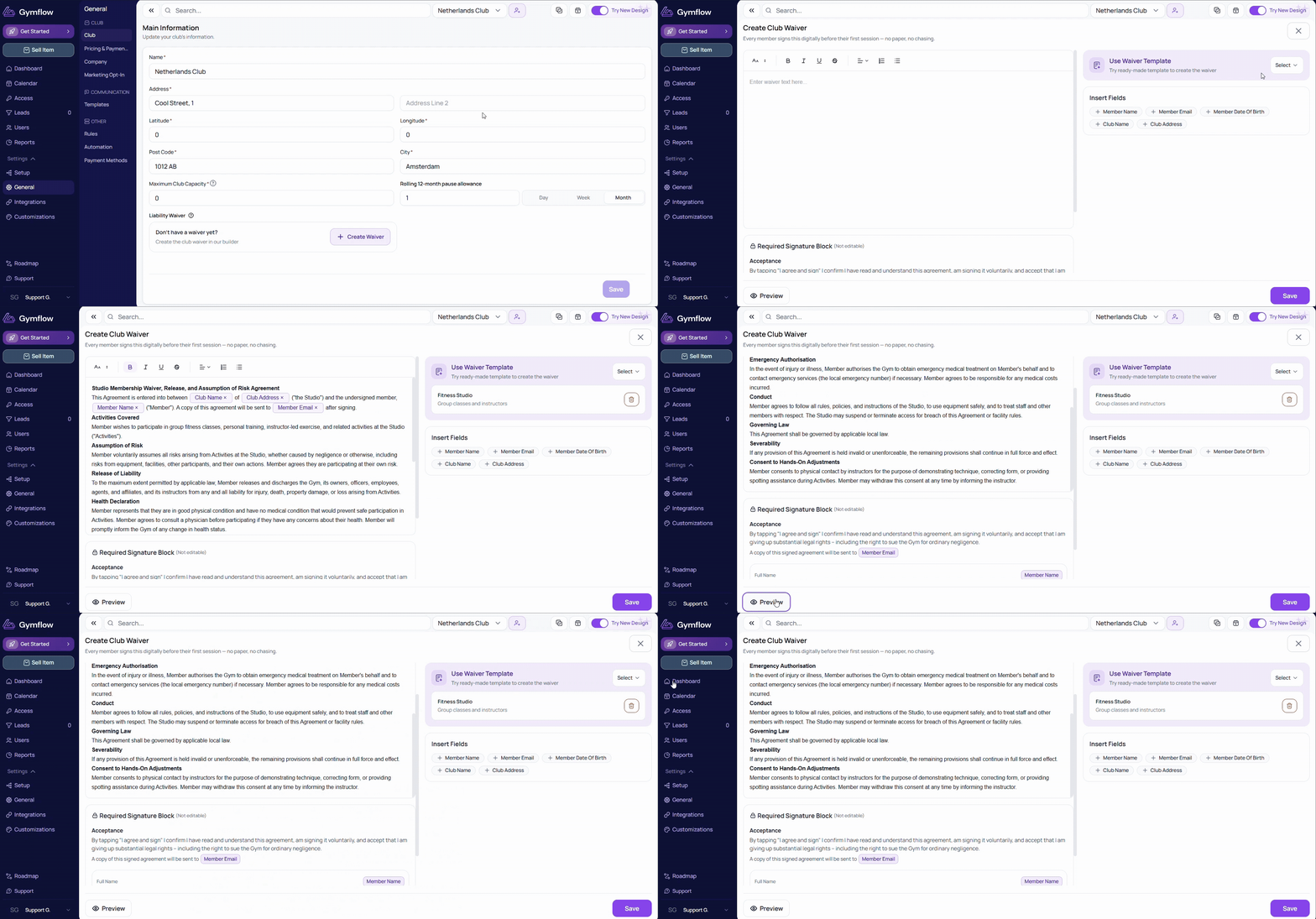
Go to Settings > General > Waiver & Terms.
Type or paste your waiver. Use the toolbar for headings, bold text and lists.
Add details that fill in automatically, like the member's name or your club address, from Insert Fields.
Click Preview to check it, then Save.
Don't want to start from scratch? Pick a ready-made template from Use Waiver Template and edit it.
Update Your Club Waiver and Terms
Go to Settings > General > Waiver & Terms.
Make your changes and click Save.
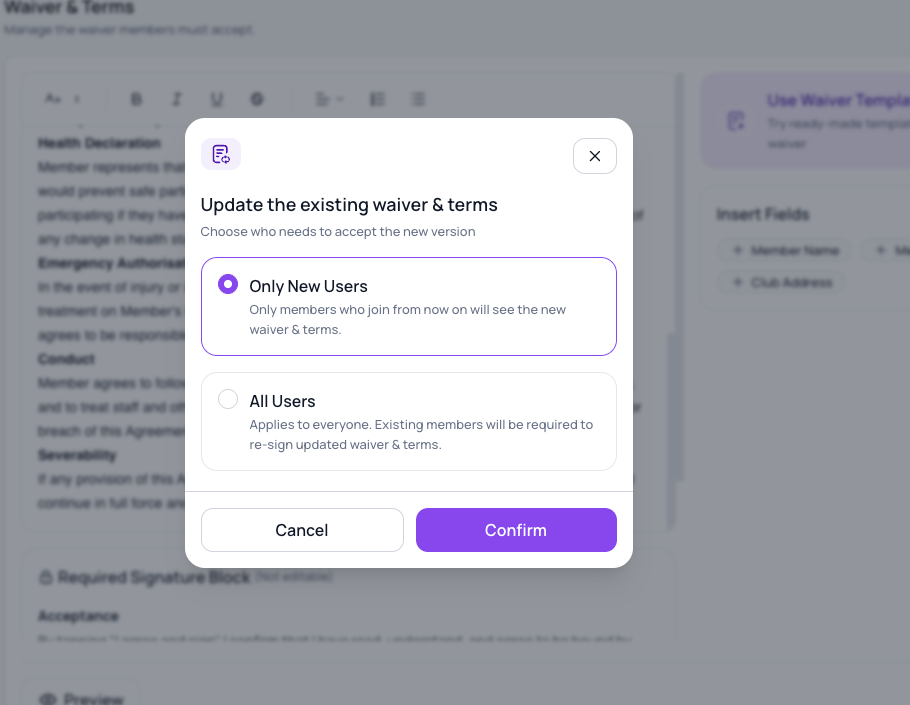
You will need to confirm if you want to update the waiver & terms only for new users, or all users. If you select all users, existing members will be required to re-sign.
What Members See
There are three situations where a member will be asked to agree to the waiver and terms:
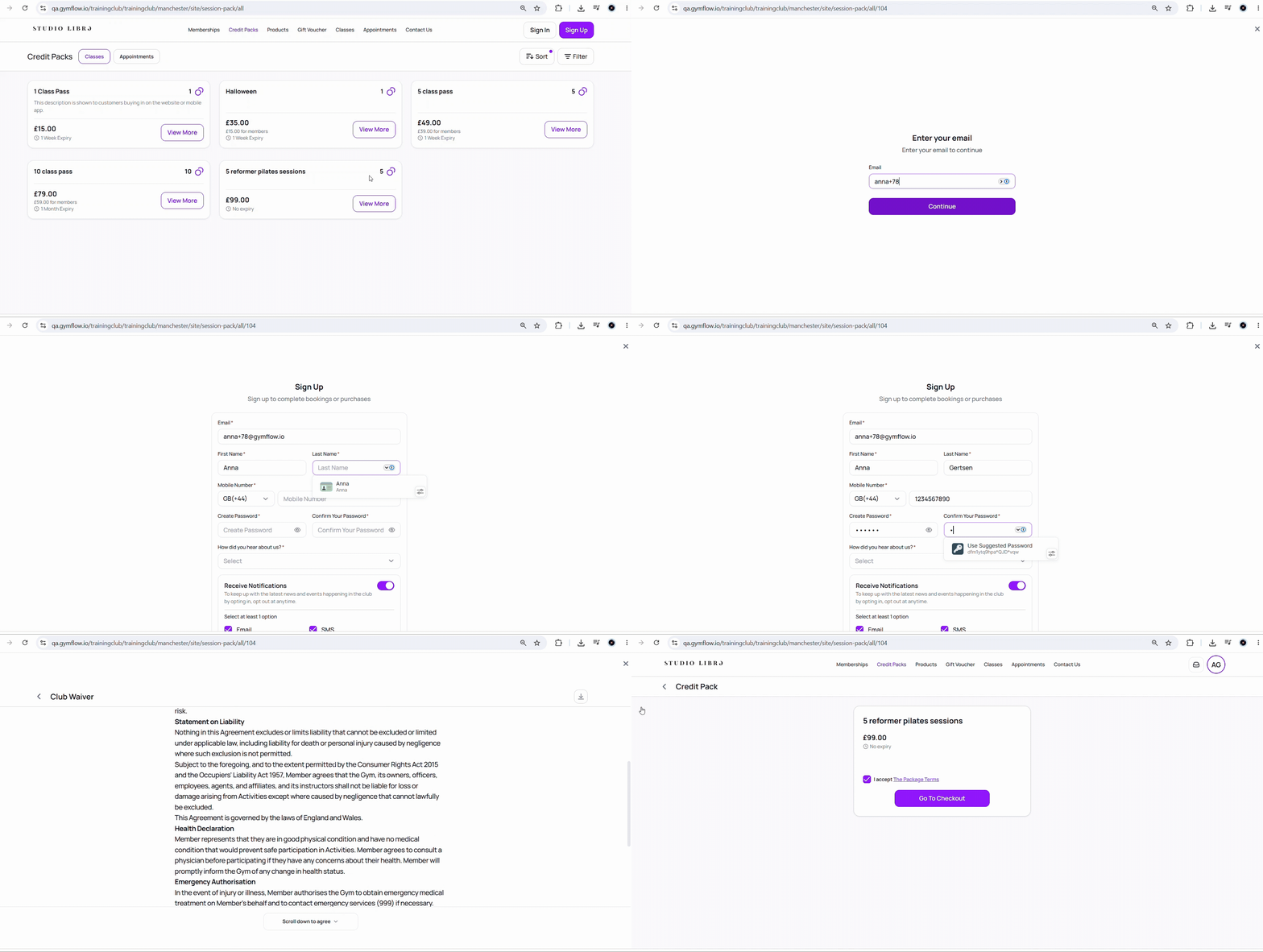
Self sign-up: When a member creates their own account via the web portal or Members App, they are shown the waiver and terms during registration and must agree before the account is created.
Purchase: When a member makes their first purchase via the web portal or Members App, they are shown the waiver and terms as part of the checkout flow and cannot complete the purchase without agreeing.
Staff-created account: When a staff member creates a user account from the staff portal, the member won't be asked to agree straight away. Instead, the next time that member logs into the app or web portal, the Onboarding flow will start and they will be required to agree to the waiver and terms before they can set up access or make a booking.
Viewing a Member's Signed Waiver and Terms
Once a member has agreed to the waiver and terms, a record is stored on their profile showing the waiver and terms text and the date they agreed. To view it:
Search for the member and open their profile
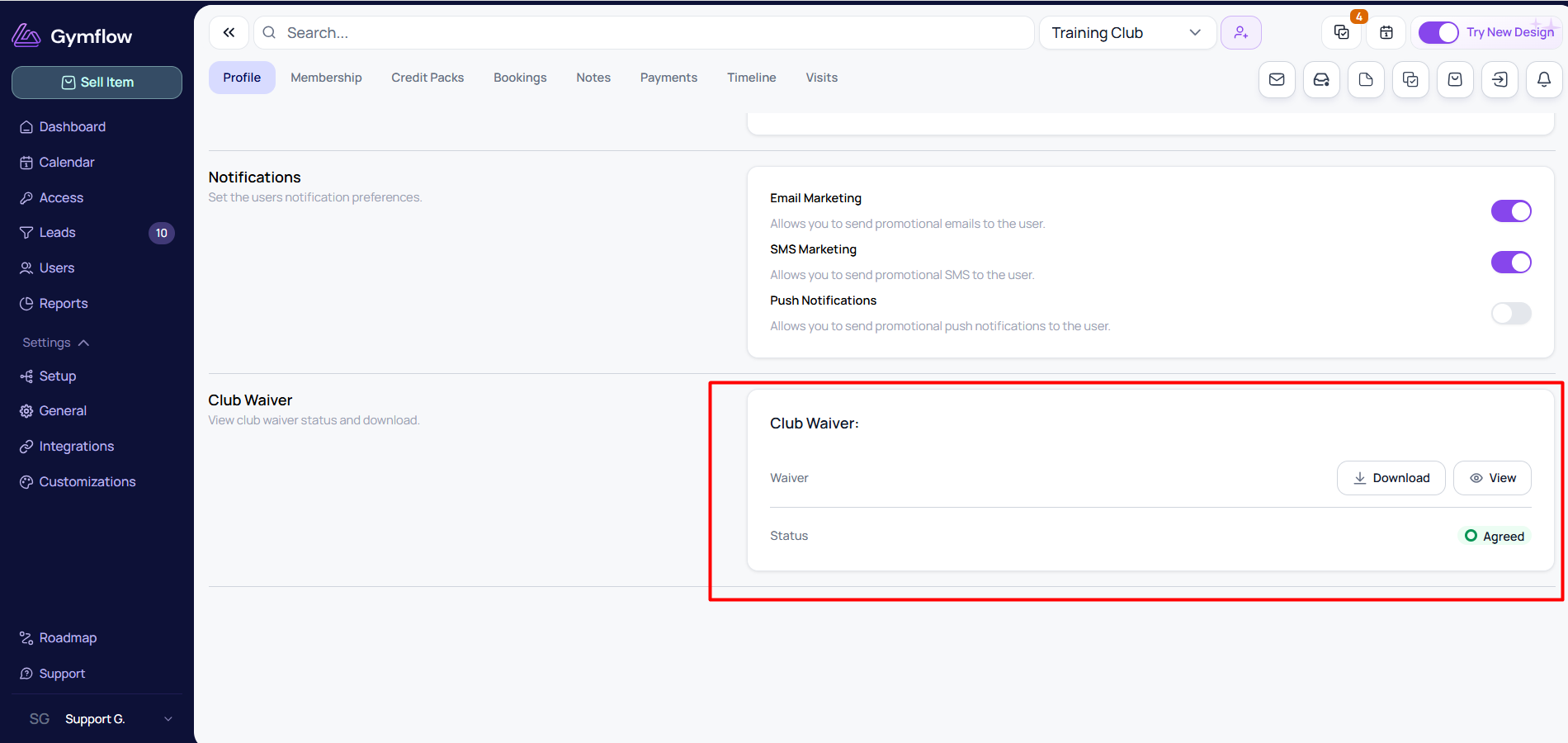
Go to the Profile tab
Scroll down to the Club Waiver and Terms section to view or download the waiver they agreed to
The waiver and terms stored on a member’s profile always reflect the version they agreed to when they signed.
If you update your waiver, you can choose whether the changes apply only to new users or to all users. If you select New users, existing members will keep the waiver they originally signed.
Was this helpful?
Still need help? Share an idea