Sharing And Tracking Your Referrals
Learn how to share your referral link, introduce someone and follow each referral's progress.
Written By John Patrick
Last updated About 4 hours ago
Note: This is about referring other gym and studio owners to Gymflow through our client referral programme. It isn't a Gymflow feature, and it isn't a way for your members to refer friends to your club.
Your referral page is where you share your link, introduce someone and track your referrals. To open it, select Refer a Club in the Refer & Earn box at the bottom of the left-hand menu:
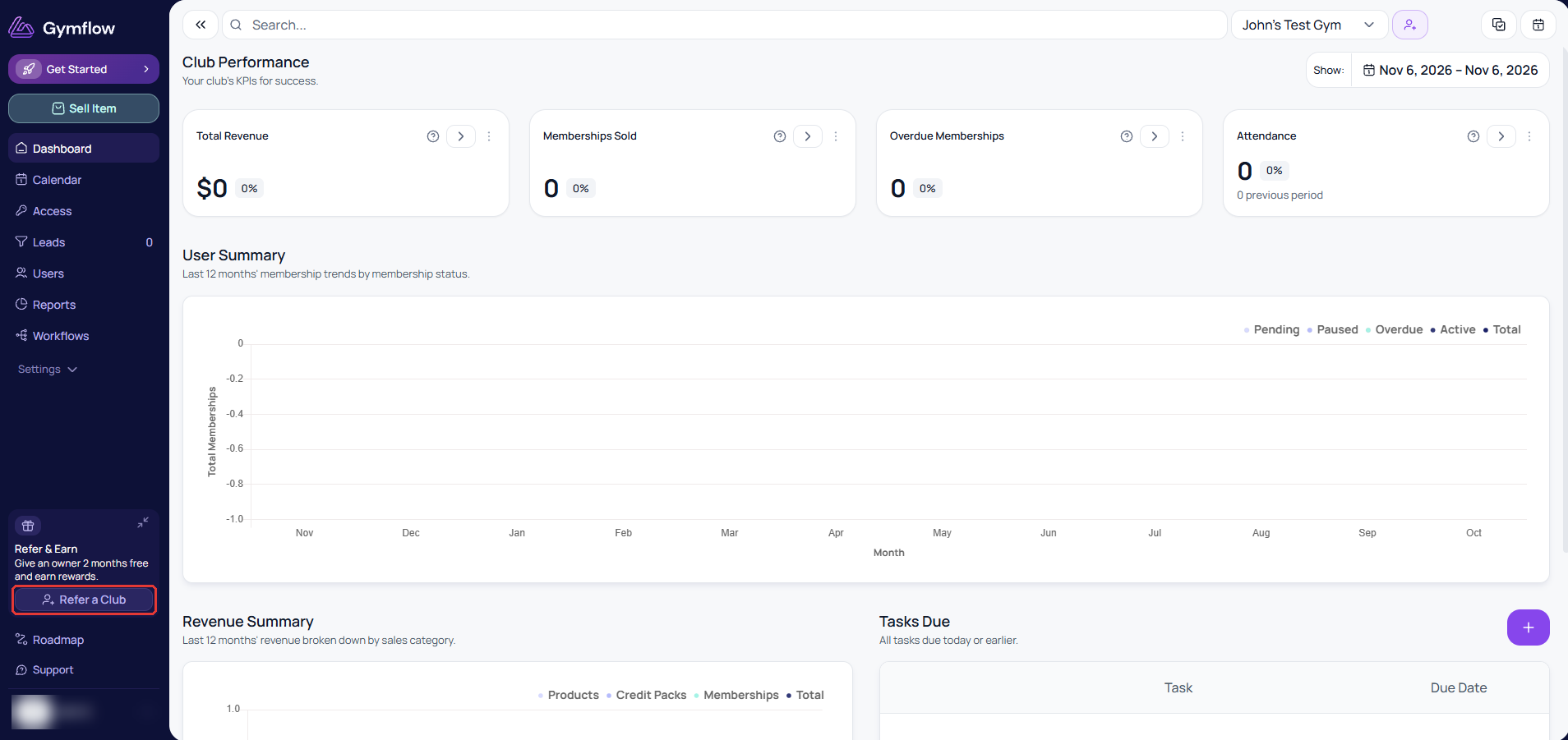
Both ways to refer are on your referral page:
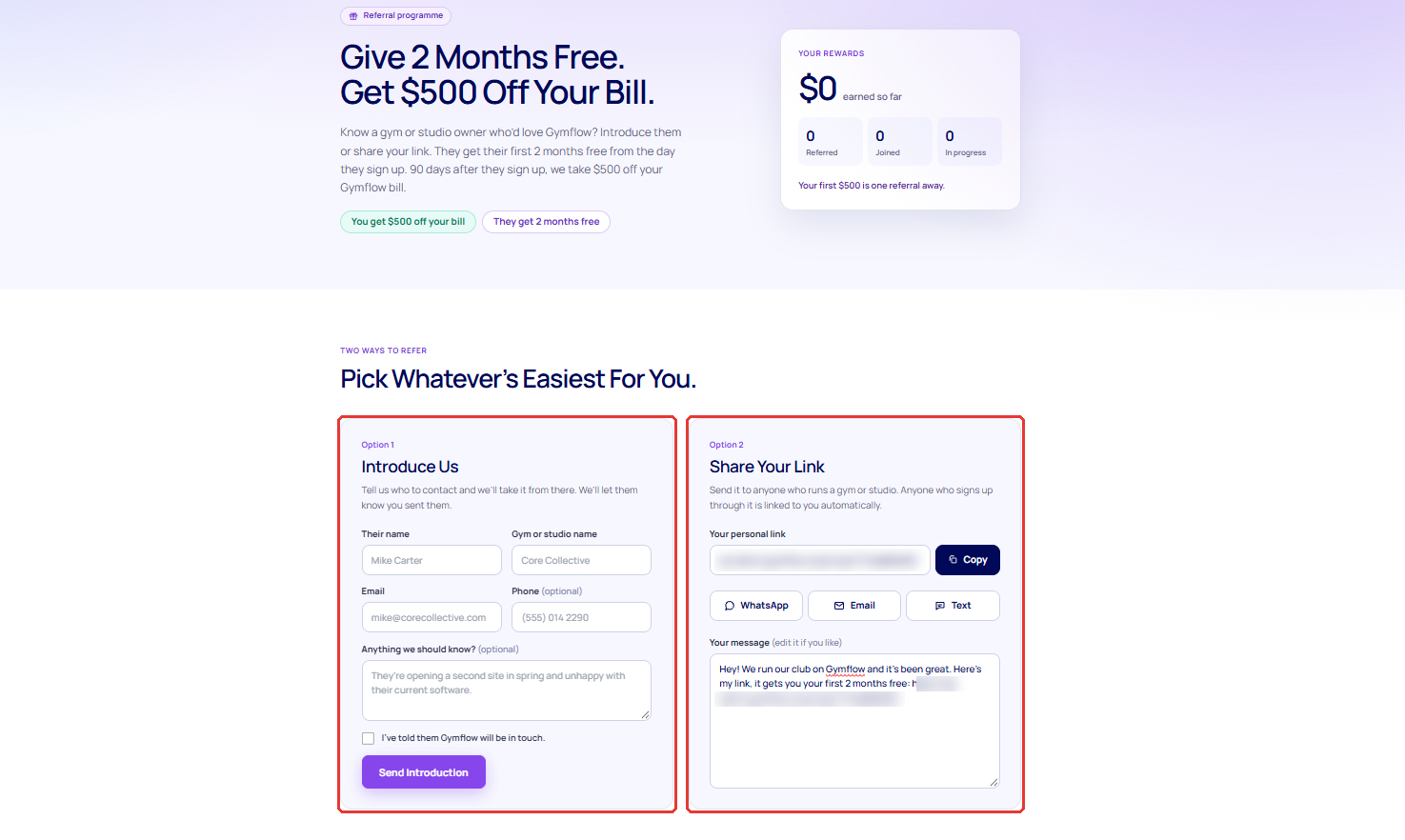
Sharing Your Link
On your referral page, copy your personal link, or send it by WhatsApp, email or text with a ready-made message. When they open your link, this is what they'll see:
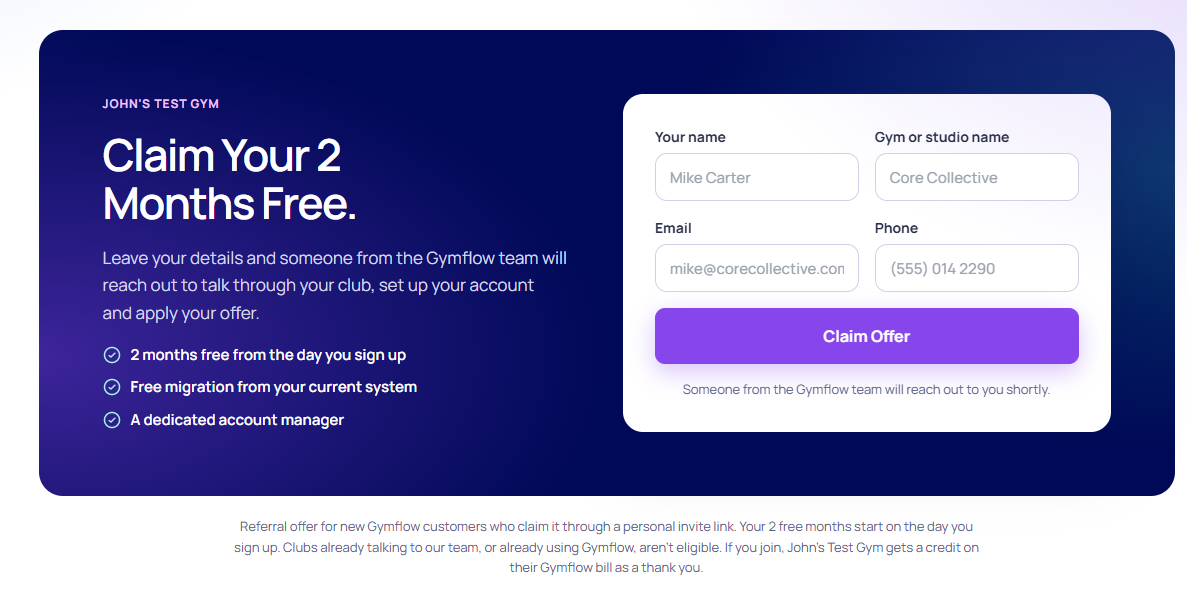
Once they claim the offer through your link, we'll email them and our team will get in touch.
Introducing Someone
If you'd rather we reach out for you, introduce them from your referral page. Enter their name, gym or studio name and email, and add a phone number and any notes if you have them. Tick I've told them Gymflow will be in touch, then select Send Introduction. Our team will get in touch with them:
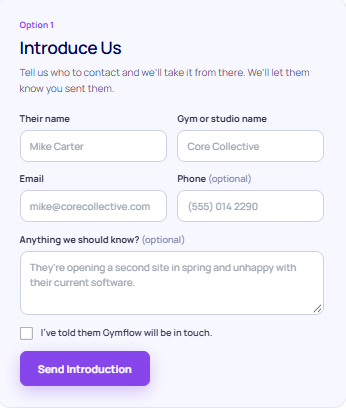
You need to tick this box to send an introduction, so we never contact someone who isn't expecting us. If you haven't told them about Gymflow yet, share your link with them instead.
Tracking Your Referrals
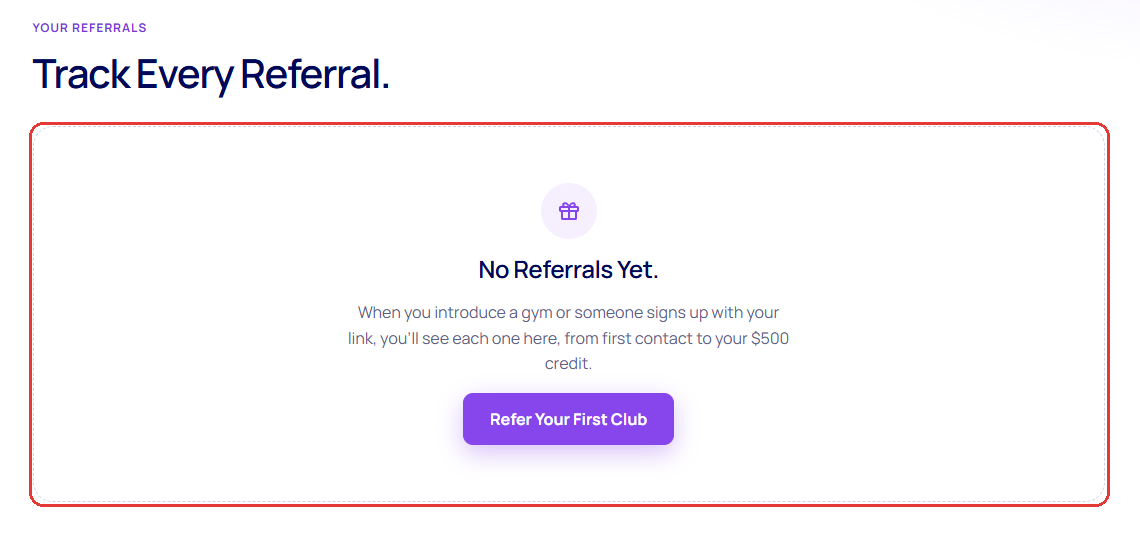
The bottom of your referral page shows each referral's status and how much you've earned so far:
If you'd like to withdraw a referral, message our support team and we'll close it.
Emails You'll Receive
We email your club's owner when someone you referred is talking to our team, when they join Gymflow, and when your reward has been applied. If these aren't arriving, message our support team and we'll check your owner email is correct.
Was this helpful?
Still need help? Share an idea