How credits work
A guide to how credits behave in Gymflow — when members receive them, how they're used for classes and appointments, and when they are and aren't returned.
Written By Isaac Buchanan
Last updated 7 days ago
A credit pack is a bundle of credits a member uses to book classes or appointments. Members can either buy a pack on its own (a standalone credit pack) or receive one as an inclusion with a Recurring, Pre-Paid, or Trial membership.
This article covers what happens to those credits in every common scenario.
How credits work by membership type
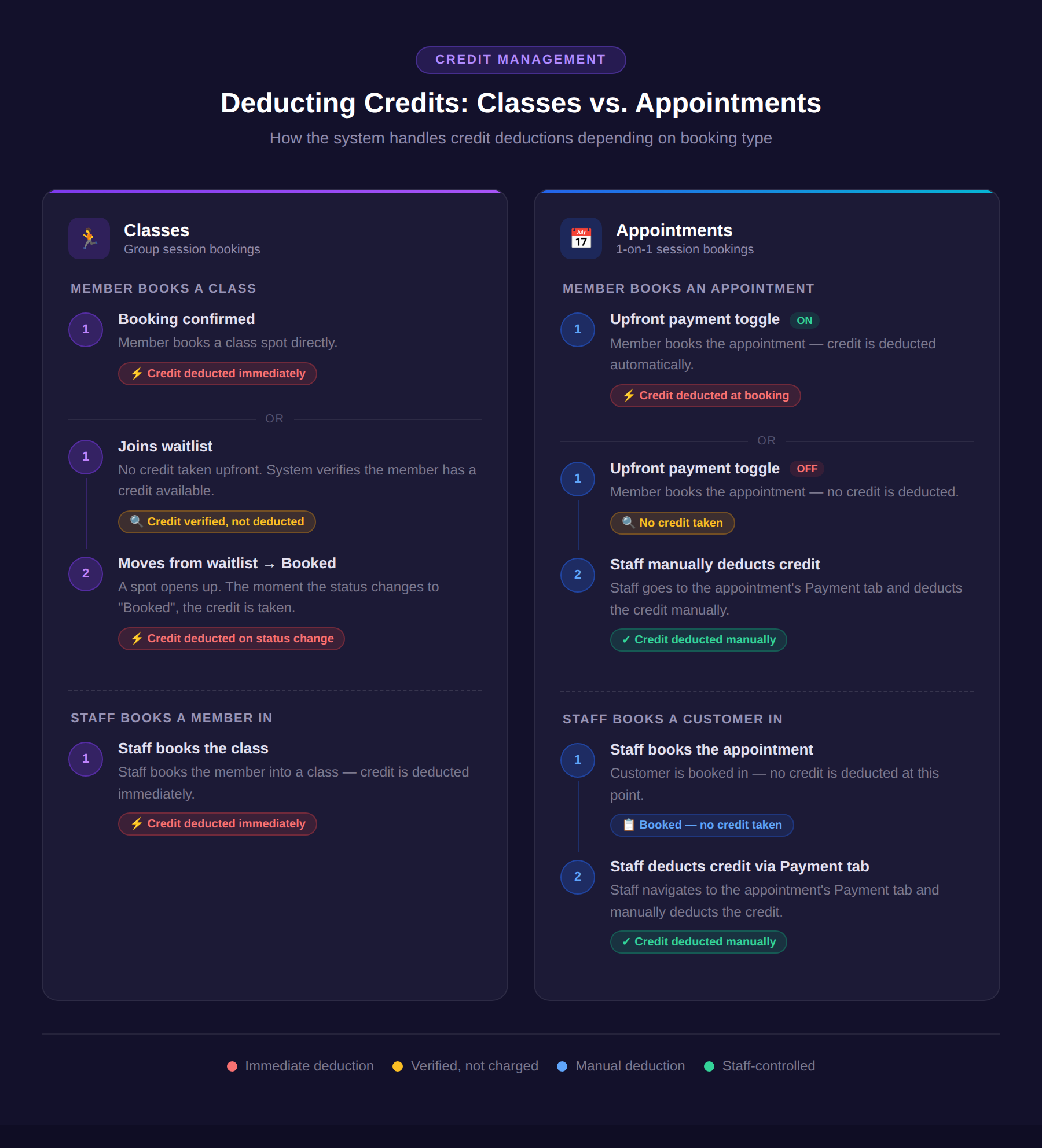
How credits are deducted: classes vs appointments
Booking classes on Recurring memberships
Credits reset to the full allocation on every billing date. Unused credits do not carry over.
Members can book classes beyond their current billing cycle (e.g. booking a June class while still in May), as long as the club's booking window allows it. Those bookings stay in place when credits reset on the next billing date.
Example: A member's next billing date is June 1st. They book a class on June 5th today using their current credits. On June 1st their credits reset to 8. The June 5th booking remains. If they then cancel that class in time, they'd get a credit back, giving them 9.
One exception: If a membership has a scheduled future cancellation, classes cannot be booked after that end date.
Booking classes on Pre-Paid and Trial memberships
Credits are given in full at purchase and can be used any time until the membership expires. There is no billing cycle or reset. Unused credits are simply removed when the membership ends.
Example: A membership expires March 24th. Any unused credits after that date are gone.
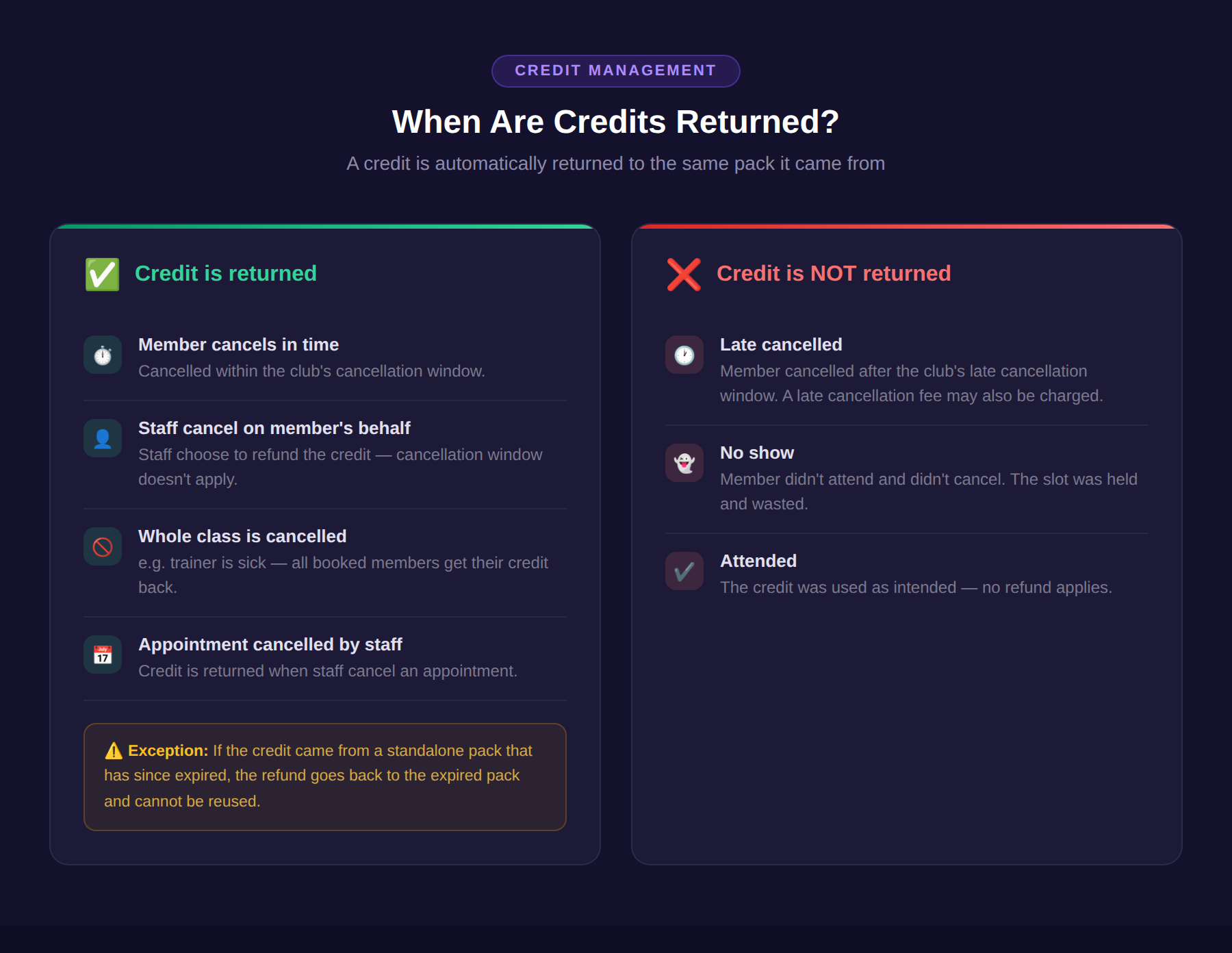
Returning Credits
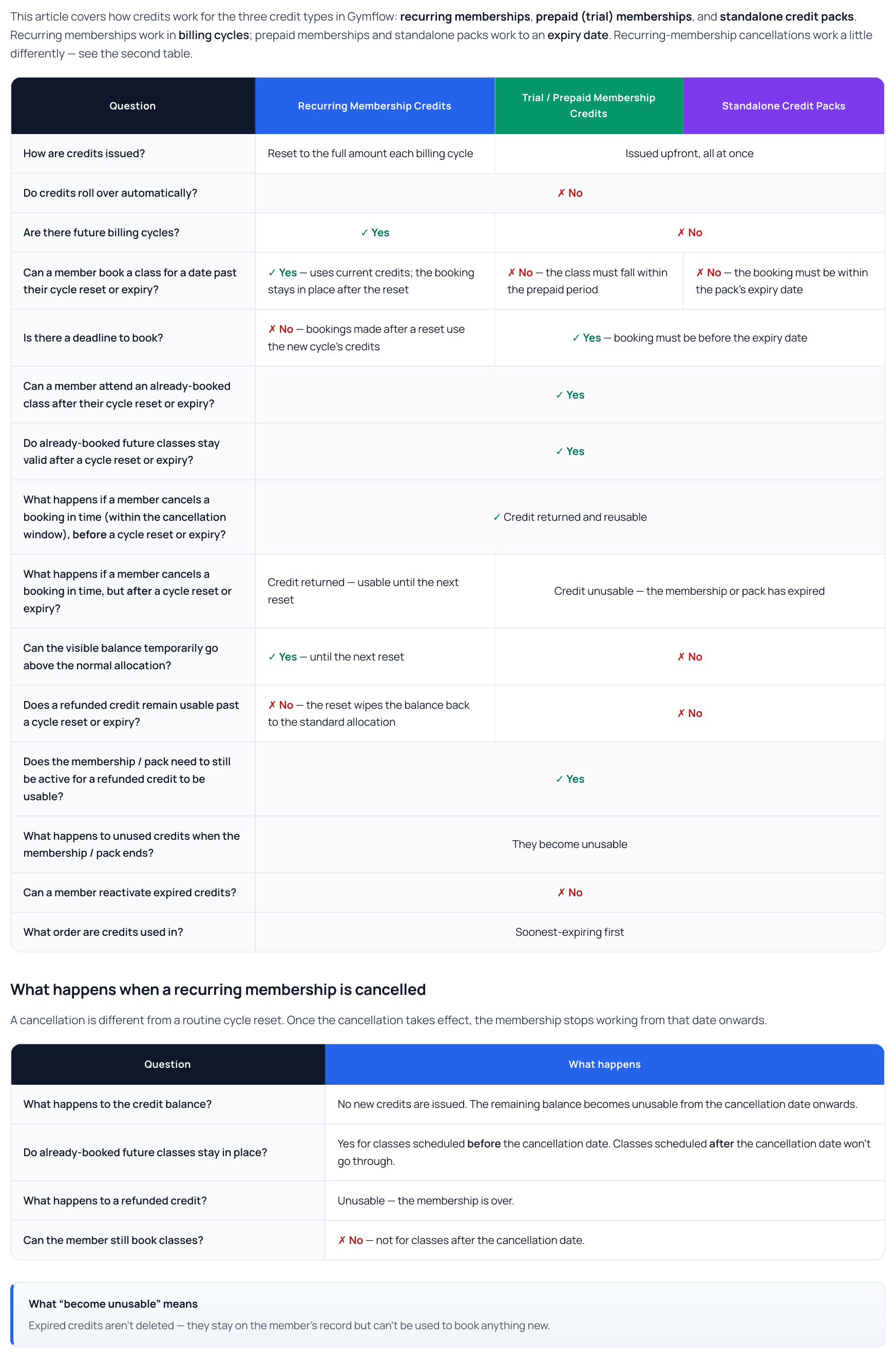
Additional Credit Pack Logic
Was this helpful?
Still need help? Share an idea