HTML Email Templates (Experimental)
Using AI to generate email templates to use in Gymflow
Written By Isaac Buchanan
Last updated 7 days ago
This is an experimental feature designed for advanced or curious users to test and explore the capabilities in AI to build email templates for their club. Without experience it’s prone to error and is an experimental feature only.
What are HTML email templates?
HTML email templates are email templates written in HTML rather than plain or rich text and without the assistance of a visual builder.
They allow total creativity but at the cost of complexity in some cases.
How to use AI to create a HTML email template
Select an AI tool to use, any free tool will work fine, if you don't know of any tools we suggest:
Copy and past the below prompt to create an email template, please note you should the sections highlighted with your own styling, app links and content ideas.
Design me a fully responsive HTML email template compatible with all modern email clients. Ensure:
100% width responsiveness down to 320px phones
Simplified layout to avoid client-side CSS stripping
Styling:Google Font: Manrope
Manrope Brand Colour: #9113FE
Header Section:Include a section with the clubs logo no more than 200px wide, replace the image src with placeholder ${Club Logo Link} Ensure header content is centre aligned, the header, content and footer should all be contained in the same width container.
Placeholders: Use these placeholders instead of static values
Recipients First Name: ${User First Name}
Content Section:Content: Write me an email for a trial conversion offer, the offer is the first 3 months at 50% off and the promo code to claim the offer is NOV25
Button Link: URL to offer
Footer Section:Have a footer with download buttons for the gyms app, uses official working badge URLs, buttons should be at least 40px height, auto width, ensure footer content is centre aligned.
Name: Gymflow Members
iOS App URL: https://apps.apple.com/us/app/gymflow-members/id1631161012
Android App URL: https://play.google.com/store/apps/details?id=com.gymflow.member&hl=en
Copy and paste the response into your email template in Gymflow:
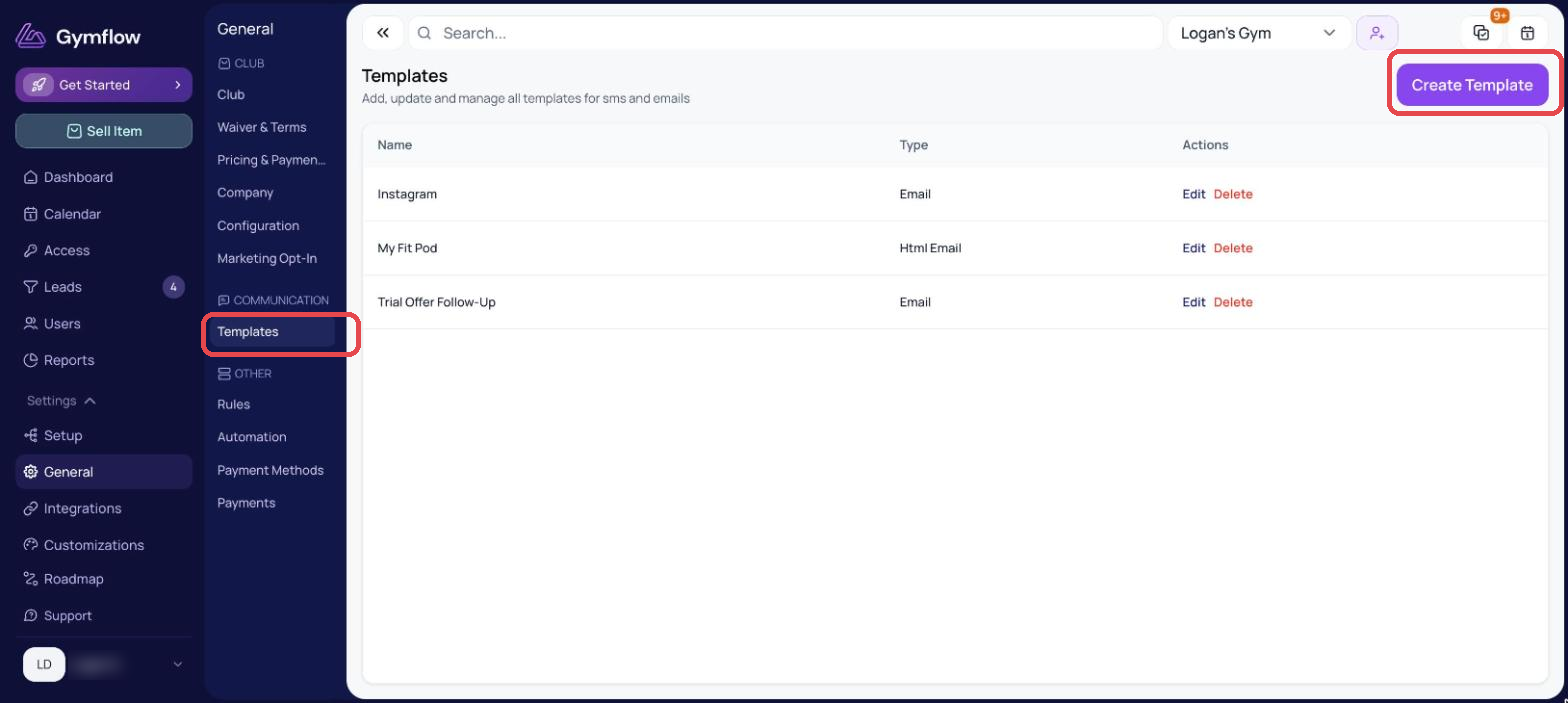
Go to Settings > General and click on the Templates page
Click Create Template and then select HTML Composer
Paste the response from AI and click Preview to ensure it’s suitable
Give the template a name and subject and Save
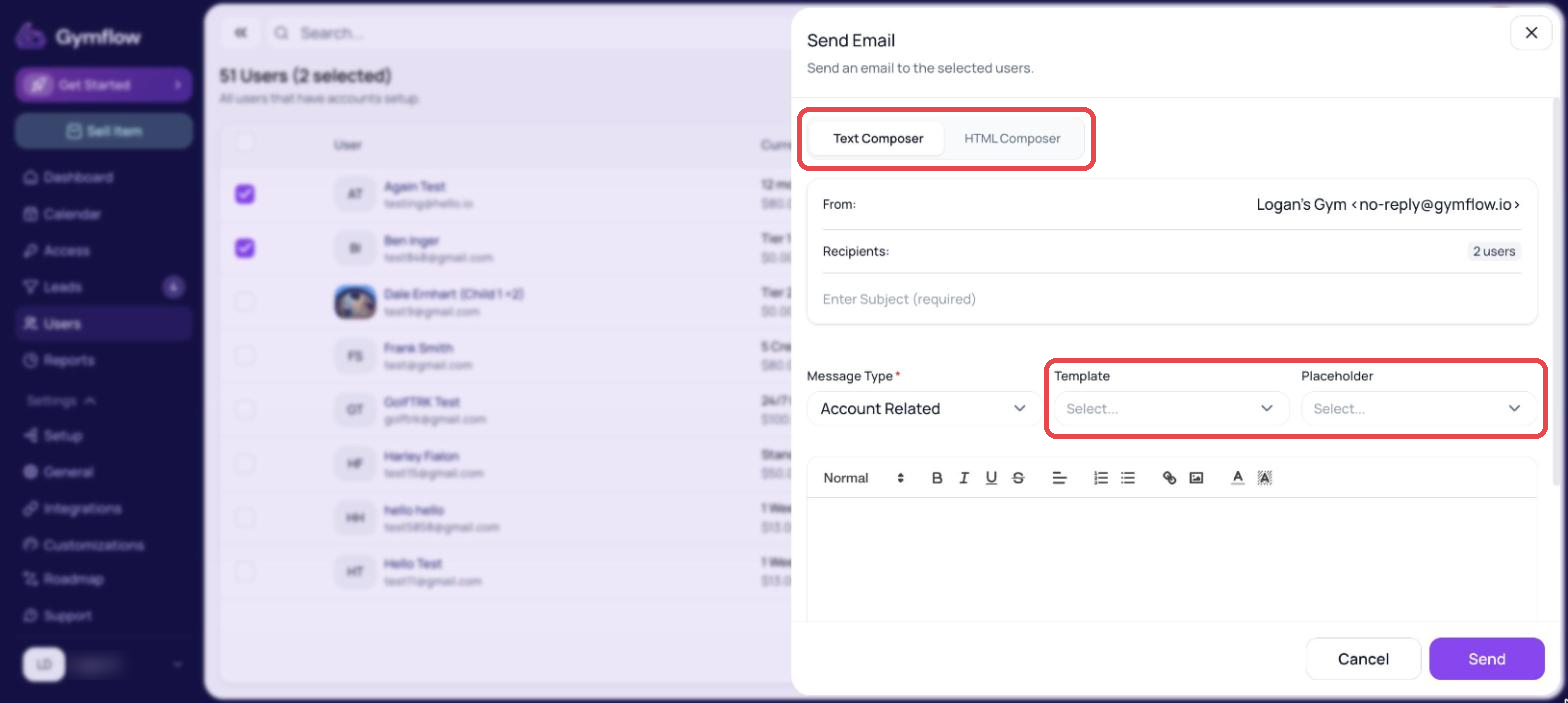
Sending an email from a template
Sending templates is simple, anytime your sending an email simple select the template from the drop down menu and then send!
Was this helpful?
Still need help? Share an idea