📦 Track and Fulfil Product Orders
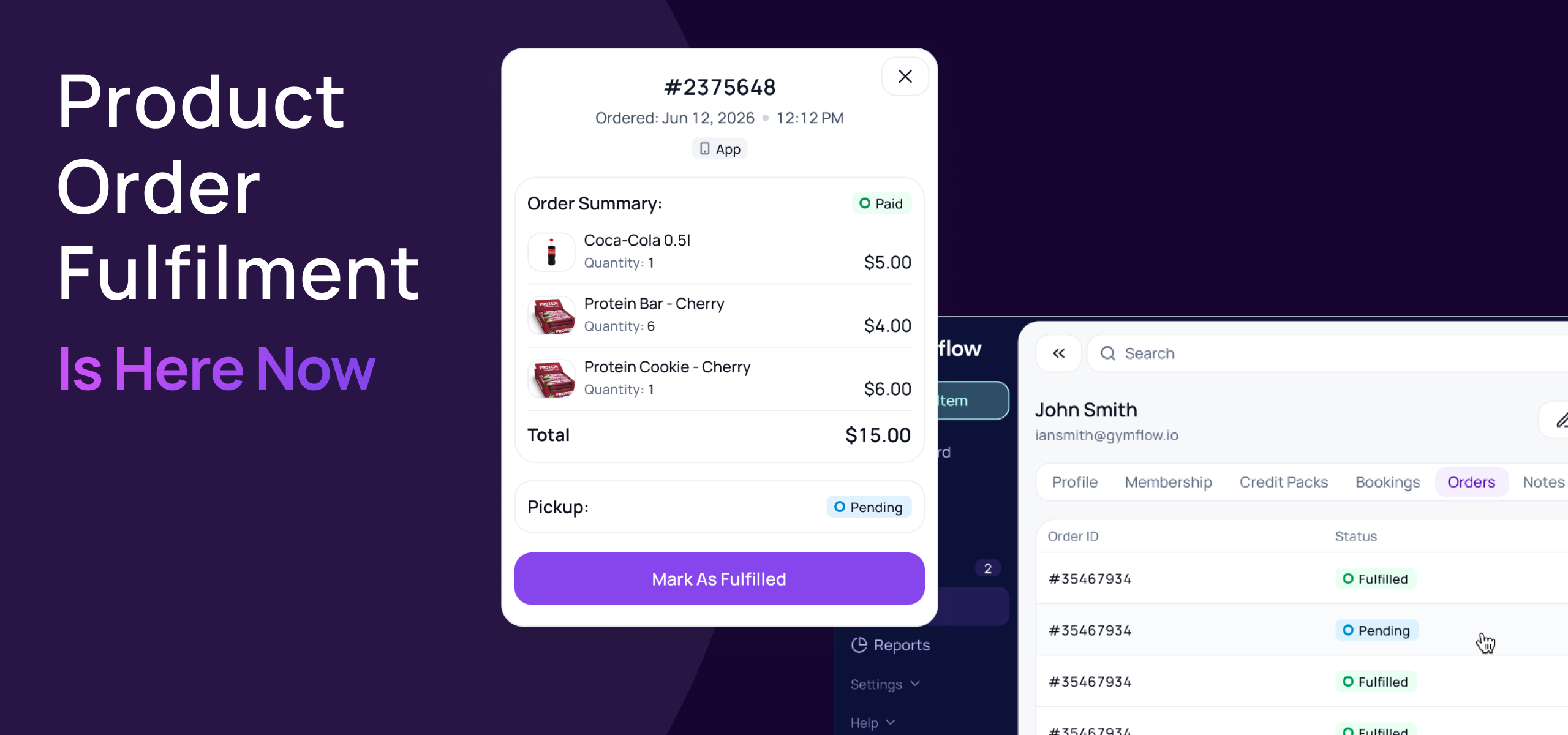
You can now track every product order placed on your website or in the Members App, and mark it as fulfilled when the customer picks it up.
Going live Wednesday 30th September.
🛒 Track online and app orders
See what's waiting: products bought online or in the app arrive as Pending until they're collected.
New Orders tab: every member profile now shows their full order history, with status, date and items.
No extra steps for in-club sales: products sold through the staff Shop are marked Fulfilled automatically.

✅ Fulfil orders at pickup
Find the order fast: members can show their order from My Orders in the Members App, or staff can find it on the member's Orders tab.
One click to fulfil: hand over the items and click Mark As Fulfilled. Gymflow records who fulfilled it and when.

🔁 Restock when you refund
Refunding a product order now asks what to do with the stock:
Reverse: refund and put the items back in stock.
Keep as fulfilled: refund without restocking, for example if the item has already been collected.
All your existing product orders have been marked as fulfilled, so there's nothing to tidy up. Read the full guide here.
We'd love to hear how it works for your club.
Kind regards,
The Gymflow Team