Delete A Profile Or Account
Delete a users club profile or account.
Written By Isaac Buchanan
Last updated 7 days ago
Deleting a user will completely remove their profile from Gymflow. This cannot be undone.
How to delete a club profile:
To delete a club profile:
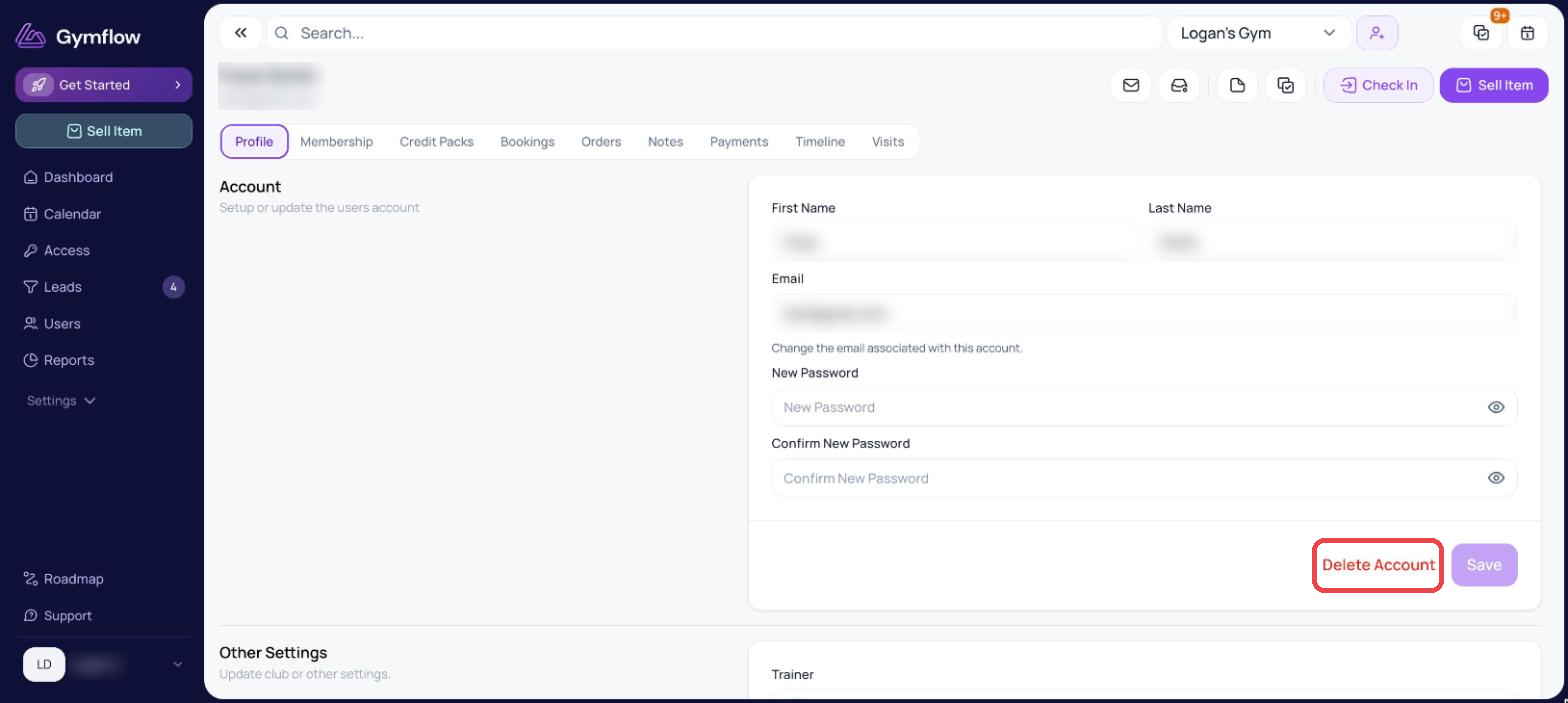
Search for the user and click to view their profile
In the Account section, select Delete.
Confirm the deletion.
It is not possible to recover a deleted user, all of their information and all associated history will be unavailable after deletion.
If you are a multi-site club and a customer has profiles in multiple locations, deleting their profile in one location will not affect their account or profiles in other locations. They will still retain their account and any existing profiles elsewhere.
Was this helpful?
Still need help? Share an idea