Redeeming Gift Vouchers
Learn how to redeem gift vouchers.
Written By Anna Gertsen
Last updated 6 days ago
Voucher Purchased Confirmation
When purchasing a Gift Voucher the purchaser will be emailed a voucher code and a unique redemption link.
The voucher purchase email will be customised and included your clubs name and logo so it’s easily identifiable.
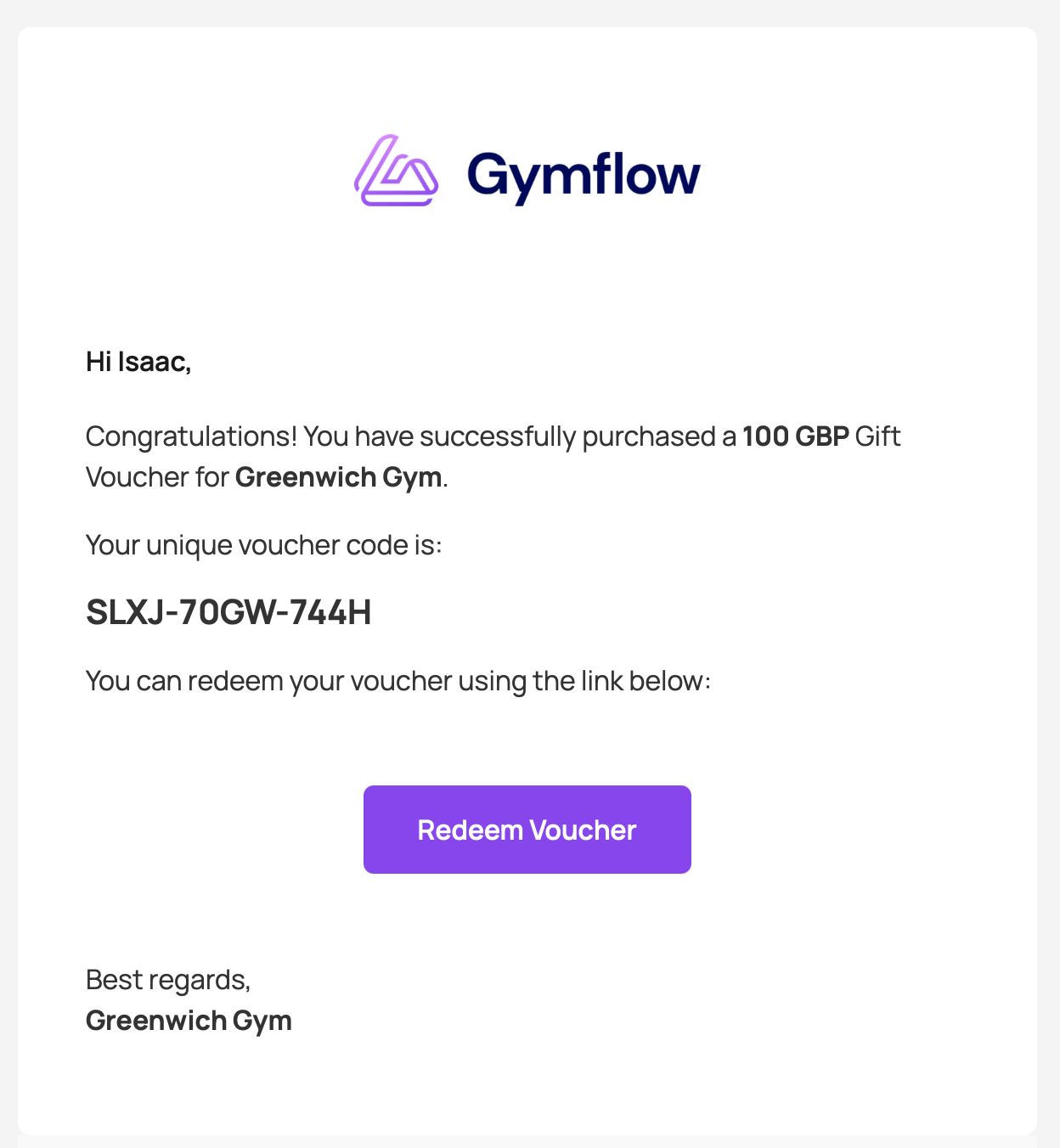
Redeem Voucher - Using Link
From the email simply click the redemption link and follow the prompts to redeem the voucher.
The redeemer will need to register quickly if they don't already have an account at the business the voucher was purchased from.
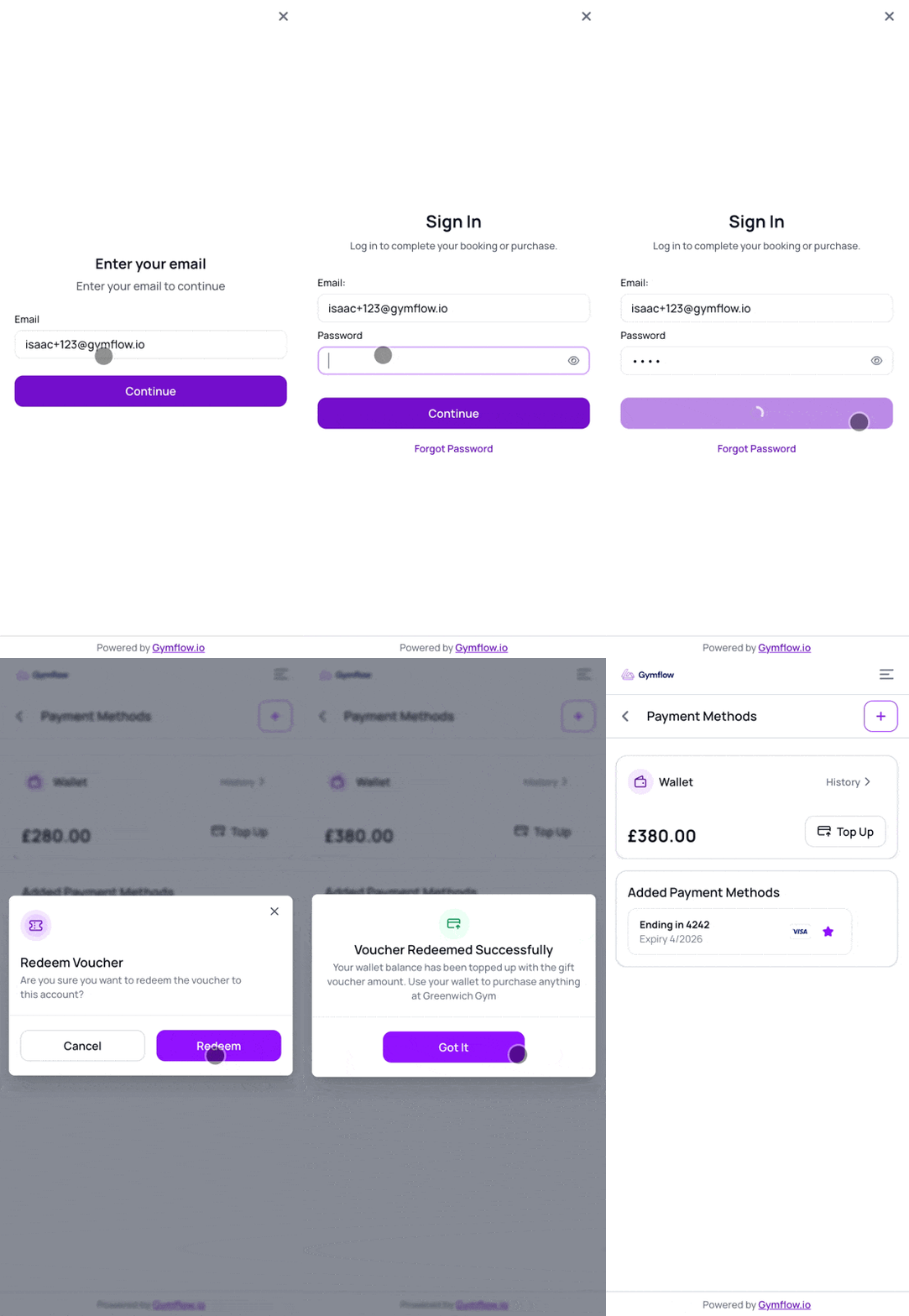
Redeem Voucher - Using Voucher Code
If you prefer to give the code to a person to redeem you can do so and they can still redeem online or via the members app.
Sign/Register into either the Members App or Customer Portal
Head to the Profile Page > Payment Methods
Find and press the “Top Up” button
Enter your voucher code and hit “Top Up”
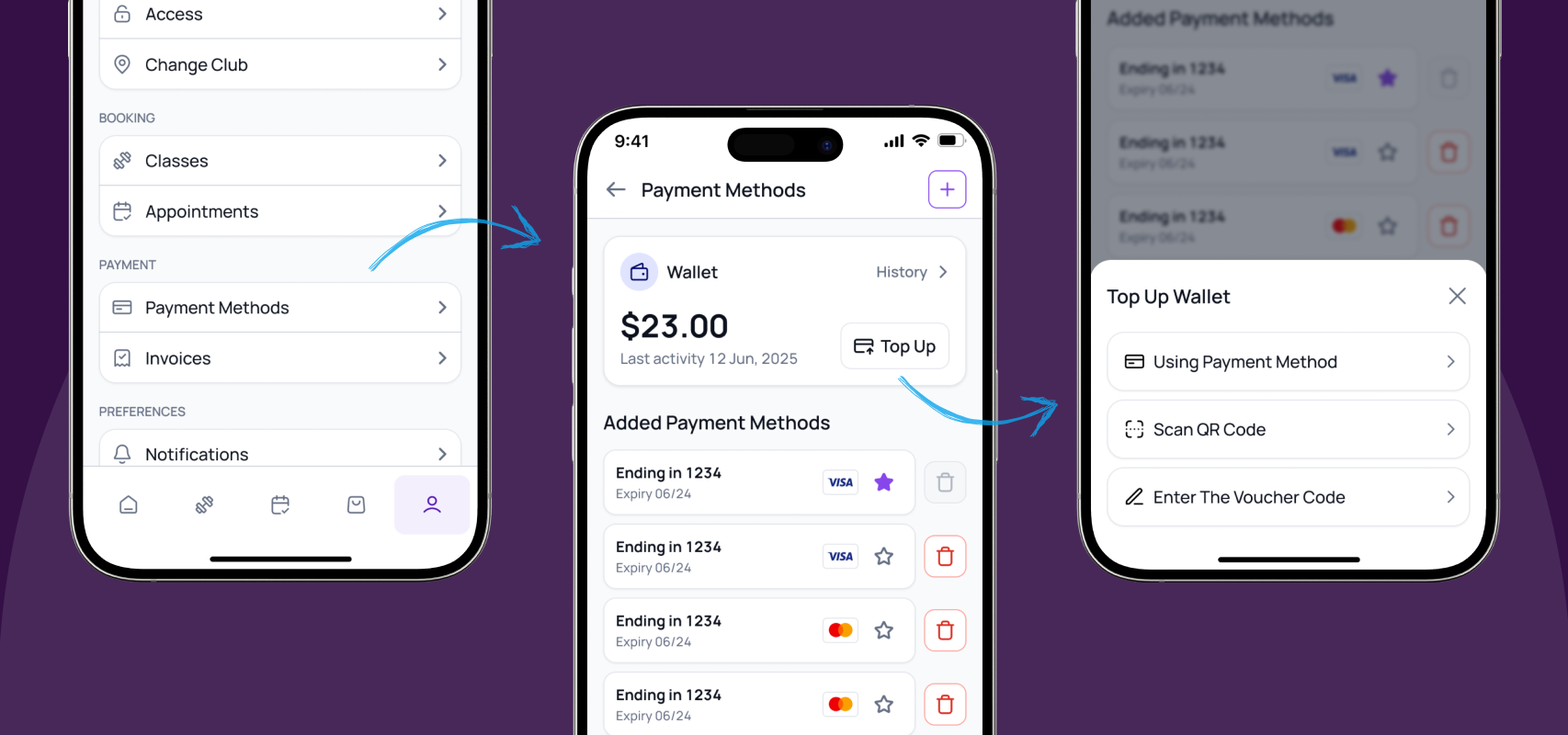
Once redeemed, the voucher amount is added to your wallet and instantly available for spending.
Was this helpful?
Still need help? Share an idea