Manage User Payment Methods
Add a payment method (credit or debit card) to a user's account so they can make purchases.
Written By Isaac Buchanan
Last updated 6 days ago
All purchases made in Gymflow will charge the user's default payment method. A payment method is any credit or debit card that is saved on their account.
All membership payments are also charged to the default payment method. Once added the default payment method cannot be removed unless a replacement is added.
Add a Payment Method
To add a payment method to a user's account:
Search for the user and click to view their profile
Navigate to the Payments Tab
Click Add Method, enter the card details and click Save
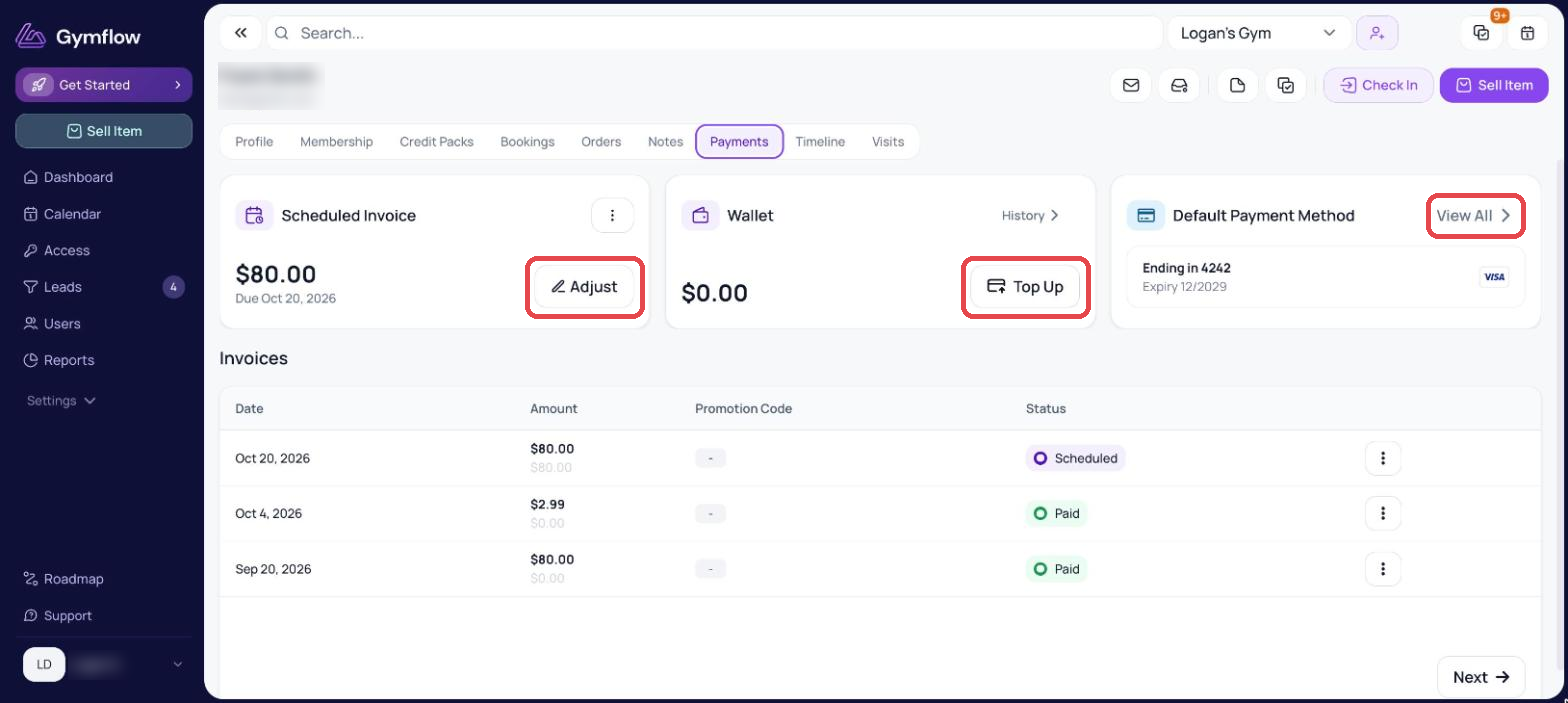
Monitor user's payment methods
Search for the user and click to view their profile
Navigate to the Payments Tab
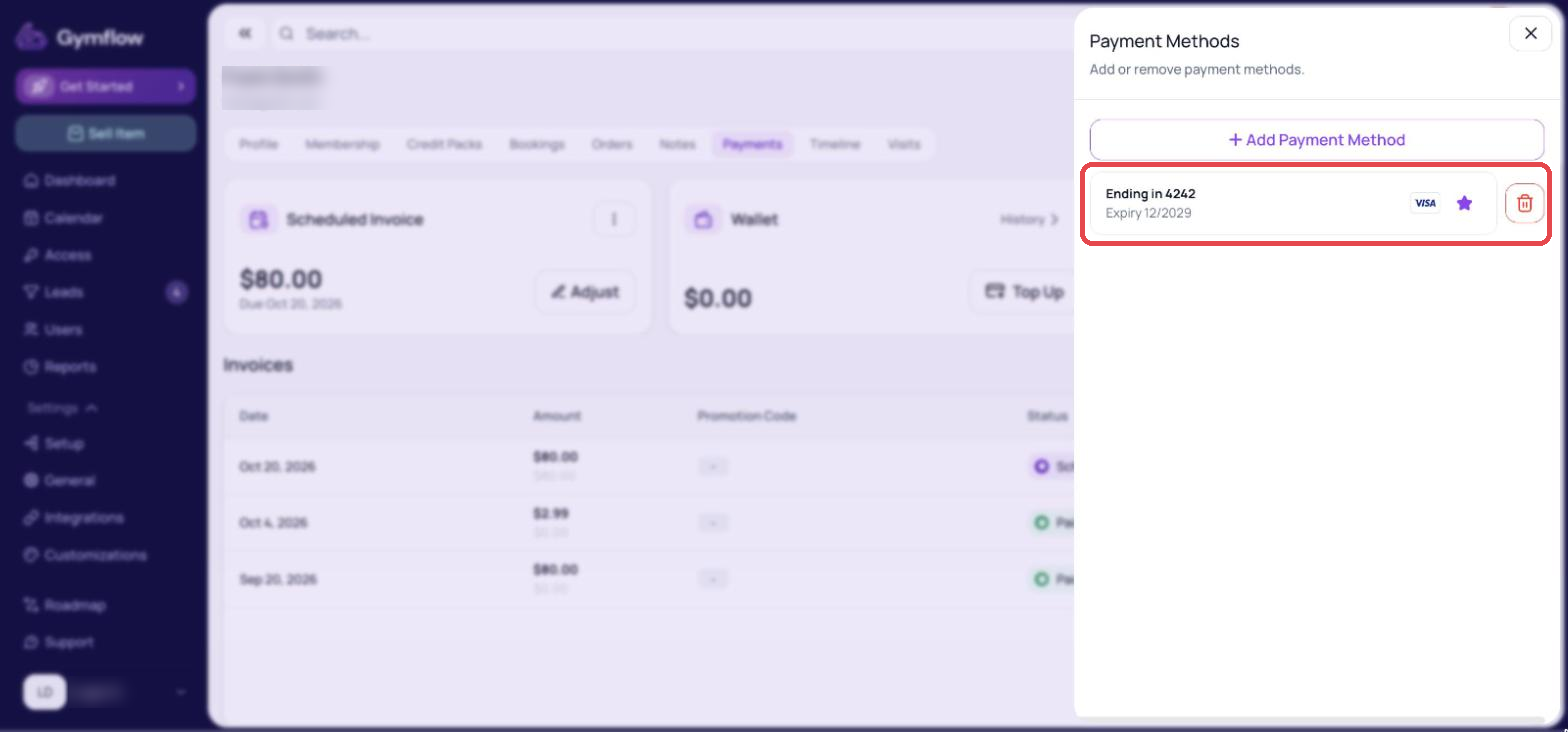
Click "View all payment methods"
We track when a payment method becomes invalid, for example, if a card is reported lost or stolen, and display this status in Gymflow. This saves you time by letting you know when to ask clients to add a different payment method. Hover over the tooltip next to the “Invalid” status to see the exact reason the payment has become invalid
Was this helpful?
Still need help? Share an idea