Class categories
Control what classes a user can book using credit packs and class categories.
Written By Isaac Buchanan
Last updated 3 months ago
Credit packs grant users the right to book specific classes that you designate. For example, a user might have one credit that can only be used for group fitness classes and not yoga classes.
This is managed through class categories. When creating a credit pack, you assign one or more categories and users can only book classes that also share these categories.
Create a new class category
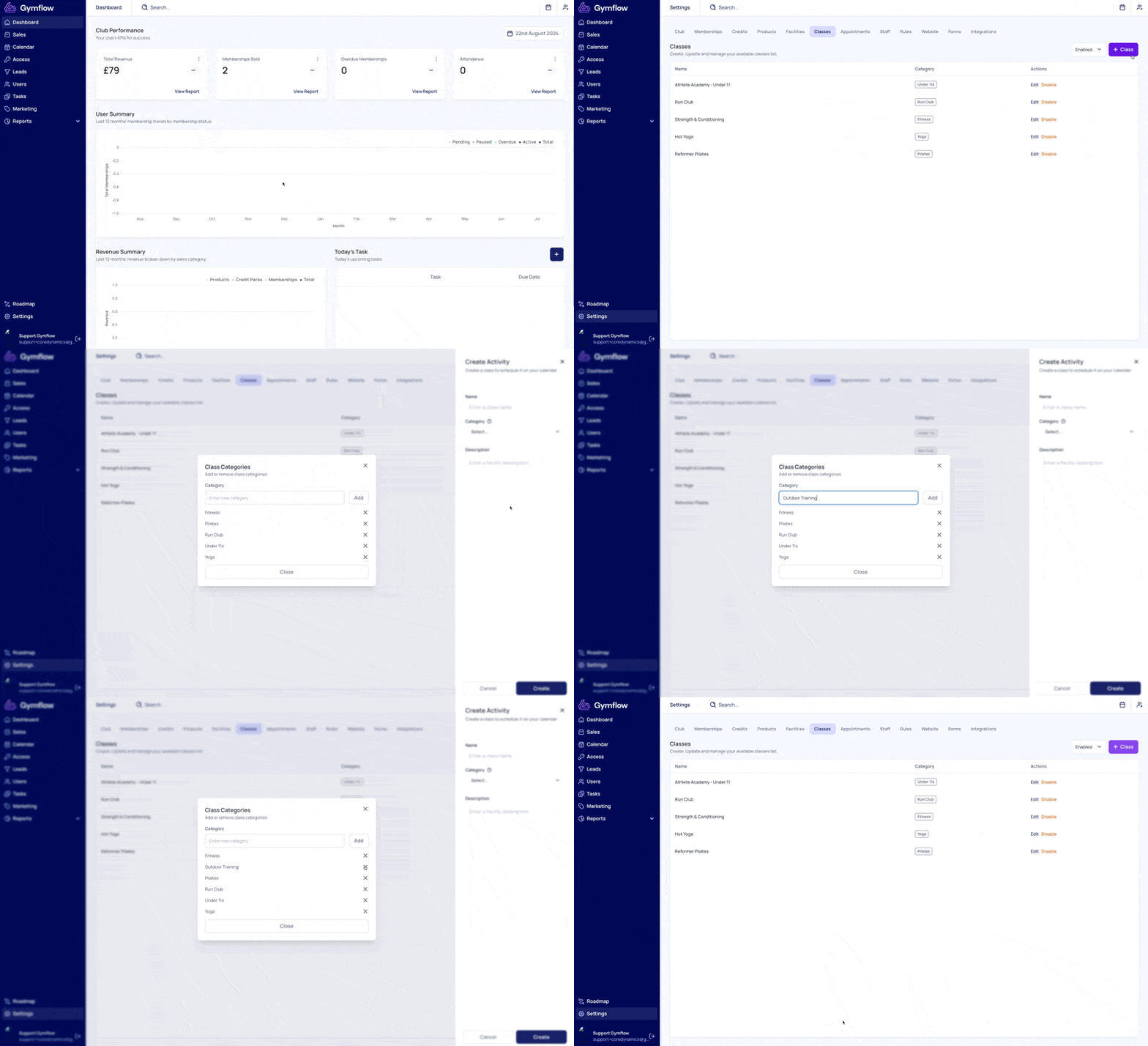
Gymflow comes pre-populated with a collection of class categories that are ready to use. If you would like to add your own, follow these steps:
Go to Settings > Classes
Select Add or Edit an existing class
Select the Category dropdown, scroll to the bottom of the list and select Create new category.
Enter a name for your new class category and select Add.
Delete a class category
To delete a class category you no longer need:
Go to Settings > Classes
Select Add or Edit an existing class
Select the Category dropdown, scroll to the bottom of the list and select Create new category.
Select the cross icon next to the class category you'd like to delete.
Why a member can't book a class
If a member sees a "no credits" message — or can't book a class even though they appear to have credits — it's usually because none of their credit packs share the class's category.
A member can only book a class when one of their credit packs includes the same category as that class. For example, if a class has the Outside category but the member only holds a pack with the Group Fitness category, the booking will be blocked.
If a member can't book, check that they hold a credit pack whose category matches the class they're trying to book.
Which credit pack is used when a member has more than one
If a member has several credit packs that all include the category needed for a booking, Gymflow automatically deducts from the pack that expires first. This is worth keeping in mind when checking why a particular pack's balance went down.