Add Notes To A User
Add notes, documents and images to a user's profile for reference later.
Written By Isaac Buchanan
Last updated 6 days ago
You can add notes to any lead or user profiles from a variety of different places:
From the lead card
From the action menu
From the user's profile
Staff can add notes to a user's profile, including documents and images. This can be useful to track issue resolutions, medical information, and much more.
Notes can be seen by any staff member with permission to view that user's profile. Users themselves cannot see any of the notes that you add.
Add notes to a user's profile
To add a note, document or image to a user's profile:
Go to the user's profile.
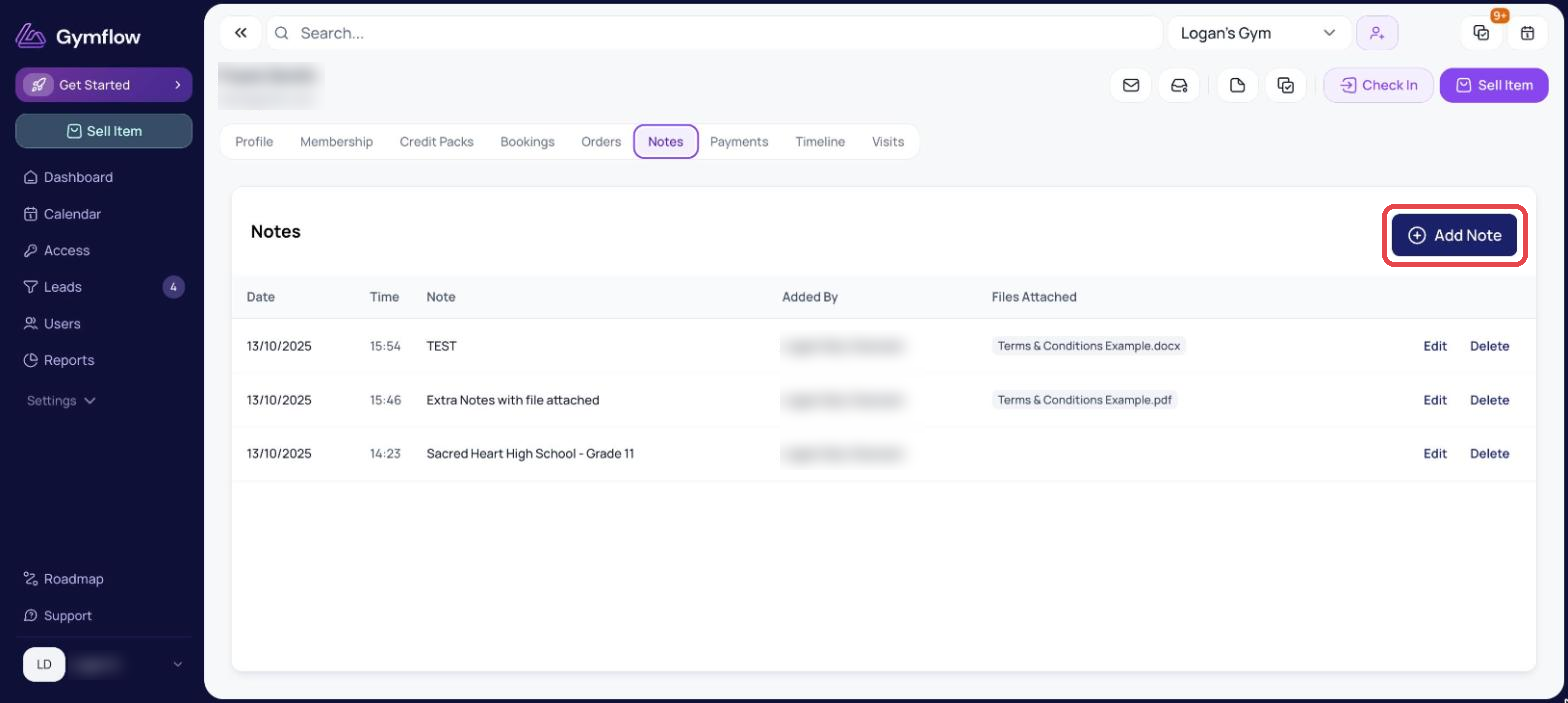
Select the Notes tab and then Add Note.
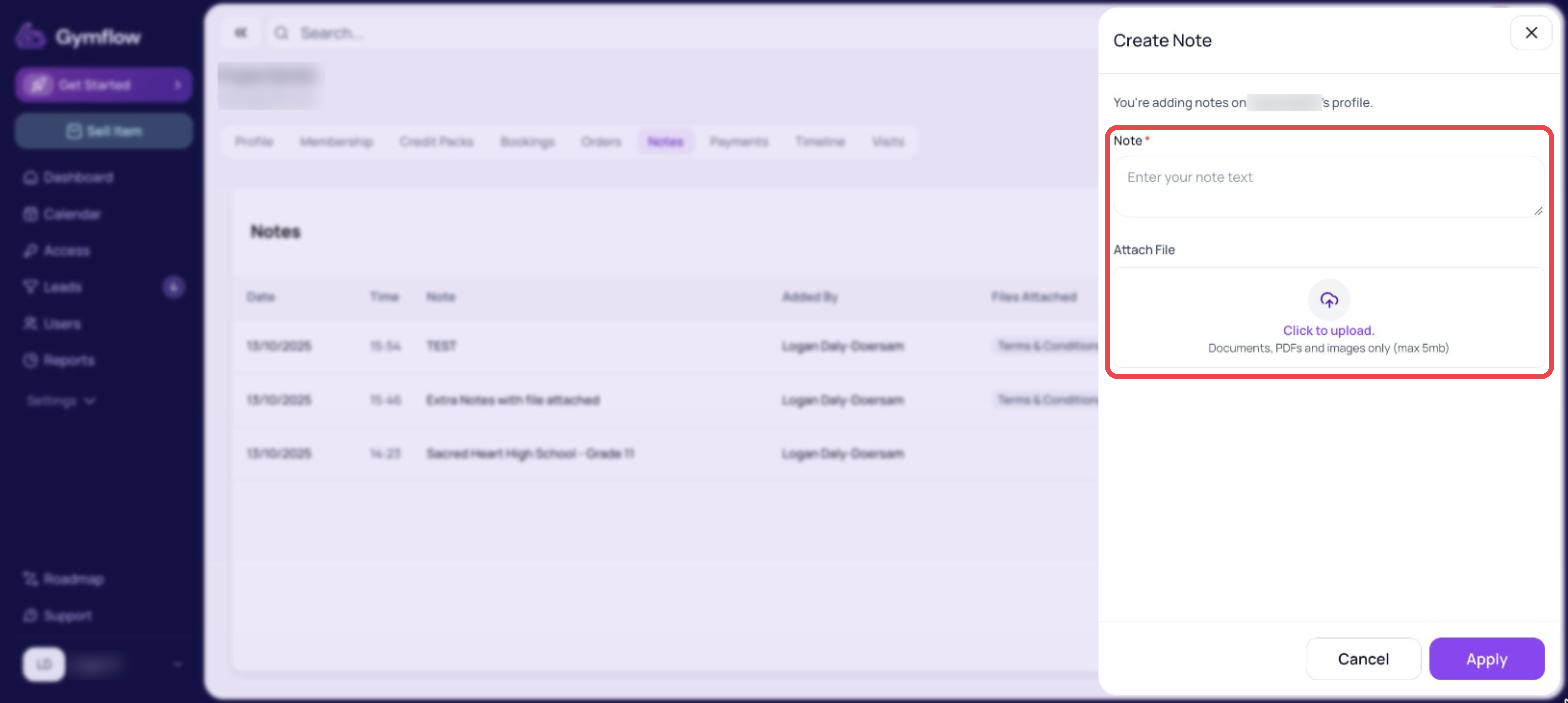
Add the note and upload a file if desired.
Select Apply.
Was this helpful?
Still need help? Share an idea