Change a credit pack's expiry date
Written By Anna Gertsen
Last updated 7 days ago
To change a credit pack's expiry date just follow these steps:
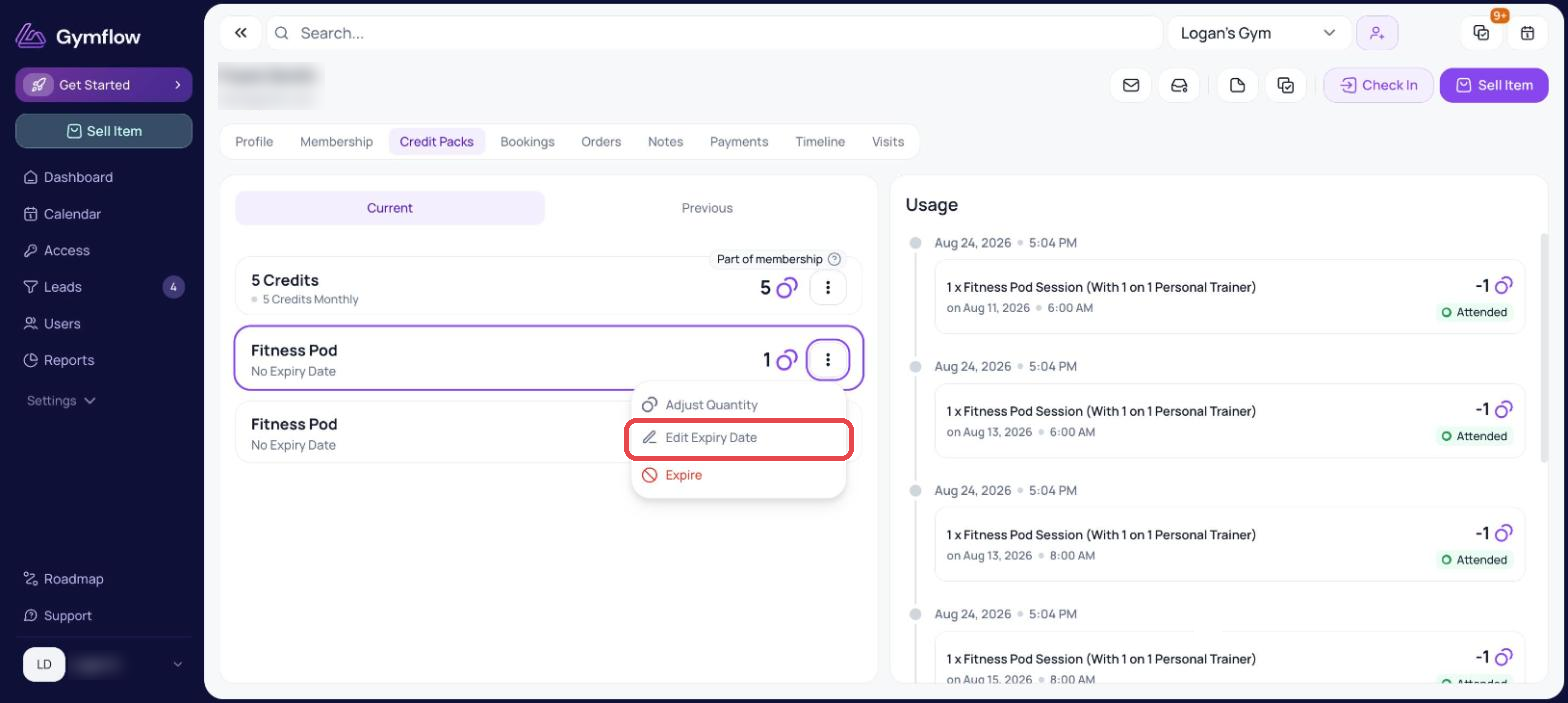
Search for the user and head to the Credit Packs tab on their profile
Find the pack you need and click the 3 dots in the right-hand side of the pack
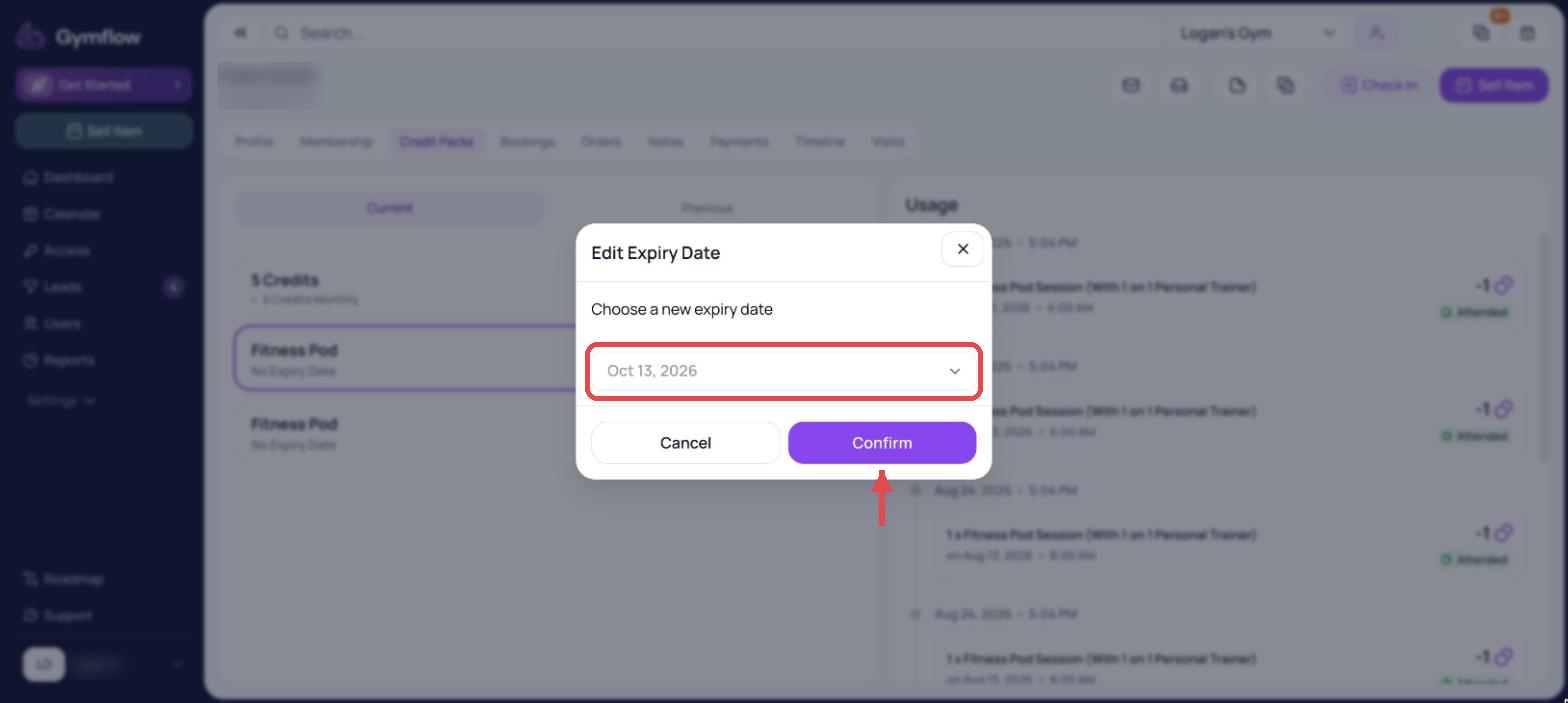
Select "Edit Expiry Date" and set the new date you'd like the credit to expire on.
Confirm the change
Was this helpful?
Still need help? Share an idea