Disable or enable a credit pack
Clean up and manage your credit packs by hiding and unhiding them.
Written By Isaac Buchanan
Last updated 6 days ago
When you no longer want to offer a credit pack for sale, you can simply disable it. This will hide this from the list of available credit packs to buy for both users and staff processing sales.
This makes it easier to manage your credit packs by hiding the ones you don't need anymore.
Disabling can be undone by re-enabling the credit pack at any time.
Disable a credit pack
To disable a credit pack:
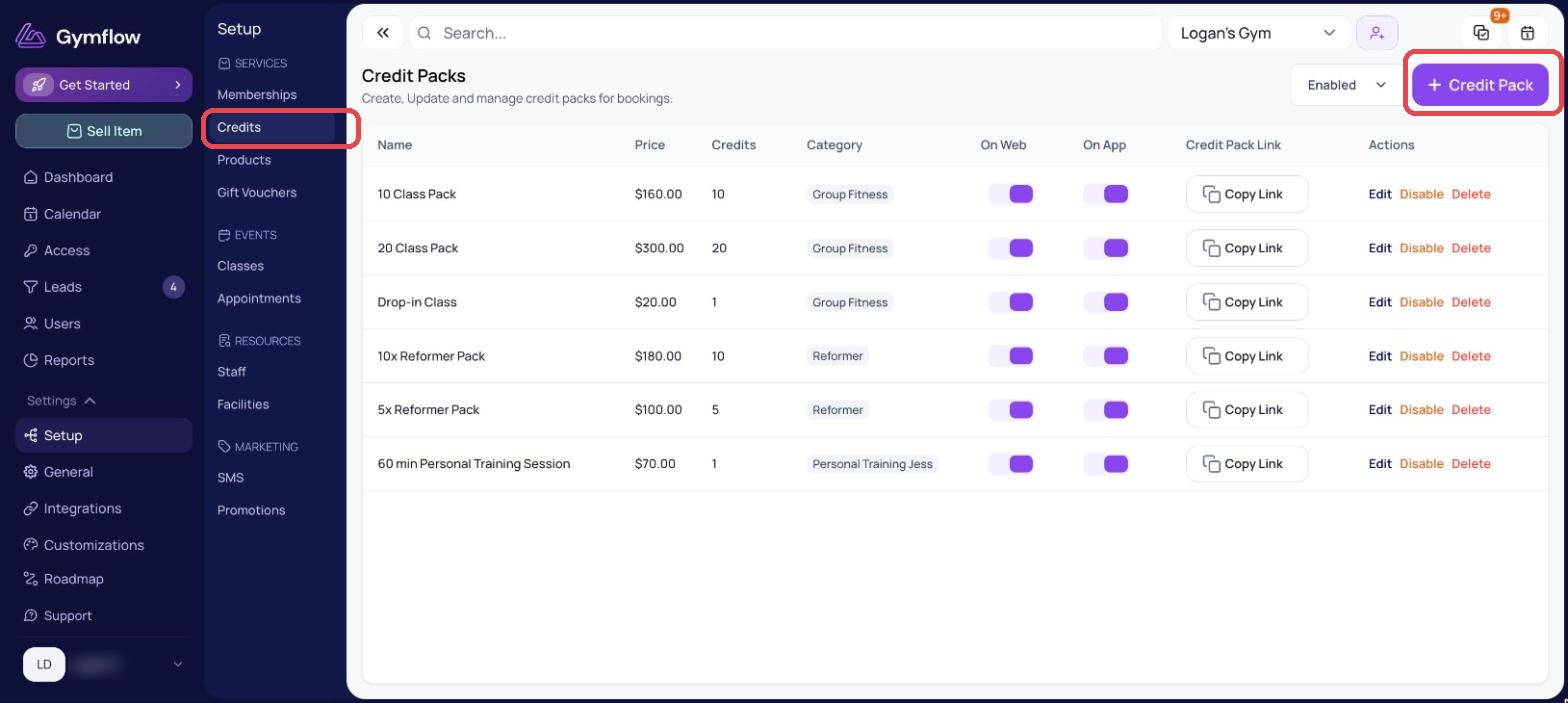
Go to Settings > Setup > Credits
Find the appropriate credit pack and select Disable and confirm.
Enable a credit pack
If you've previously disabled a credit pack, you can re-enable it like so:
Go to Settings > Setup > Credits
Change the Enabled filter in the top right to Disabled.
Find the appropriate credit pack and select Enable and confirm.
Was this helpful?
Still need help? Share an idea