Disable or enable a product
Clean up your product list by disabling products you no longer need.
Written By Isaac Buchanan
Last updated 17 days ago
When you no longer want to offer a product for sale, you can disable it. This hides it from the products available to buy, for both members and staff processing sales.
Disabling can be undone by re-enabling the product at any time.
Disable a product
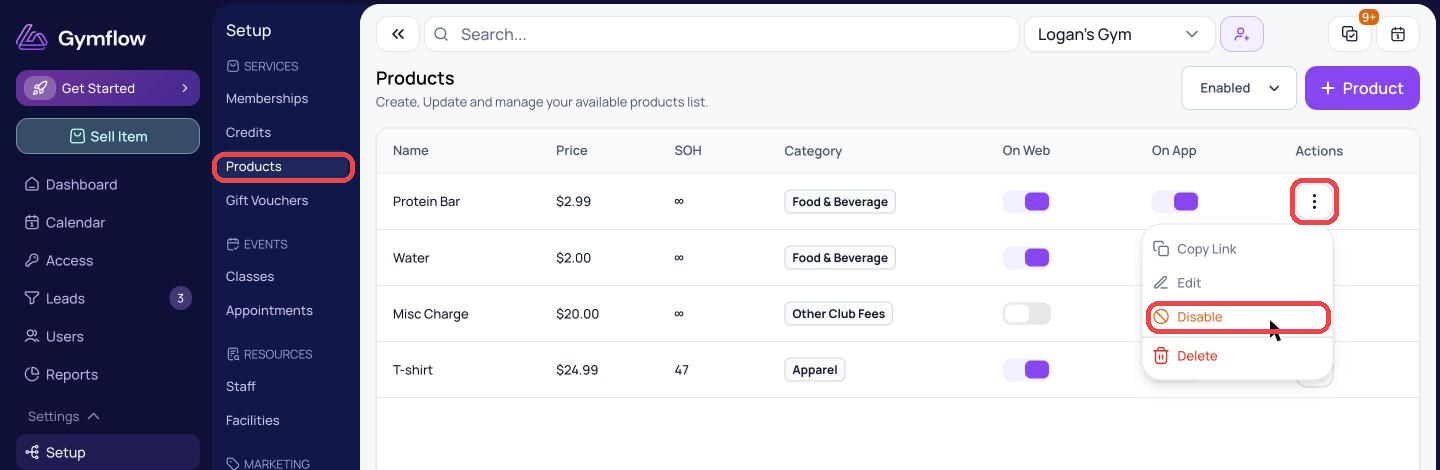
Go to Settings > Setup > Products.
Click the three dots next to the product and select Disable.
Enable a product
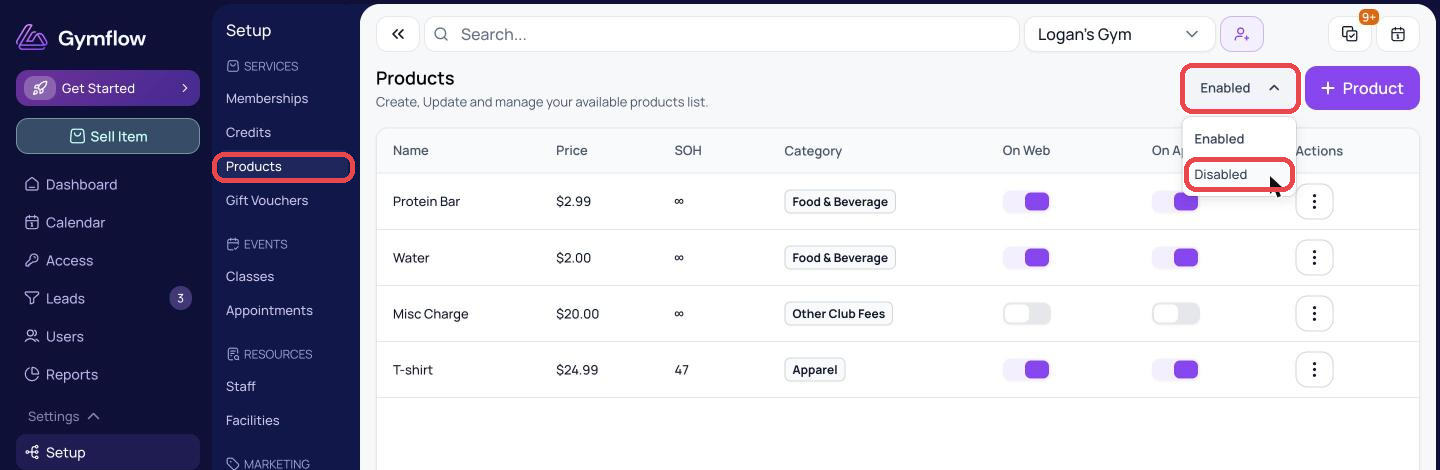
Go to Settings > Setup > Products.
Change the Enabled dropdown in the top right to Disabled to see your disabled products.
Click the three dots next to the product and select Enable.
Delete a product
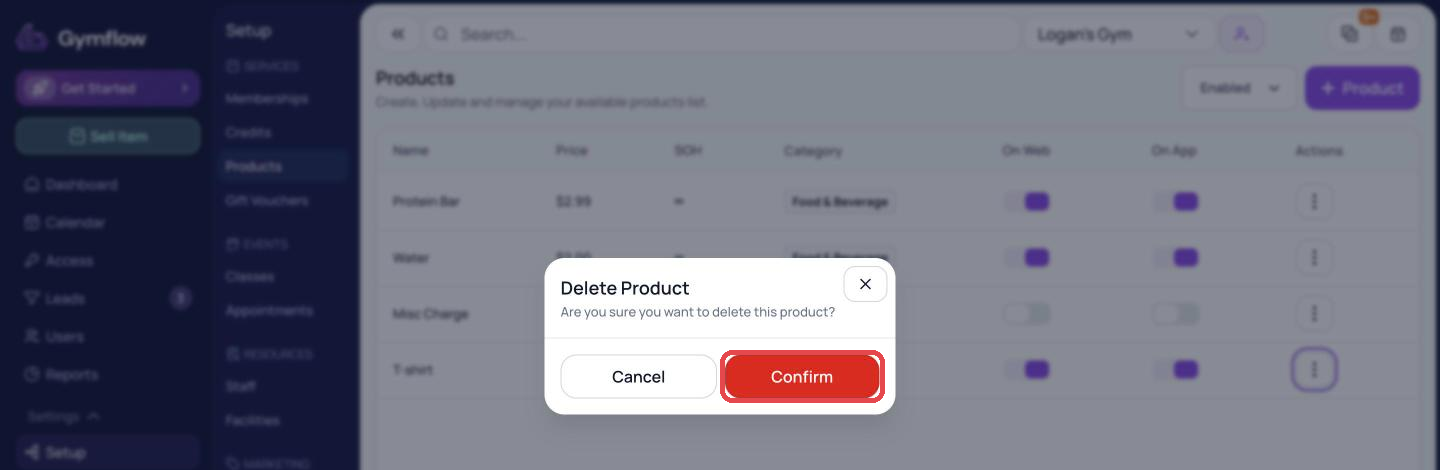
If you no longer need a product at all, click the three dots next to it, select Delete and confirm. Unlike disabling, this can't be undone.
Was this helpful?
Still need help? Share an idea