Apply Location Restrictions
Ensure members can't open the door unless they are at your club.
Written By Isaac Buchanan
Last updated 7 days ago
To ensure that members can’t open door from the app when they are not physically present (within 50m of coordinates) we apply a GEO Fence restriction.
This means the member has to be within a close distance to your club to be able to unlock doors using the members app.
This feature is ON by default but you need to add your club co-ordinates to enable it.
Add Club Co-Ordinates
To add your club coordinates:
Go to Settings > General > Club
Add your Latitude and Longitude
Press Save
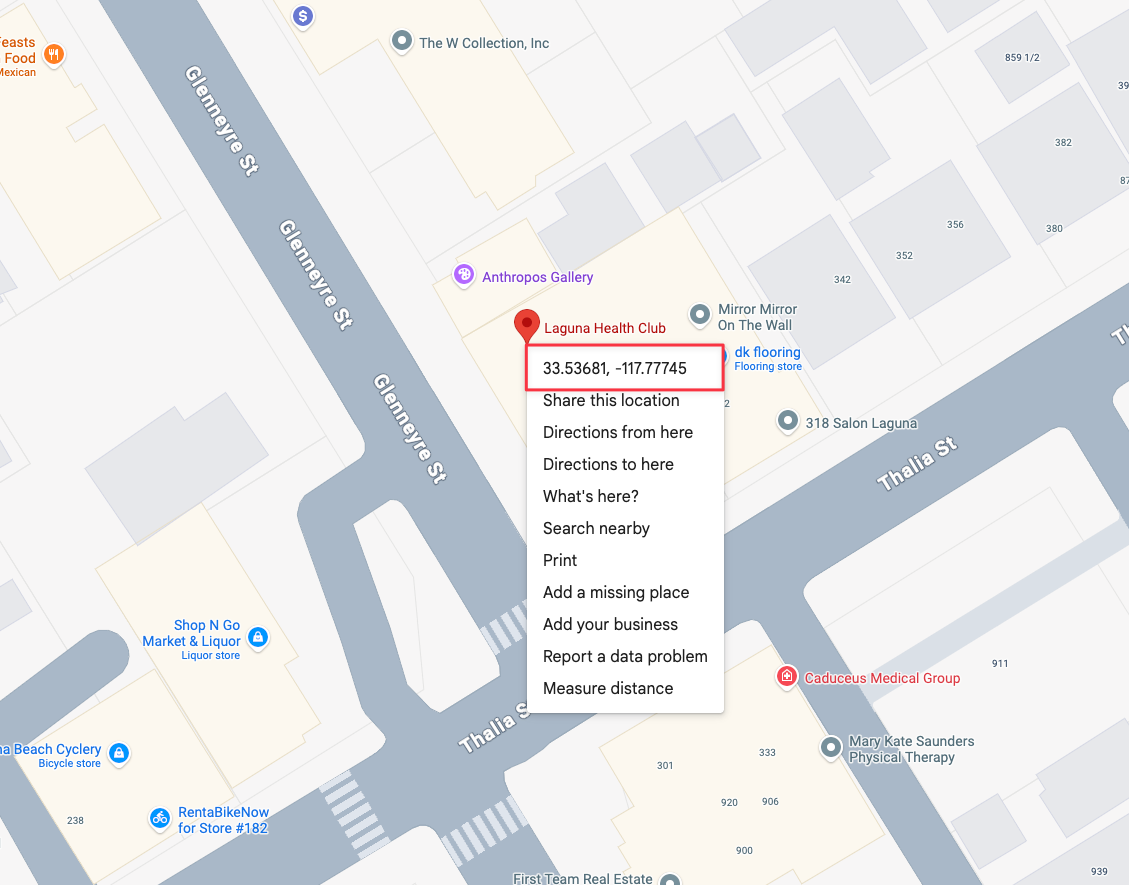
To obtain your co-ordinates simply go to Google Maps, search for your club and right click on the map to see and copy your co-ordinates.
What happens if a member is too far away?
If a member tries to unlock the door from outside the allowed distance, the door won’t open and the attempt won’t appear in your access log. Only successful door unlocks are recorded as check-ins.
If your club’s coordinates haven’t been added, no location restriction is applied, so members can open the door from anywhere using the app.
Was this helpful?
Still need help? Share an idea