Topping Up A Wallet
Learn how top up a users wallet balance
Written By Isaac Buchanan
Last updated 6 days ago
User wallets can be topped up one of two ways:
Top up with Gift Voucher
Prerequisites: you need to have a Gift Voucher. If someone gives you a Gift Voucher, they need to share a code with you.
Sign into either the Staff Portal, Members App or Customer Portal
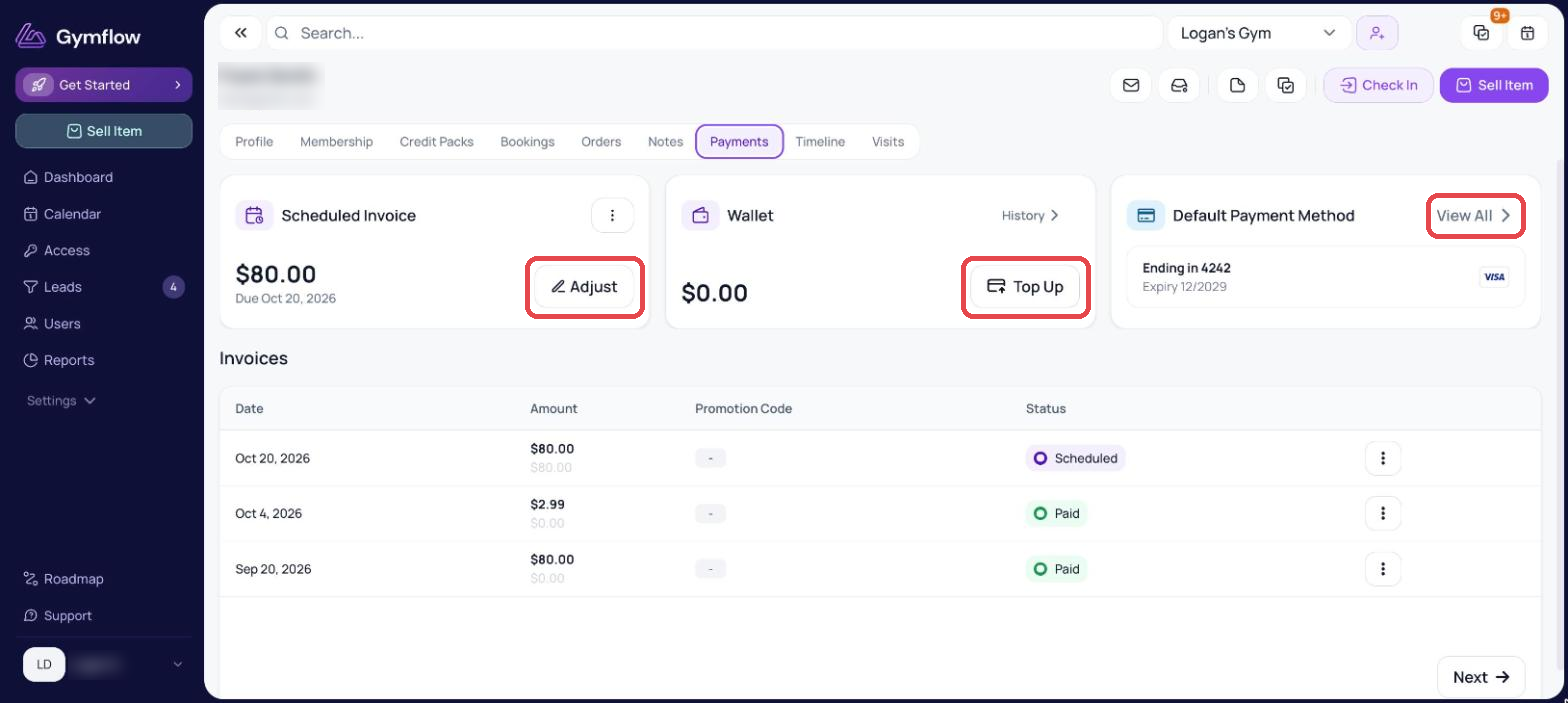
In the Staff Portal, go to the user's profile and the Payments tab. In the Members App or Customer Portal, go to Profile > Payment Methods
Find and press the “Top Up” button
Enter your voucher code and hit “Top Up”
Top Up With Payment
Sign into either the Members App or Customer Portal
Head to the Profile Page > Payment Methods
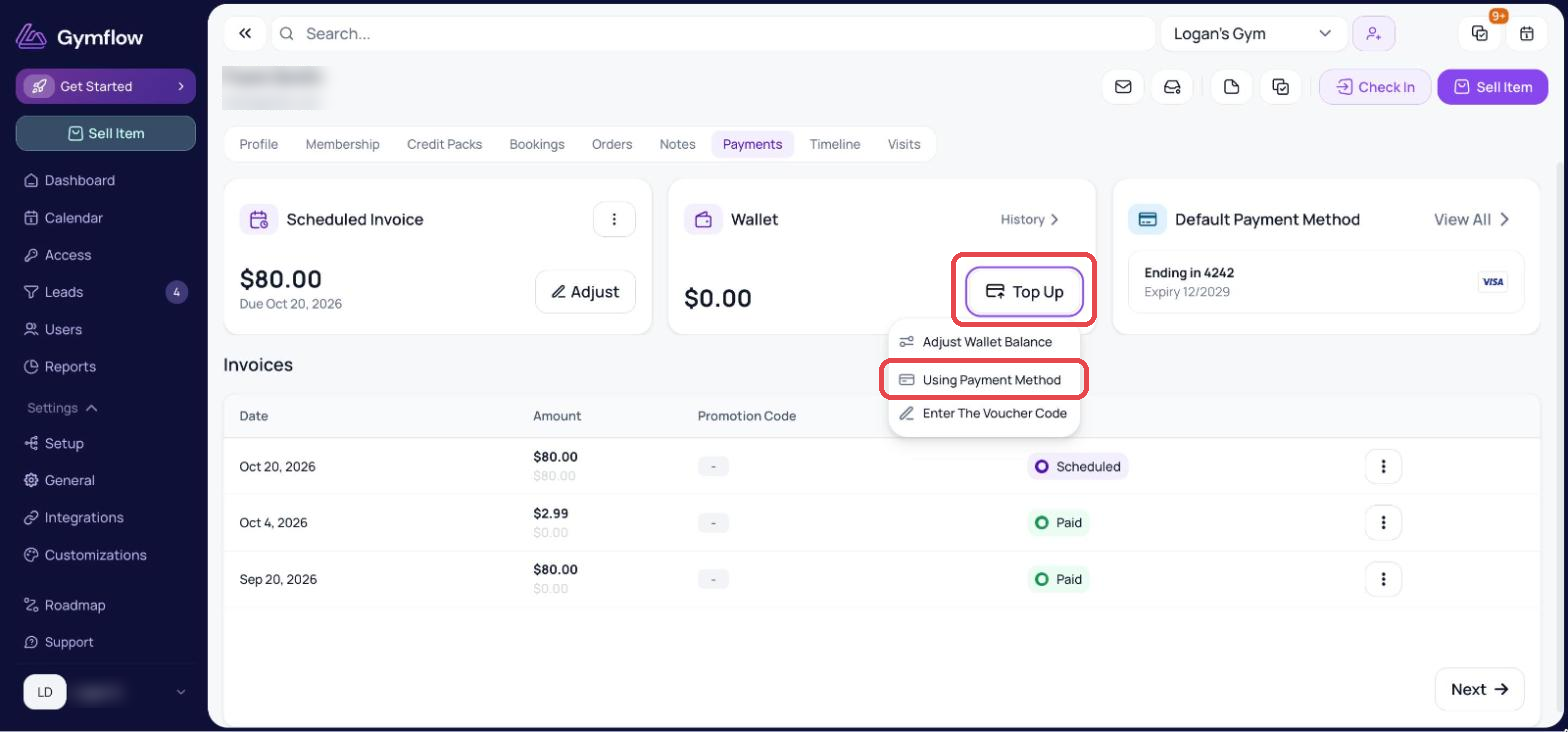
Find and press the “Top Up” button
Select “Using Payment Method“
We keep a history of all wallet top ups and spends included details of which staff topped them up for transparency.
Adjust Wallet Balance
Staff can manually add credit to a member's wallet directly from their profile. This makes it easy to reward members without any workarounds. You can add credit as a reward, goodwill gesture, or referral bonus.
Reasons are required meaning you can always track who made the adjustment and why
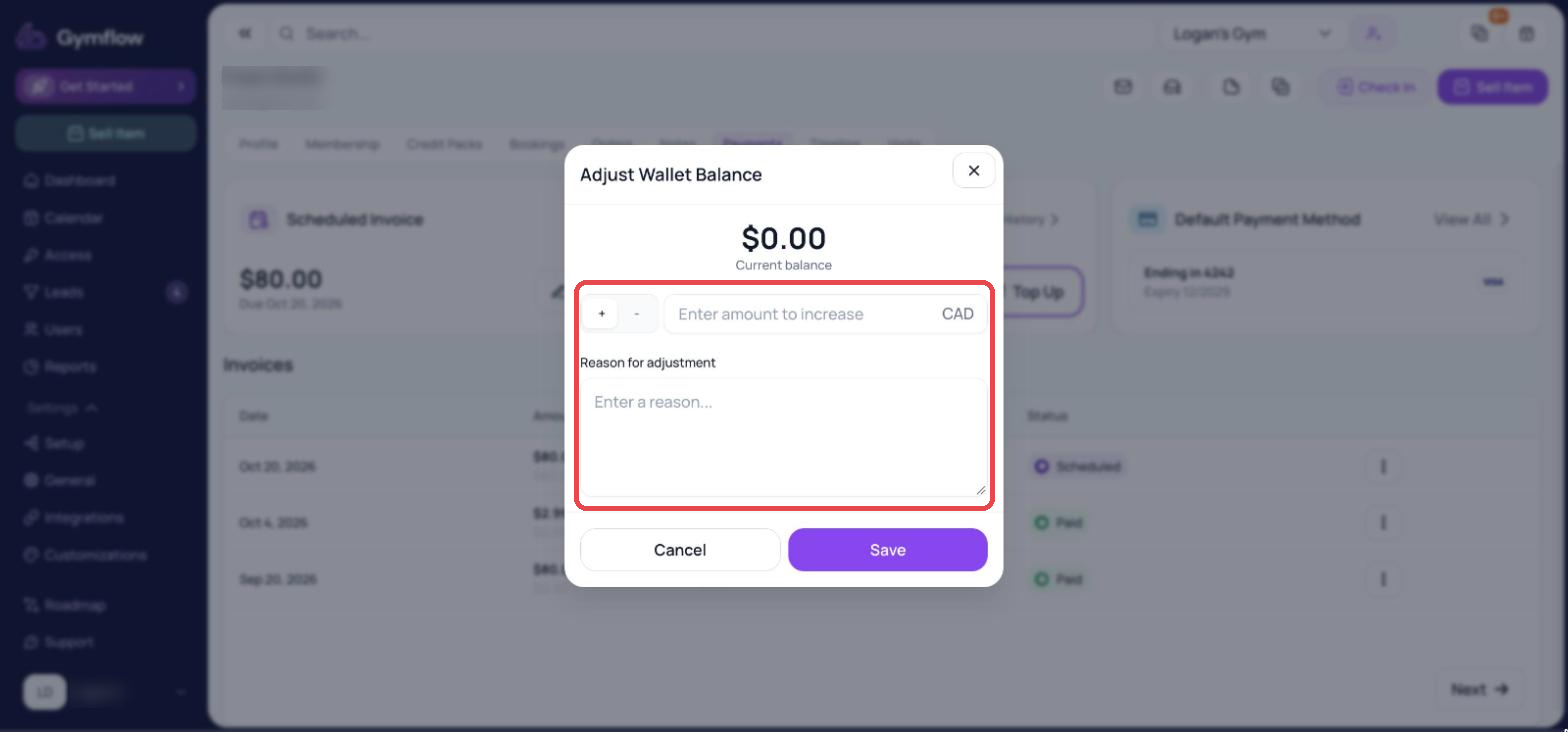
Manual adjustments are not recorded as a sale, keeping your revenue reporting clean and accurate.
Was this helpful?
Still need help? Share an idea