Club Configuration Settings
Learn about club-wide configuration settings
Written By Anna Gertsen
Last updated 8 days ago
These settings apply across your whole club, not per membership or per class.
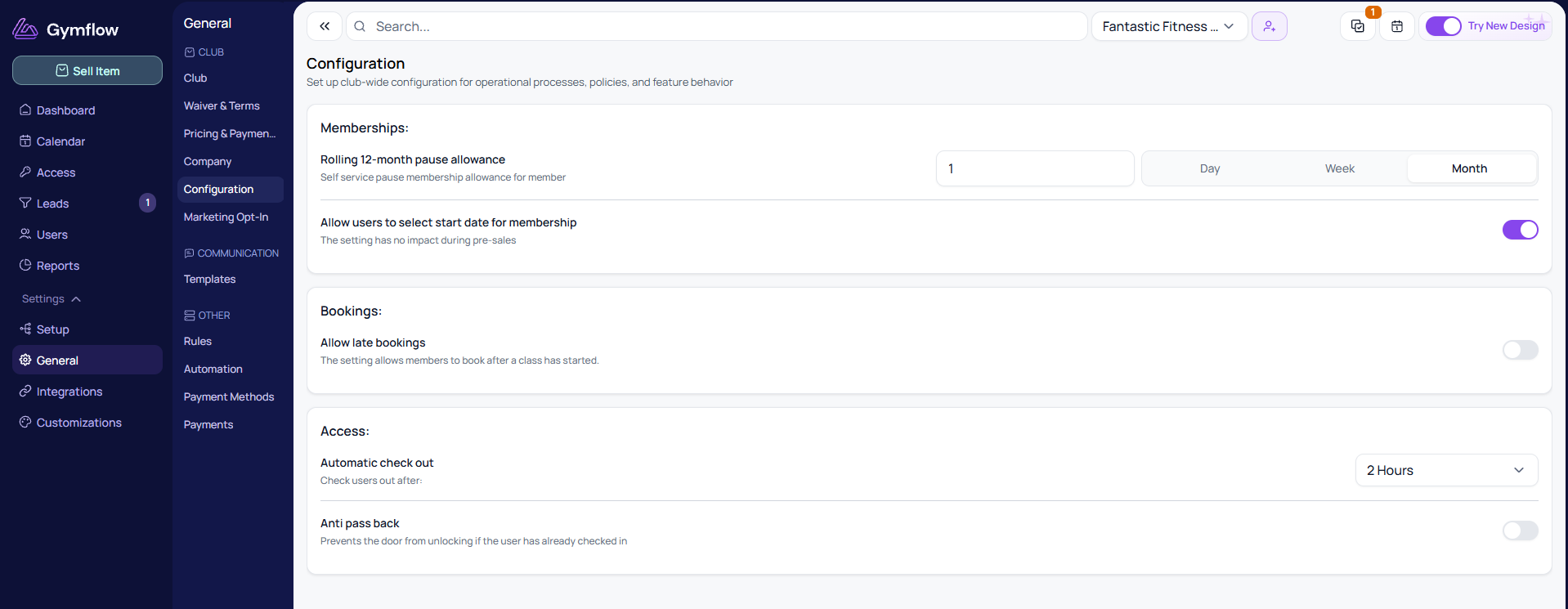
Find them at Settings > General > Configuration.
Club Capacity
Maximum Club Capacity
The most people your club can hold at once. Gymflow uses it to show members how busy the club is in the members app, when that widget is on. See Real-Time Club Capacity.
Memberships
Rolling 12-month pause allowance
The allowance is a cap on the total, and it works alongside the minimum pause duration set in the membership's settings. For example, if you set the allowance to 1 month and the minimum pause duration to 2 weeks, a member could pause for 2 weeks in June and another 2 weeks in August, but nothing more, because that uses up their full month across the 12-month window.
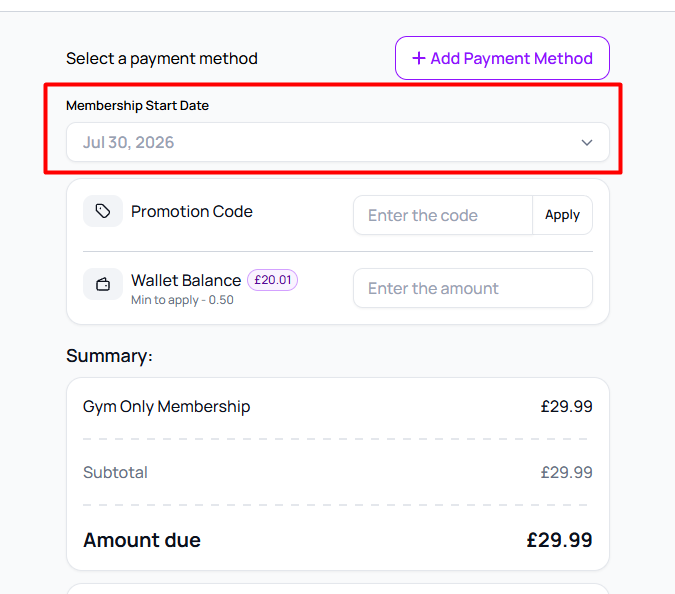
Allow users to select start date for membership
When enabled, members can choose the date their membership begins when they purchase it, rather than it starting immediately.
Bookings
Allow late bookings
Turn this on to let members book a class after it has started. They can book right up until the class ends, in the members app and on your website schedule, and the class stays visible until then. With it off, booking closes as soon as the class starts.
This is especially useful for Open Gym sessions that members book before using the space. Open Gym is often set up as back-to-back one-hour slots. With late bookings off, a member arriving at 2:15pm can't book the 2:00pm slot that's already running, so the earliest they can book is 3:00pm, even though the gym is open and there's space. With it on, they book the current slot and get straight in.
Access
Automatic check out
Sets how long after check-in a member is automatically checked out.
Anti pass back
When enabled, the door won't unlock for a member who has already checked in. This stops one member passing their access back to let someone else in.
Was this helpful?
Still need help? Share an idea