Downloading Transaction Reports and Viewing Fees in Gymflow
View your transactions in your Stripe account and fees charged for any period.
Written By Isaac Buchanan
Last updated 7 days ago
In this article, we’ll guide you on how to download a report of your transactions from the prior month and view the fees charged by Stripe.
How to Download Your Transaction Report
Log in to your Gymflow owner account.
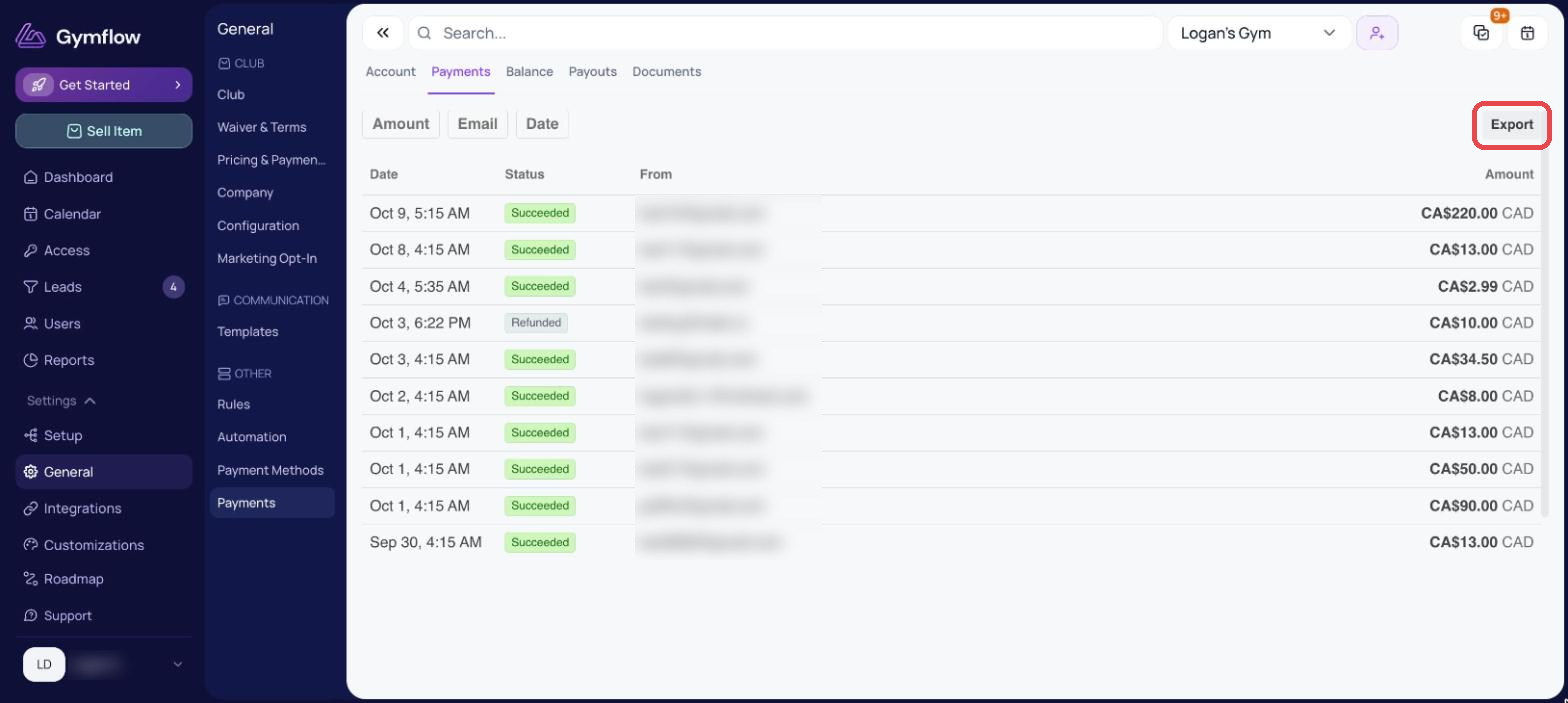
Go to Settings > General > Payments and open the Payments tab
Click Export and select the period you want to download
Click Export to confirm the download
Was this helpful?
Still need help? Share an idea