Enabling Gift Vouchers
Learn how to enable gift vouchers for your club.
Written By Anna Gertsen
Last updated 7 days ago
Before members can buy Gift Vouchers from your app or website, you’ll need to enable the feature in your settings.
To enable Gift Vouchers:
Go to Settings > Setup > Gift Vouchers.
Switch the Sell Gift Vouchers toggle to On.
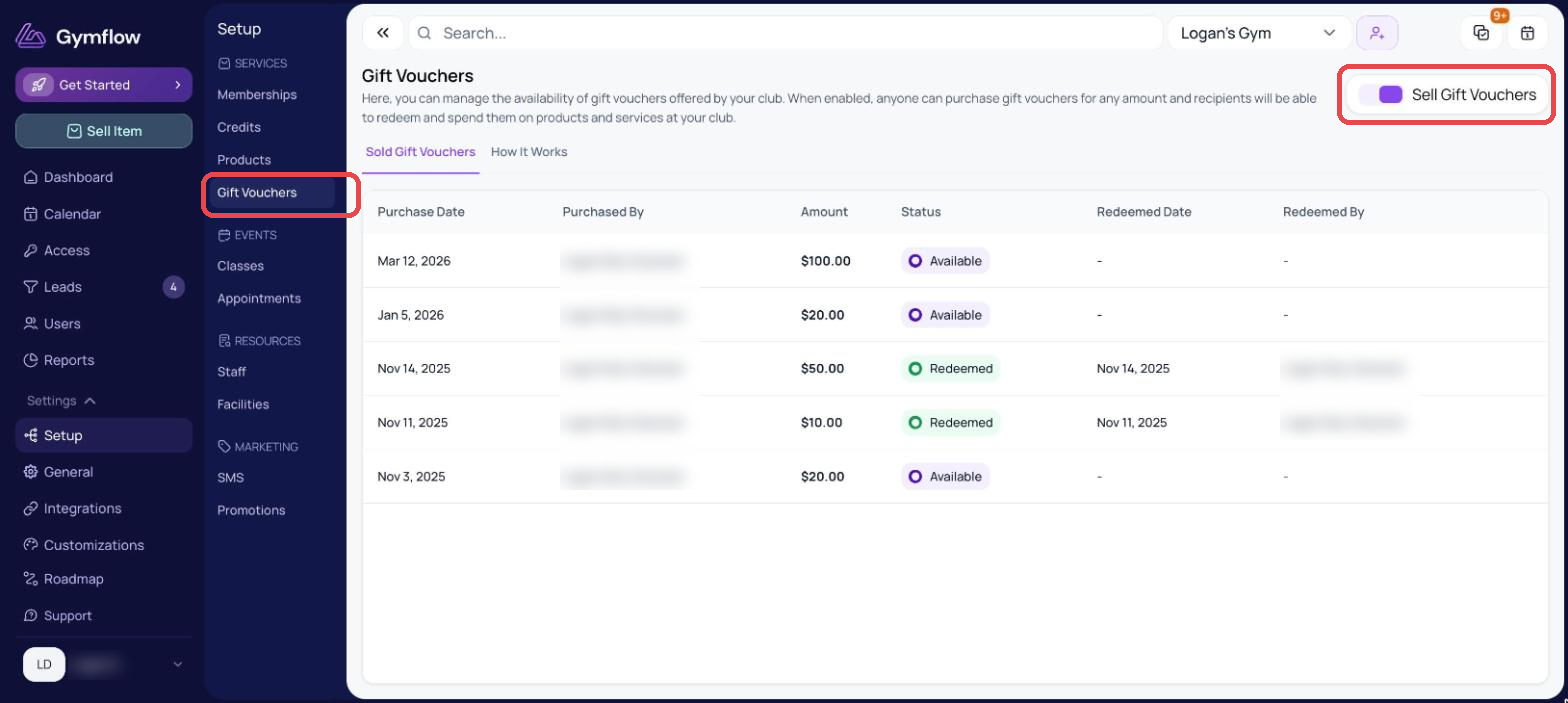
👉 Once enabled, Gift Vouchers will appear in the purchase options alongside memberships, credit packs, and products.
Gift vouchers do not expire
Was this helpful?
Still need help? Share an idea