Grant Access For Bookings
Grant door access for bookings with your facilites.
Written By Isaac Buchanan
Last updated 7 days ago
How to grant access for bookings:
Once your PDK account has been integrated with Gymflow and your access groups have been created simply follow these steps:
In Gymflow go to Settings > Setup > Facilities
Create or Edit a Facility
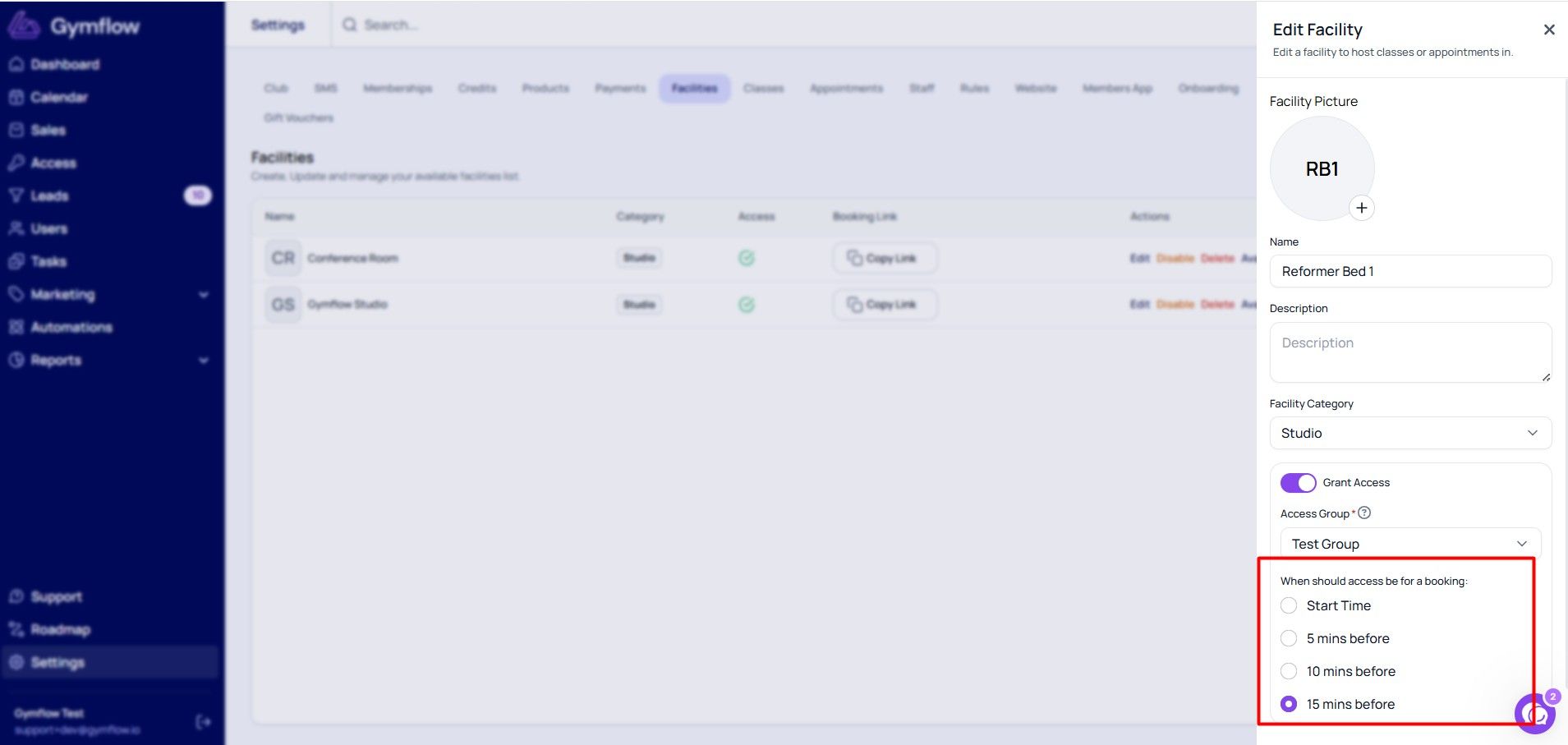
Turn on Grant Access and choose the access group for this facility
Under "When should access be for a booking", choose Start Time or 5, 10 or 15 mins before
How it works:
When a user has a booking, access will automatically be granted based on the timing you configure for that facility. You can choose to grant access at the start time, or 5, 10, or 15 minutes before. This can be set when creating or editing a Facility in Settings > Setup > Facilities.
The user will be able to open the doors associated with the group until the class or appointment has finished, at which point they will be removed from the access group.
Was this helpful?
Still need help? Share an idea