Real-Time Club Capacity
How to set up and show your Real-Time Club Capacity Meter
Written By Logan Daly-Doersam
Last updated 7 days ago
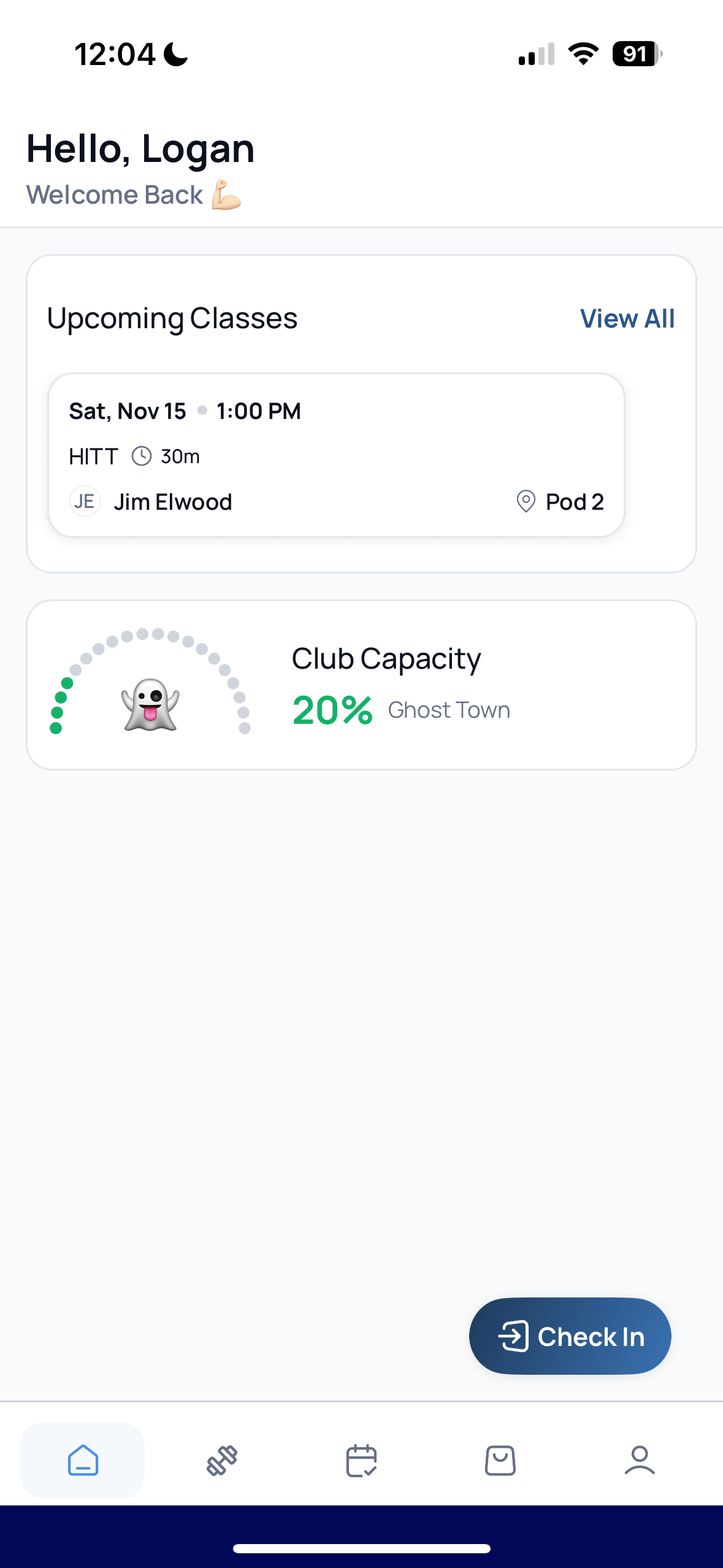
Empower your members to choose their preferred workout times. The new Club Capacity widget provides a real-time visualization of how busy your facility is, helping members select times they prefer.
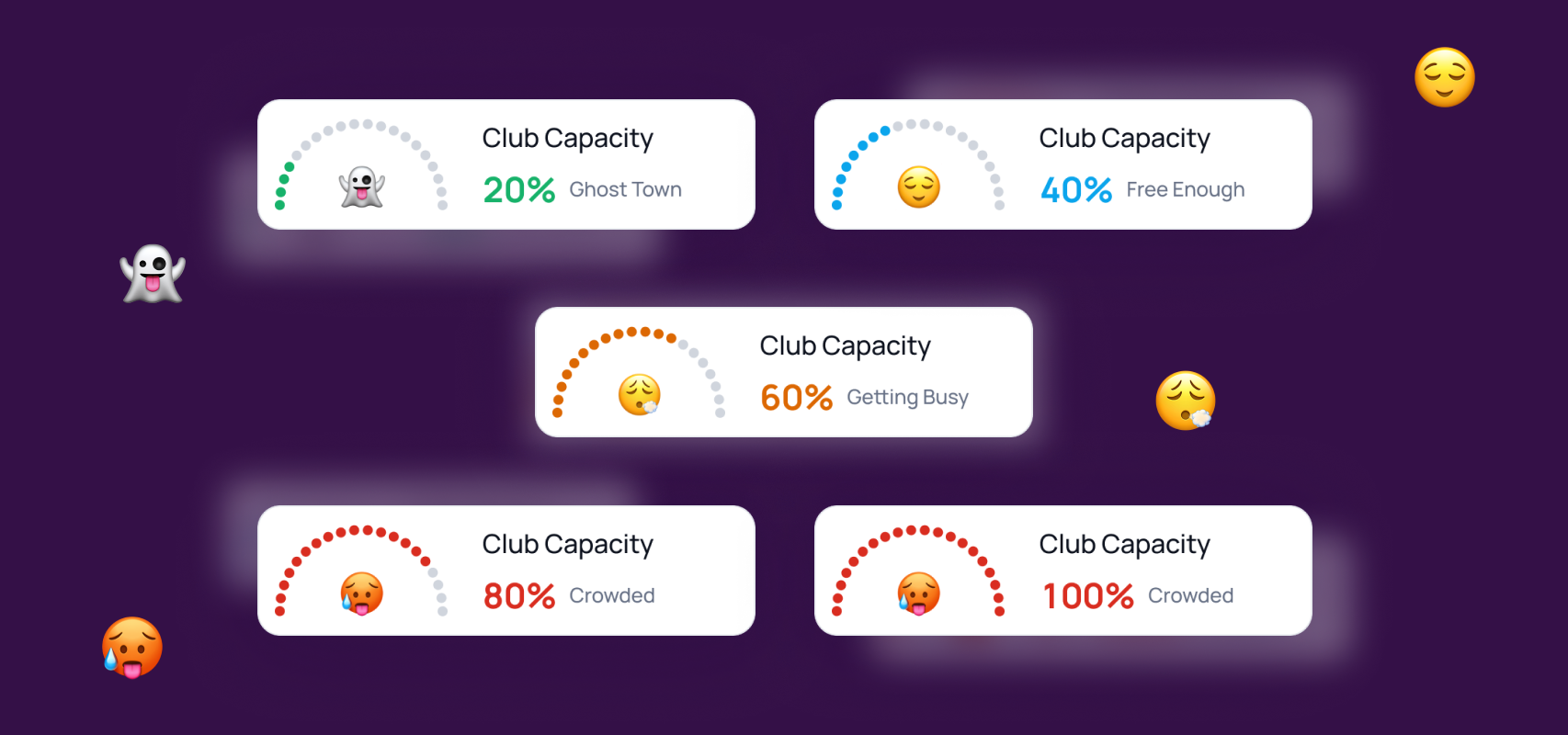
Some love to go when it’s nearly empty or “Ghost Town” as we call it. Others love the action and choose to go when it’s busy!
How Club Capacity works
You set your Maximum Club Capacity, and your members will see how busy your club is from their app’s Home Screen.
How to set up Club Capacity
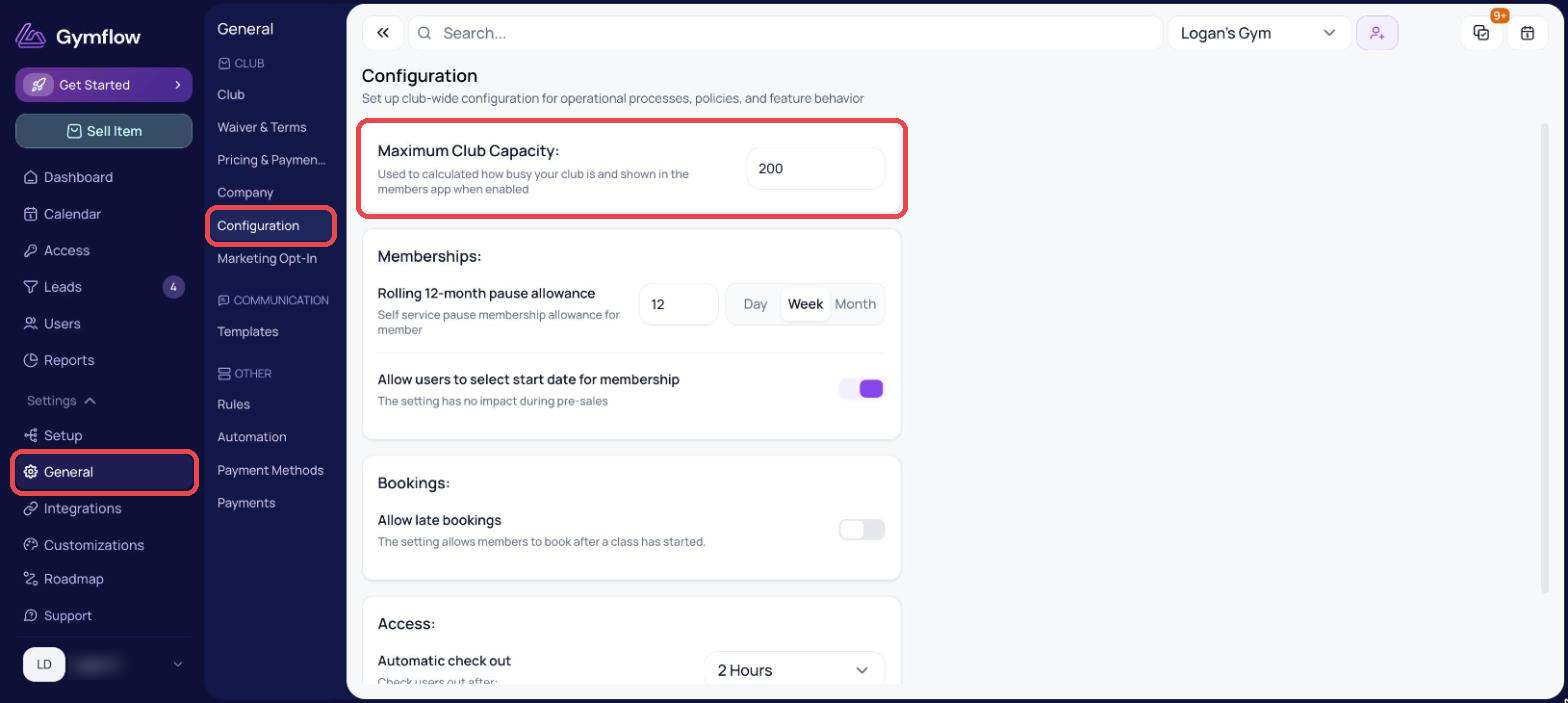
Go to Settings > General > Configuration > Type in your “Maximum Club Capacity” > Click Save
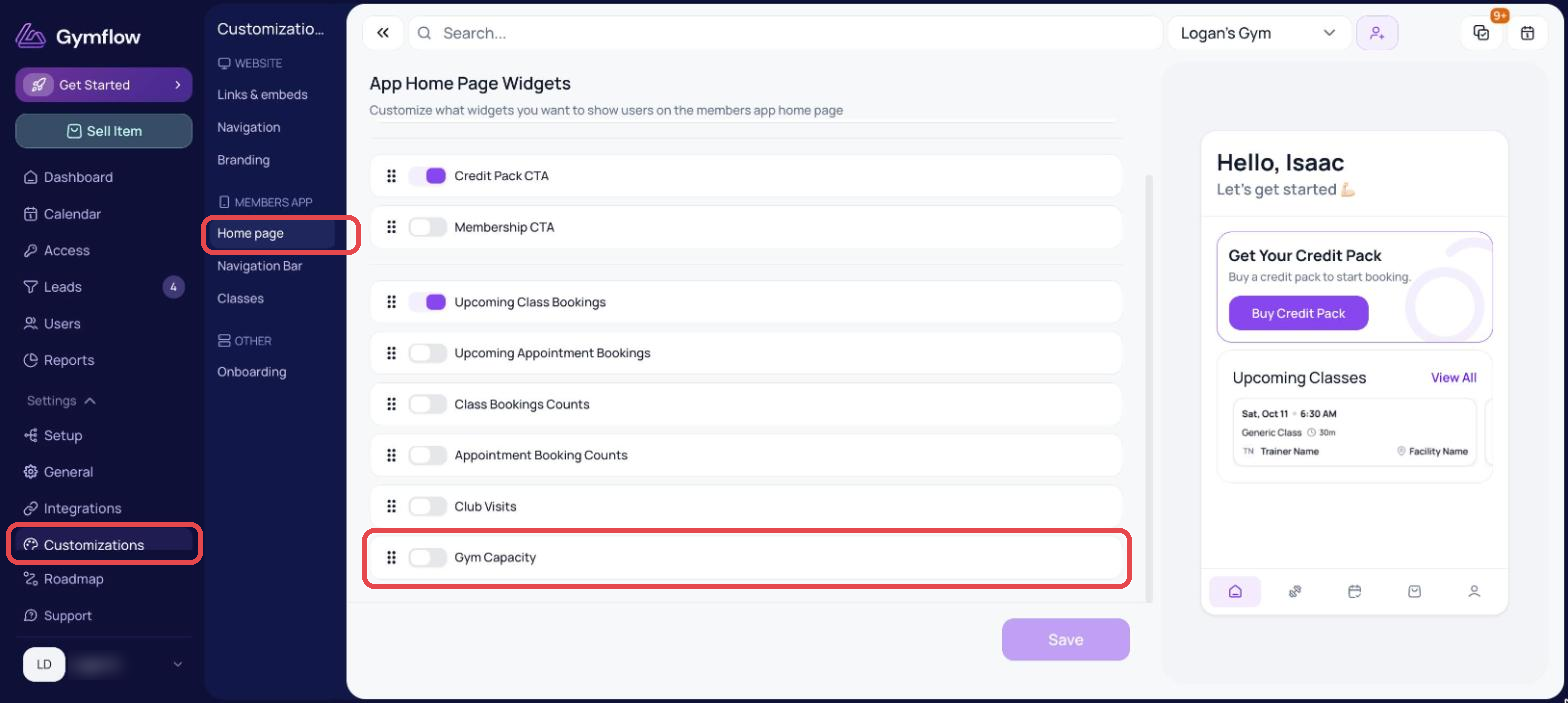
Go to Settings > Customizations > Members App > Home page > Turn on “Gym Capacity” > Click Save
Was this helpful?
Still need help? Share an idea