Integrate Kisi With Access Logs
Get access logs and automatic check-ins for every Kisi entry in Gymflow
Written By Isaac Buchanan
Last updated 10 months ago
Integrate your Kisi account with Gymflow's Access & Check Ins feature. This will automate check ins to your club as well as giving you live access logs directly from Gymflow as automatic class and appointment check ins.
Important: You must first Integrate Gymflow With Kisi before you are able to complete these steps.
How to setup:
Login to your Kisi Dashboard from https://web.kisi.io/
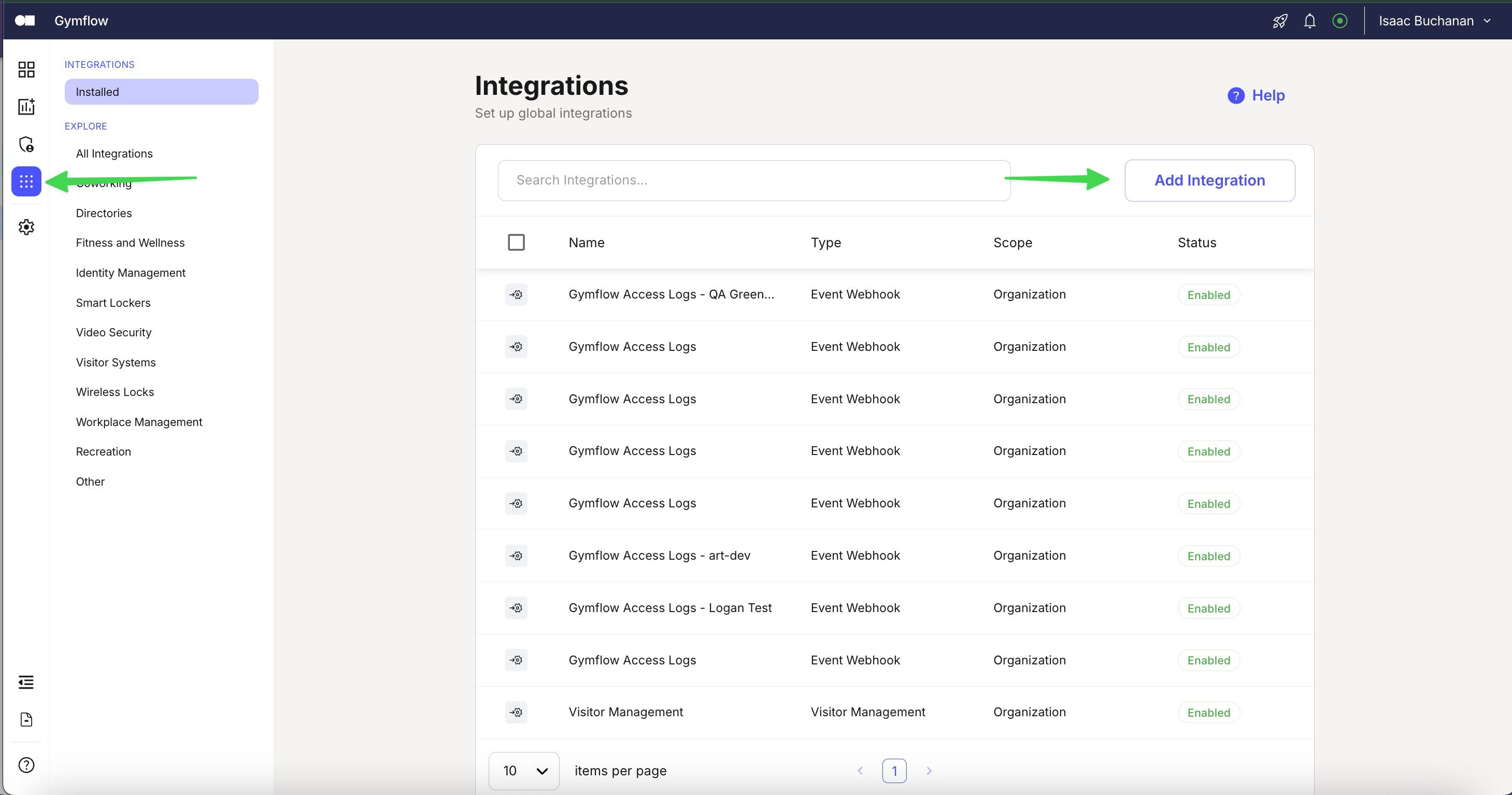
Navigate to the small squares icon (above the settings icon) > click "Add Integration"
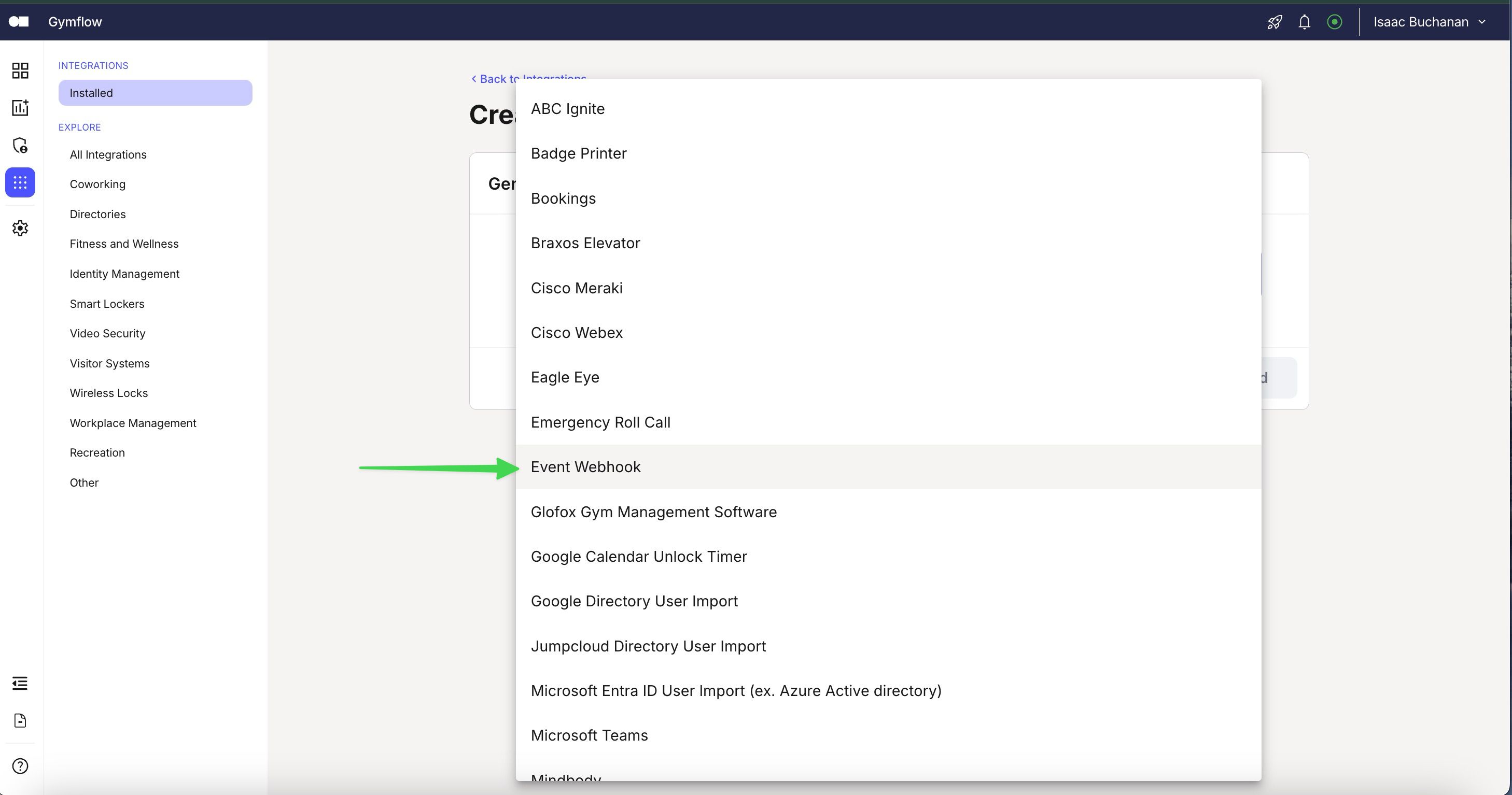
Choose "Event Webhook" from the integration type dropdown
Give your integration a name, we suggest "Gymflow Access Logs"
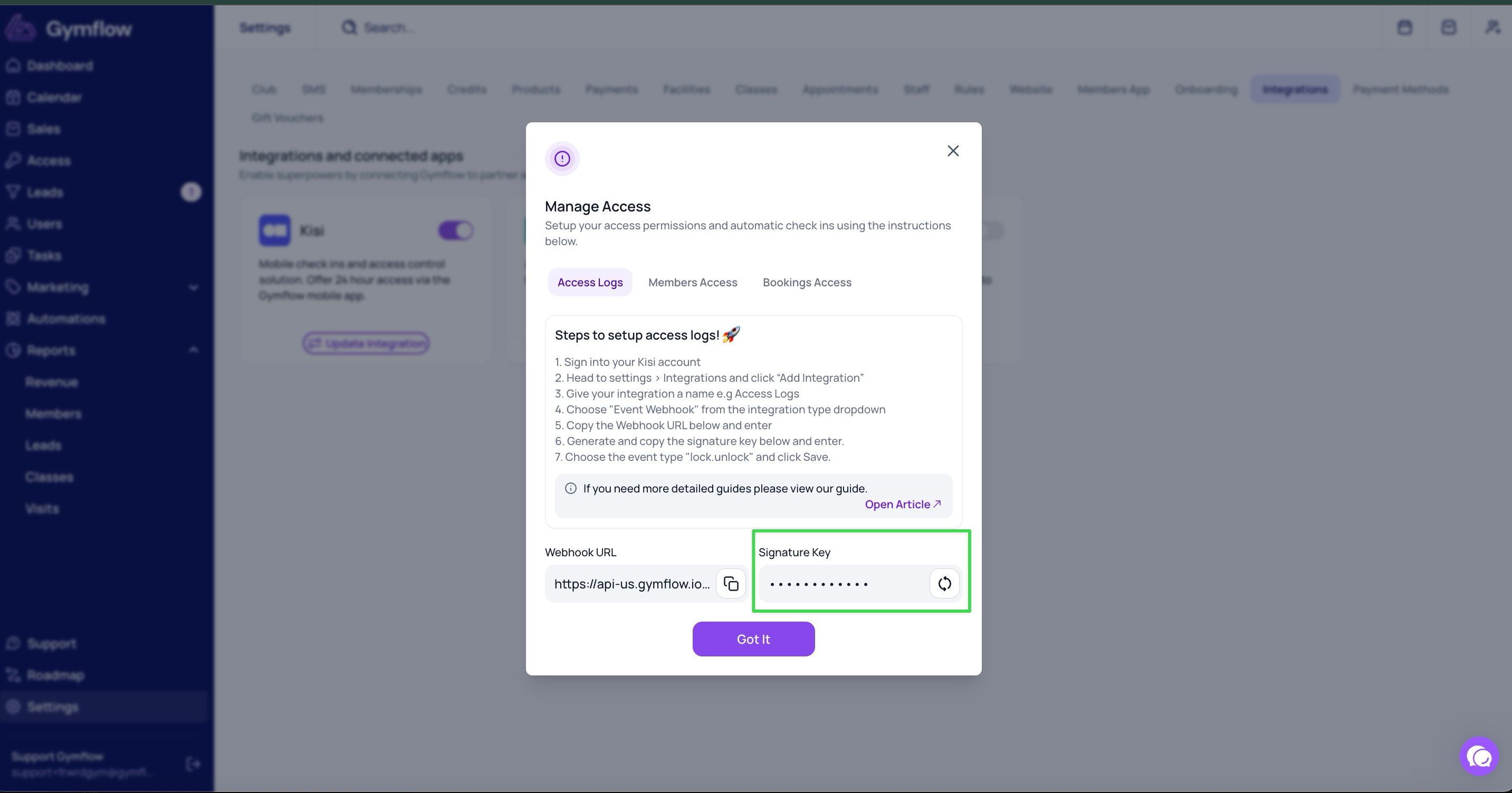
Enter the webhook URL that can be found in Gymflow on Settings > Integrations > Kisi Integration
Enter the signature key that can be found in Gymflow Settings > Integrations > Kisi Integration
Choose the event type "lock.unlock" and click Add.
Was this helpful?
Still need help? Share an idea