Integrate Gymflow With Kisi
Integrate your Kisi account with Gymflow to allow members access via the members mobile app.
Written By Isaac Buchanan
Last updated About 1 year ago
Overview
By connecting Kisi with Gymflow, your members can use the Gymflow app (or your own custom branded app) to unlock doors and access your club. Access can be granted for Active Members and/or Bookings.
Gymflow only grants access if the member has an active membership, and will revoke and grant access on demand as statuses changes. This also works for day passes and other limited passes.
Gymflow’s member app allows members to regain access by making overdue payments or resuming memberships in the app completely self serve.
Access can also be customised on a per membership basis, allow for access to different doors and times per membership e.g Peak/Off Peak memberships.
Prerequisites
Kisi organisation administrator rights
Gymflow account
Before you begin
Gymflow creates users in your Kisi account on your behalf so that you don't have to. It does so in a way that means the users do not require a username or password with Kisi to open the doors.
It is important that you do not edit or delete theses users directly in your Kisi account, if edited it will affect the ability for Gymflow to manage their access automatically.
Setup Integration
Generate a Kisi API key
Sign in to Kisi
On the top right corner, click on your name and click on My Account
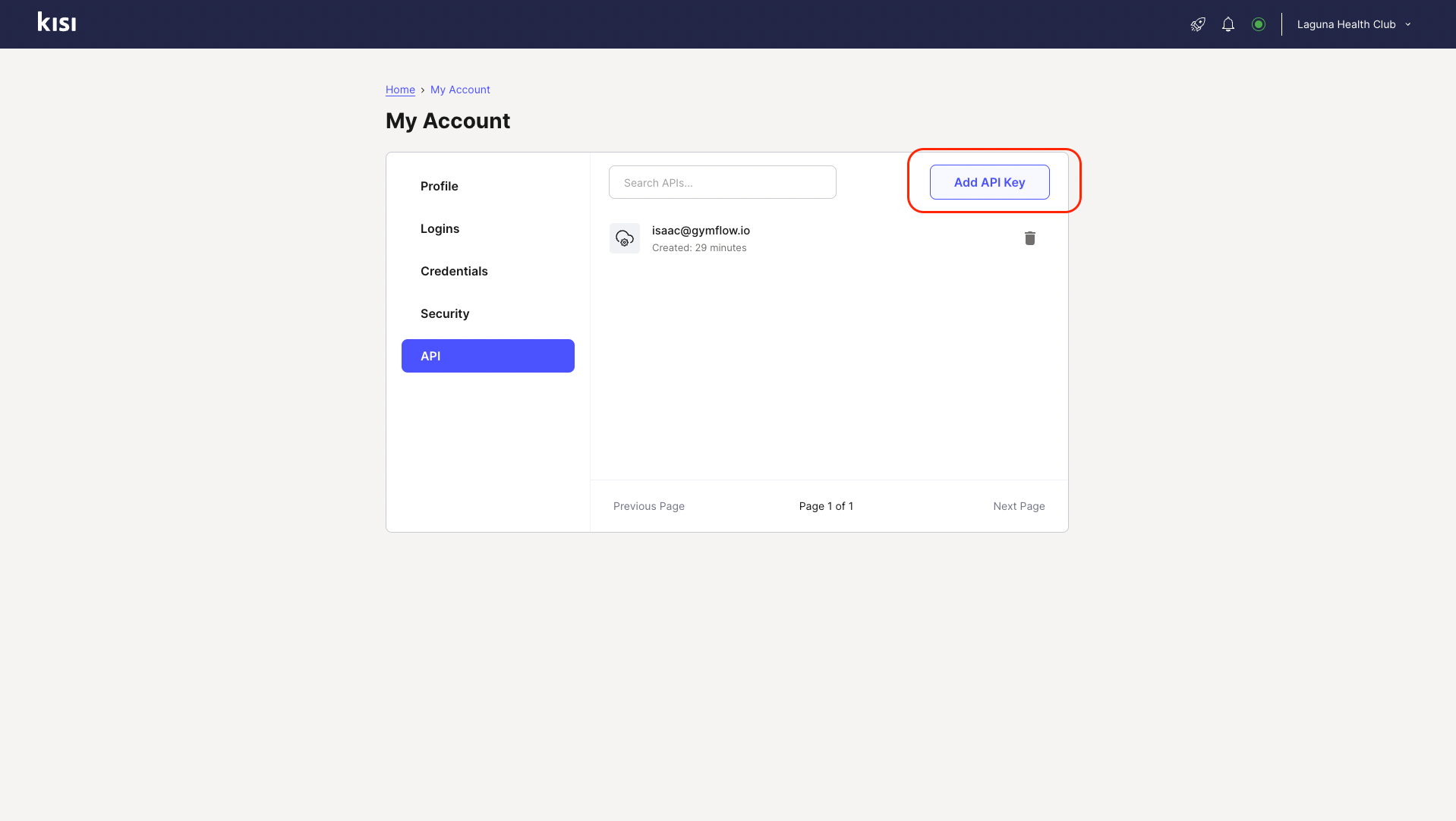
Next, select the API tab and click on Add API key
Enter your name, your Kisi password, and your verification code and click Add
Copy the API key shown on the screen and click Close
Configure the integration in Gymflow
Sign in to Gymflow
Go to Settings and click on the Integrations tab
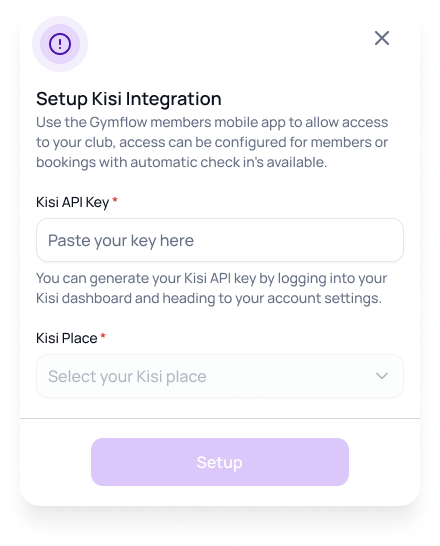
Navigate to Kisi and click on Setup Integration
Enter the Kisi API key you obtained before
Select your Kisi place from the drop-down list and hit Setup
Next: Grant Kisi Access for Bookings and enable Access Logs
Grant Access For Memberships
Grant Access For Bookings
Integrate Kisi With Access Logs
Was this helpful?
Still need help? Share an idea