Create a Trial Membership
Sell a discounted or free trial membership to generate more leads.
Written By Isaac Buchanan
Last updated 6 days ago
Gymflow includes powerful membership creation tools that allow you to customise memberships to suit the needs of your business. This guide covers essential pre-setup considerations, such as joining fees and class credits.
Trial memberships are useful for lead generation. Trial memberships will allocate anyone who purchases them as a lead in your sales pipeline with a trial status. So, for instance, you could create a trial one-week pass at a discounted rate to generate more leads.
Trial memberships work similarly to pre-paid memberships in that they bill once and expire at the end of a specified period, e.g. a day or a week.
Find out more about different membership types here.
Create a Trial Membership
To start creating your trial membership, navigate to Settings > Setup > Memberships and select the Trial tab. Click + Trial to open the builder, which has 5 steps: Details, Credits, Pricing, Rules and Terms (plus a Door Access step if you use access control).

See below for guidance on the individual membership settings.
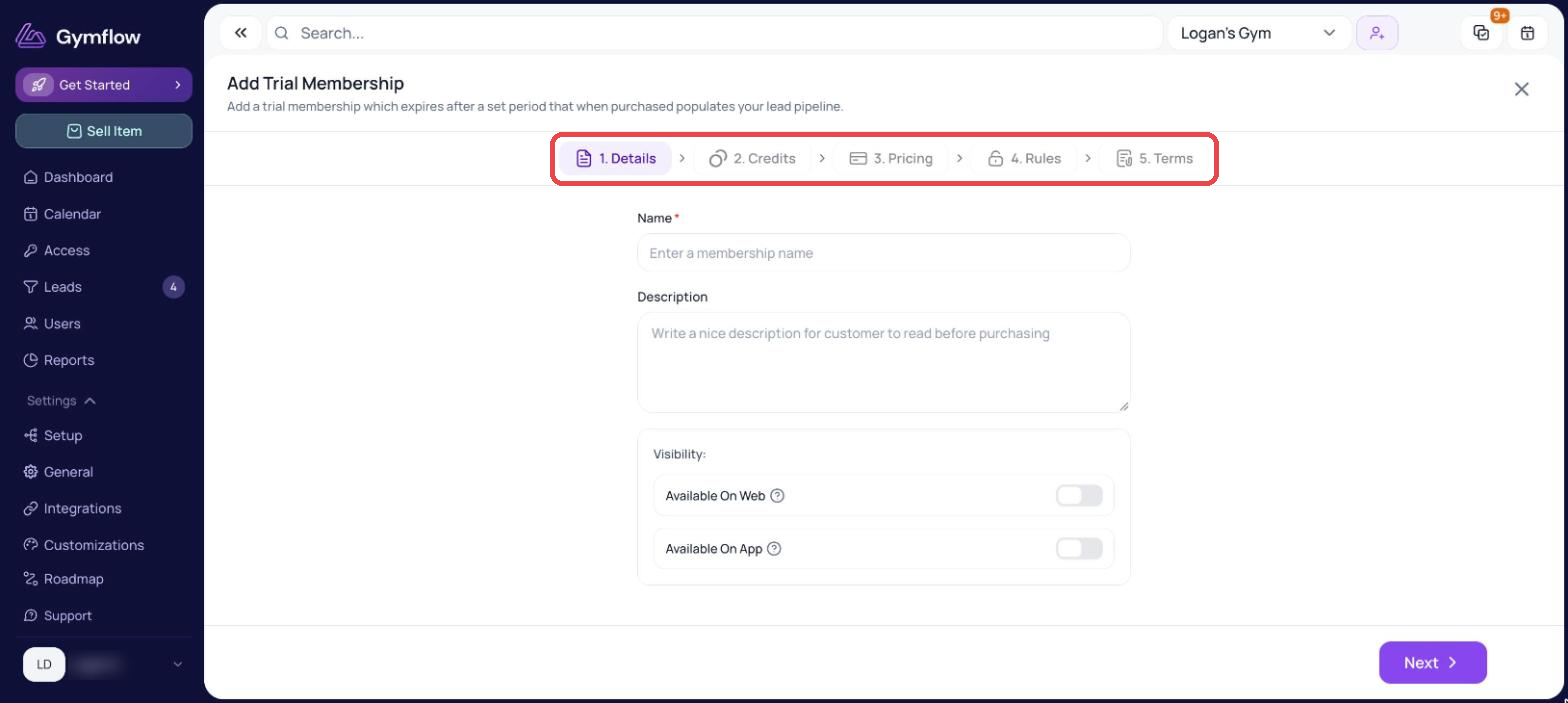
Details
Description: This is a customer-facing write-up about the membership. A great place to communicate sale offers or stand-out things about your membership or club.
Available On Web / Available On App: Turn these on if you want members to be able to buy it themselves on your website or in the app. If a membership is not available online, it can still be sold to members by staff.
Available For Members Only: Enabling this toggle restricts access to the membership, making it exclusive to members. Click here to find out more about members-only offerings.
Terms: Click here to see how Membership Terms are created. Learn how to view the terms that a member agreed to for a membership they've already bought here.
Credits & Joining Fee
Use the Credits step to give members credits for booking classes or appointments. A joining fee can be added in the Pricing step.
Changes to credits also update members who already have this membership. Changes to the price, joining fee and terms only apply to new sales.
Membership Length
In the Pricing step, Membership Length is the length of time the membership will remain active. You can choose anything from 1 day to 3 years. Trial memberships expire automatically on the last day of the period. The period can be reduced and extended later by any authorised staff member.
Fixed Date (Optional)
Sometimes you want a membership to start on a particular date, this is typically the case for challenges or courses. To set a fixed date set the date you want the memberships to start, the expiry date will be set based on the period of the membership e.g 6 weeks later.
Access (optional)
If you have enabled Gymflow's access control solution, you can assign this membership to a specific access group. This determines whether members with this membership can automatically unlock the gym doors.
Was this helpful?
Still need help? Share an idea