Set Appointment Availability for Facilities
Decide which spaces will be available for appointment bookings and when.
Written By Isaac Buchanan
Last updated 6 days ago
Appointments can be linked to a facility where the appointment takes place. The availability of the facility determines when an appointment can be booked.
There are multiple places you can set facility availability. Your permissions will determine where you can access to change these settings.
Owners: Can manage anywhere
Managers: Can manage anywhere
Reception: Can manage from the Calendar
Trainers: Can manage from the Calendar
Important: Setting your availability does not mean your facility is available for bookings yet. The facility must also be listed as a host in the appointment types you offer.
Set Regular Availability For Facilities
To set availability in the staff portal follow these steps:
Log in with your staff account at app.gymflow.io
Go to Settings > Setup > Facilities.
Find the facility you want and click on Availability
Toggle on Available for Appointment bookings
Edit the availability and click Save.
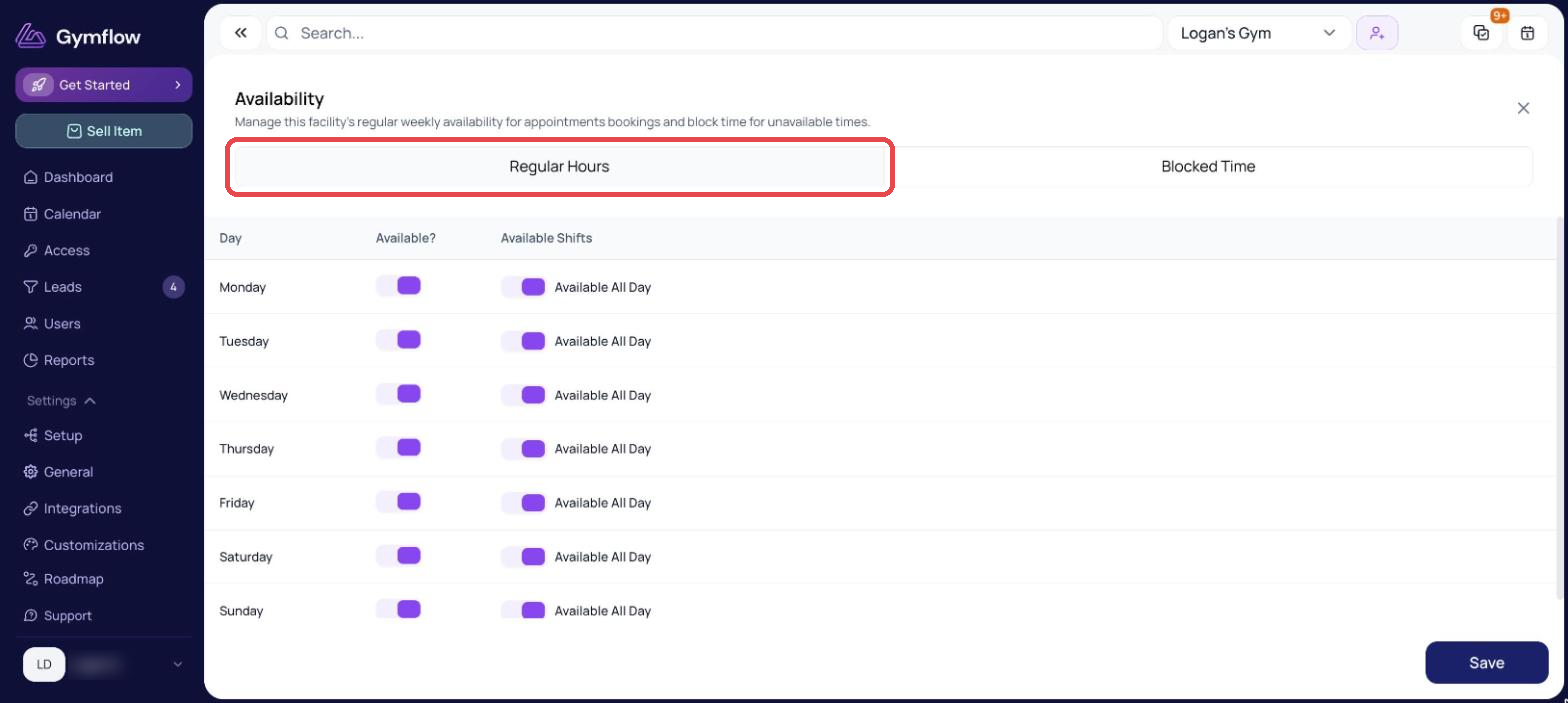
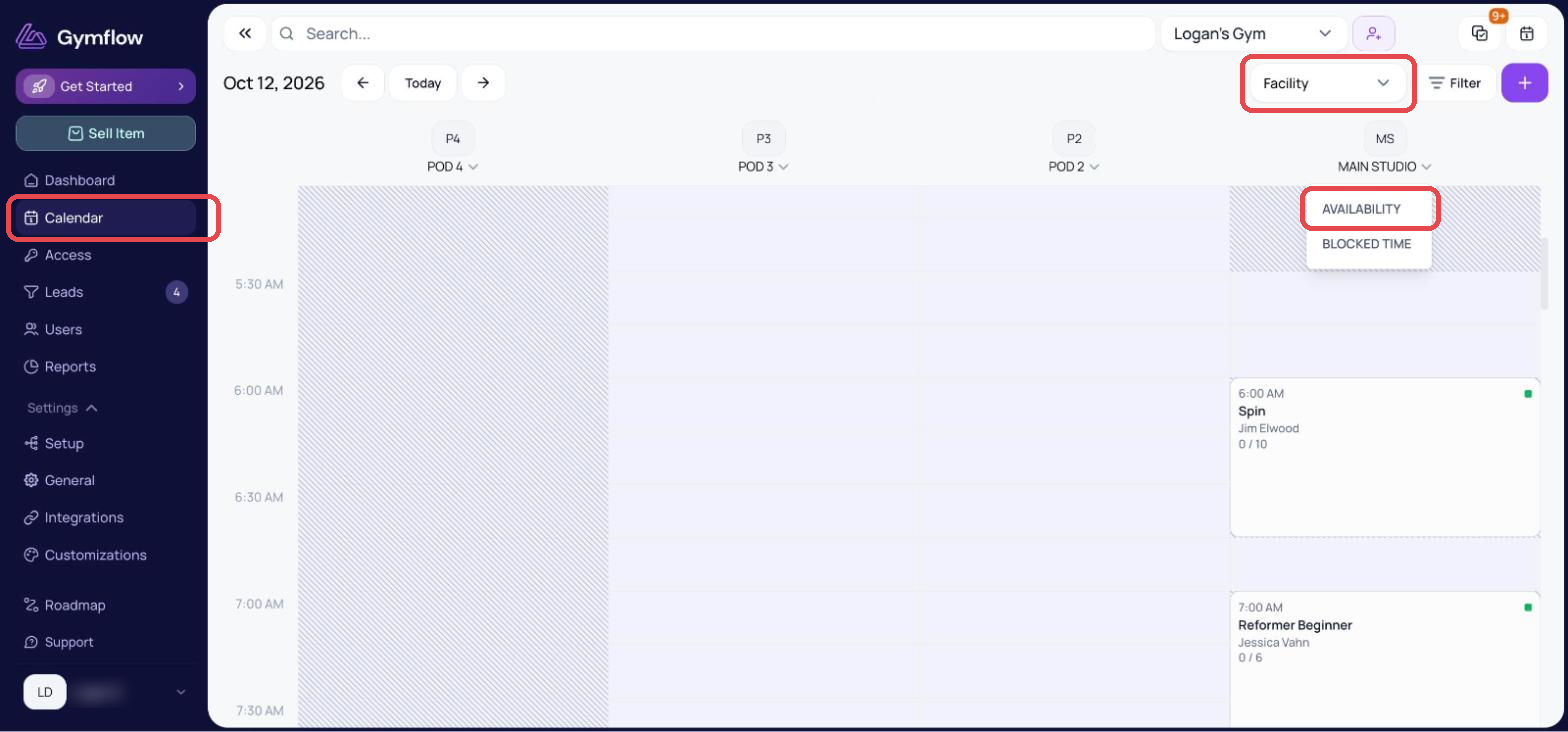
You can also access availability from the Calendar:
Head to the Calendar page
Switch to Facility view
Click the dropdown below the facility you want to change and click availability
Was this helpful?
Still need help? Share an idea