Block Facility Time
Learn how to block facilities for add hoc times.
Written By Isaac Buchanan
Last updated 7 days ago
What Is Blocked Time
From time to time you may want to use one of your facilities instead of making it available for booking. You can block days or times when you don't want it to be available, which overrides its regular availability.
Staff Portal
To block time in the Staff Portal:
Log in with your staff account at app.gymflow.io
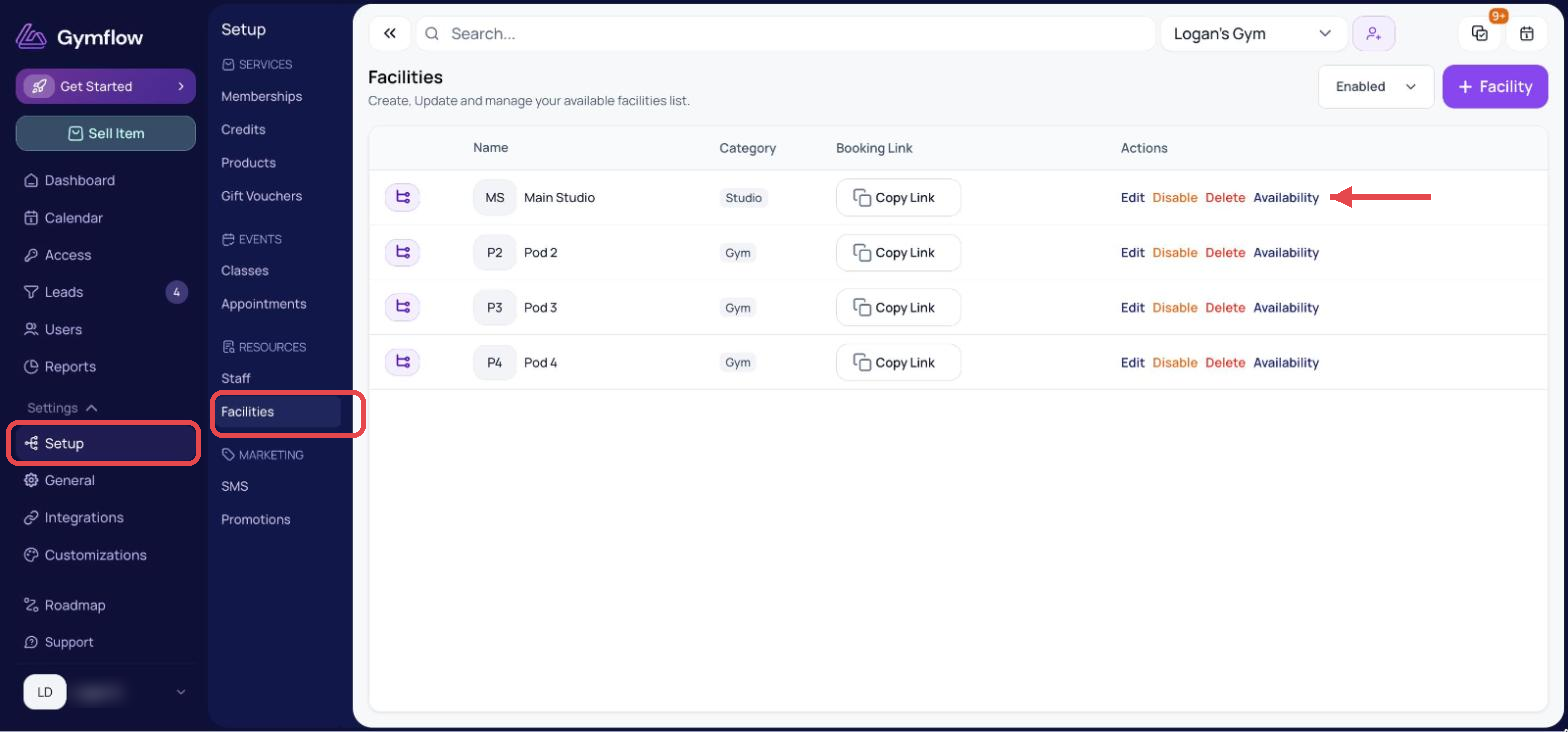
Go to Settings > Setup > Facilities.
Find the facility you want and click Availability
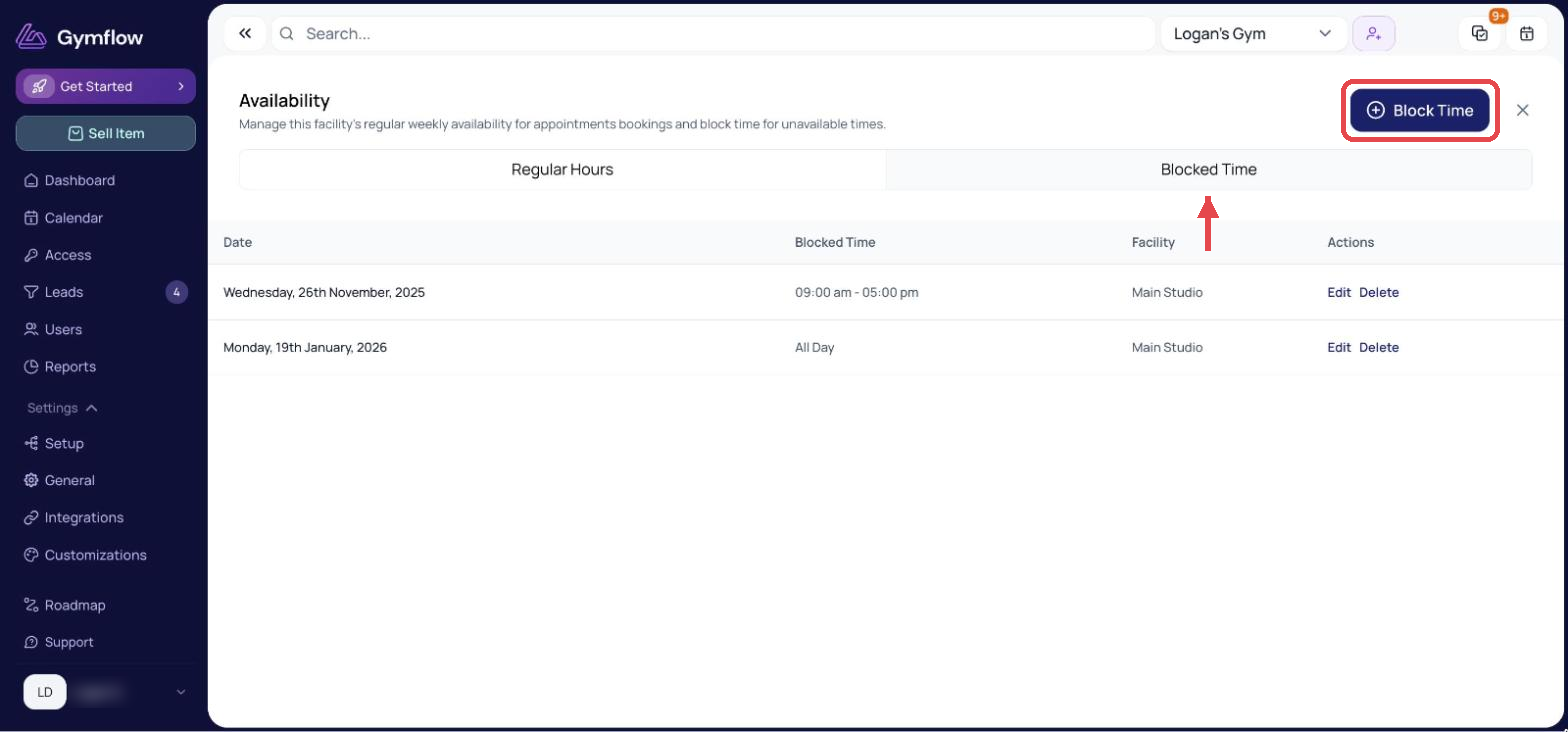
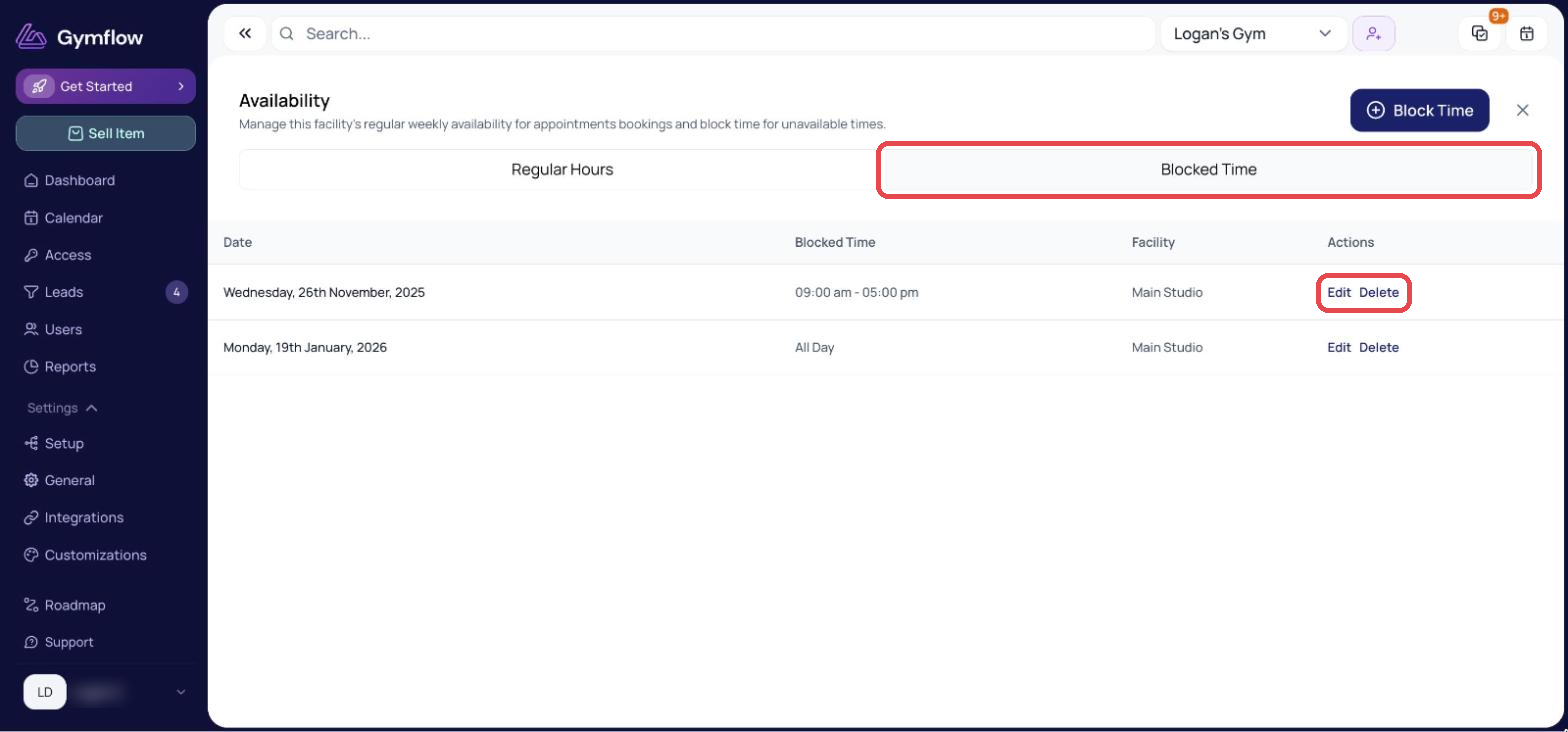
Select the Blocked Time tab, then click + Block Time (top right).
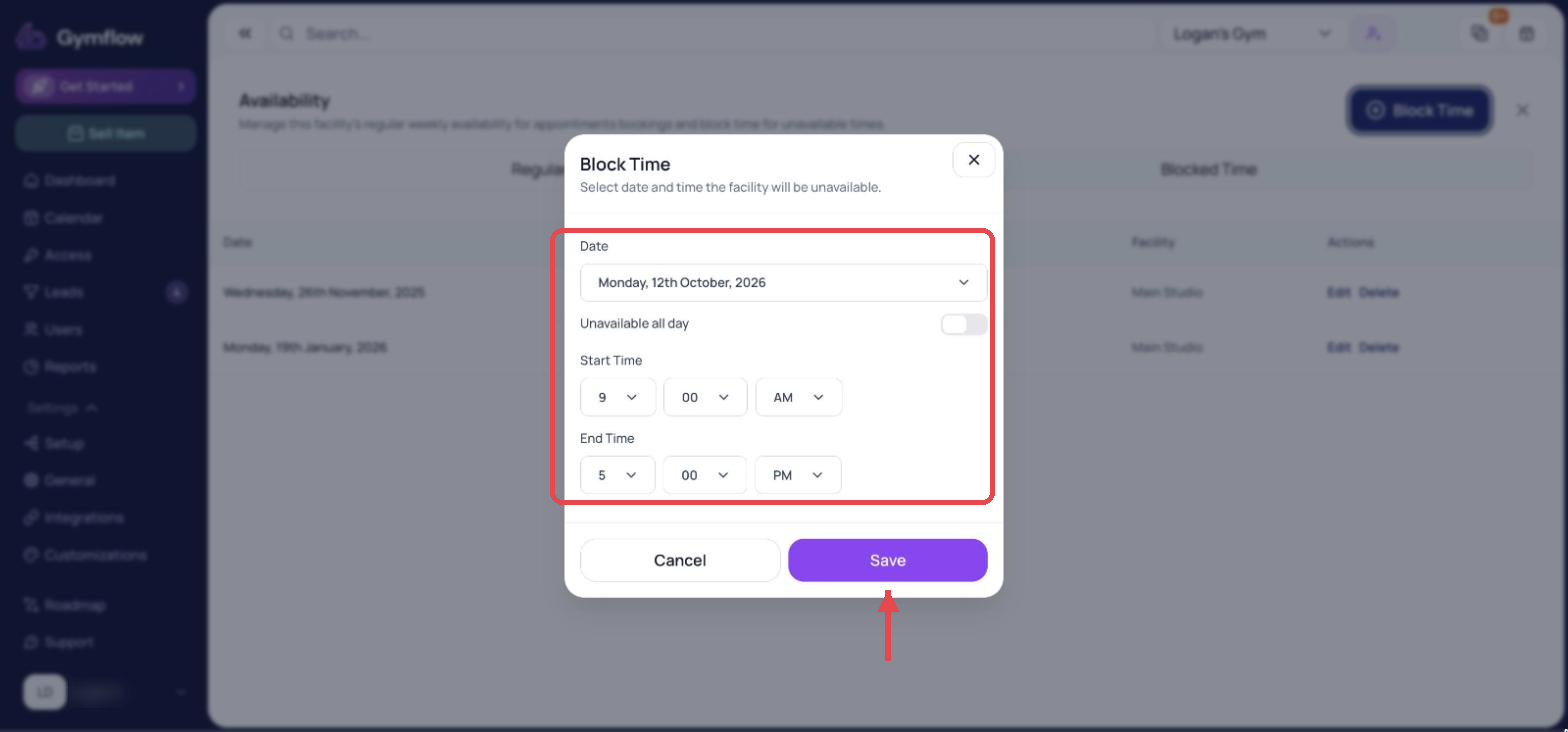
Input your date or time and select Save.
You can also block time directly from the Calendar:
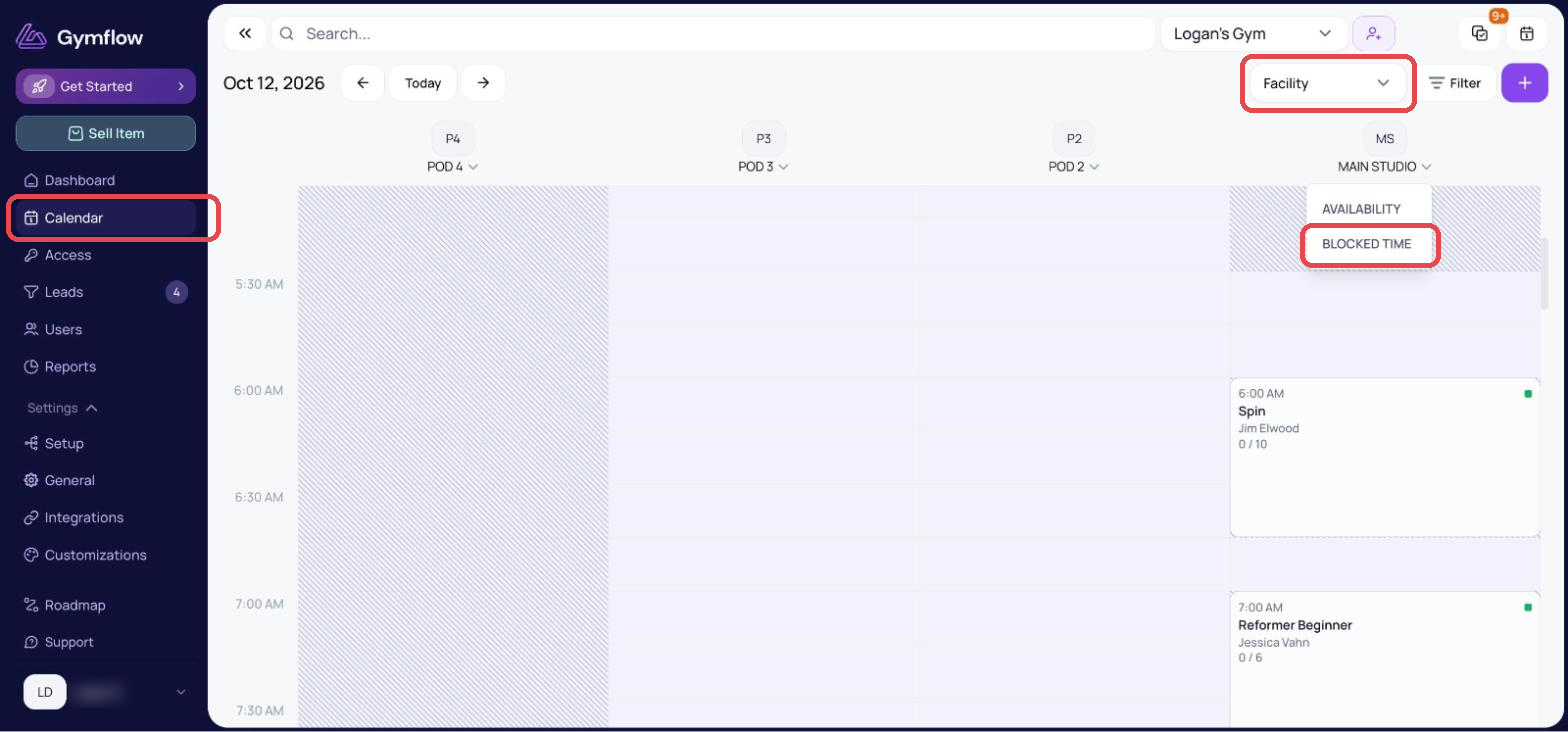
Head to the Calendar page
Switch to Facility view
Click the dropdown below the facility's name and select Blocked Time. This opens that facility's Blocked Time tab, where you click + Block Time
Blocking time for facility sections and subsections
Head to the Calendar page
Switch to Facility view
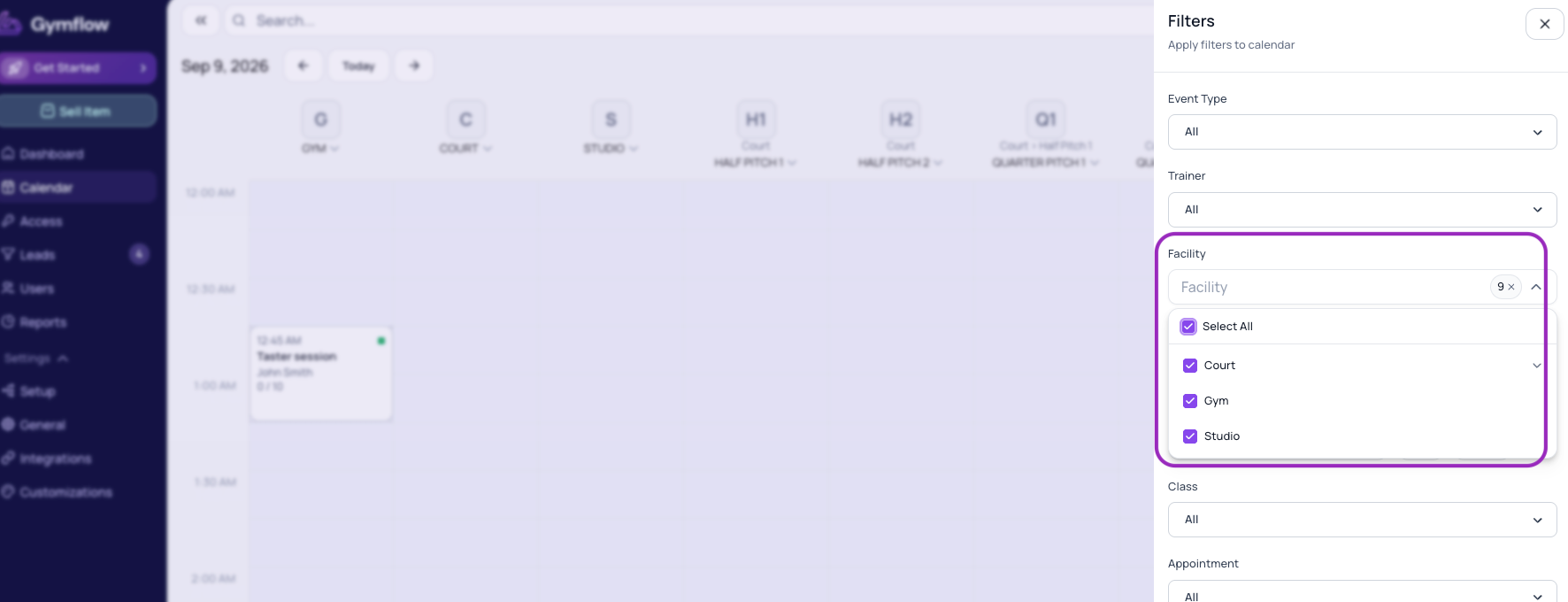
Click to apply filters, under Facility click Select All
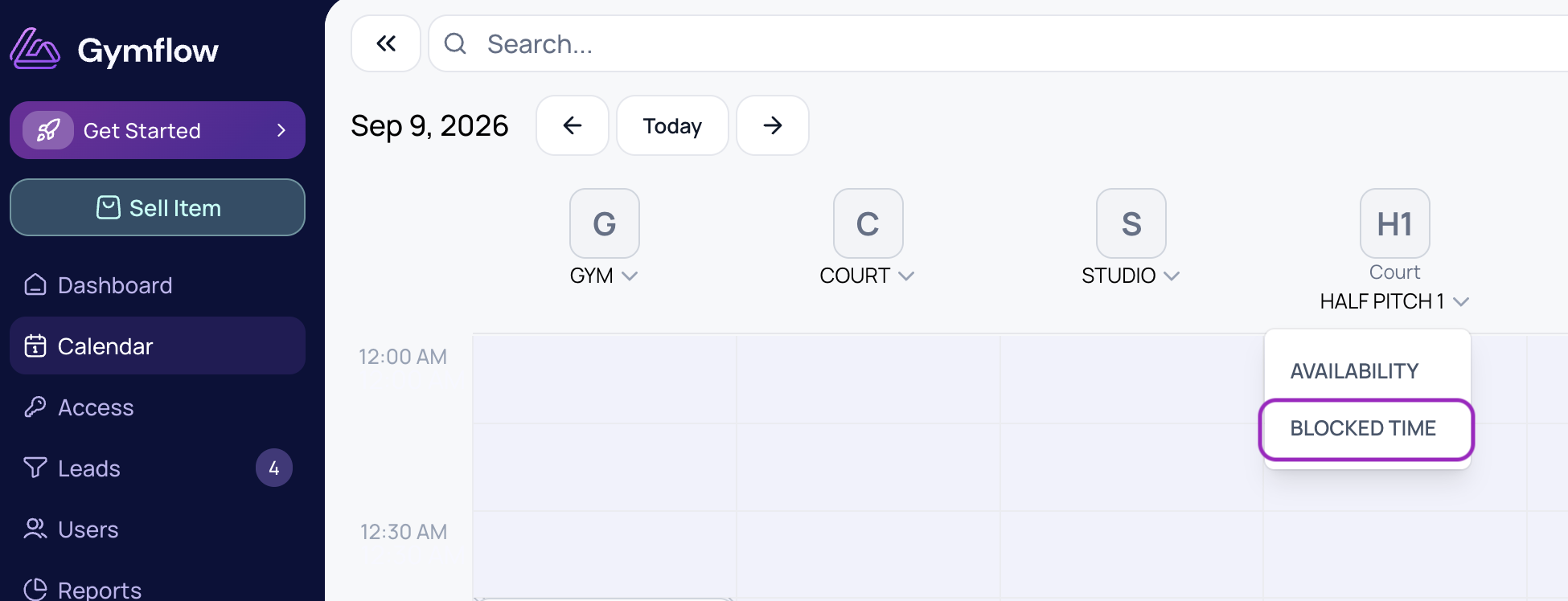
Click the dropdown below the section or subsection name and select Blocked Time
Blocking time for multiple facilities
If you need to block time across multiple facilities, follow these steps:
Head to the Calendar page
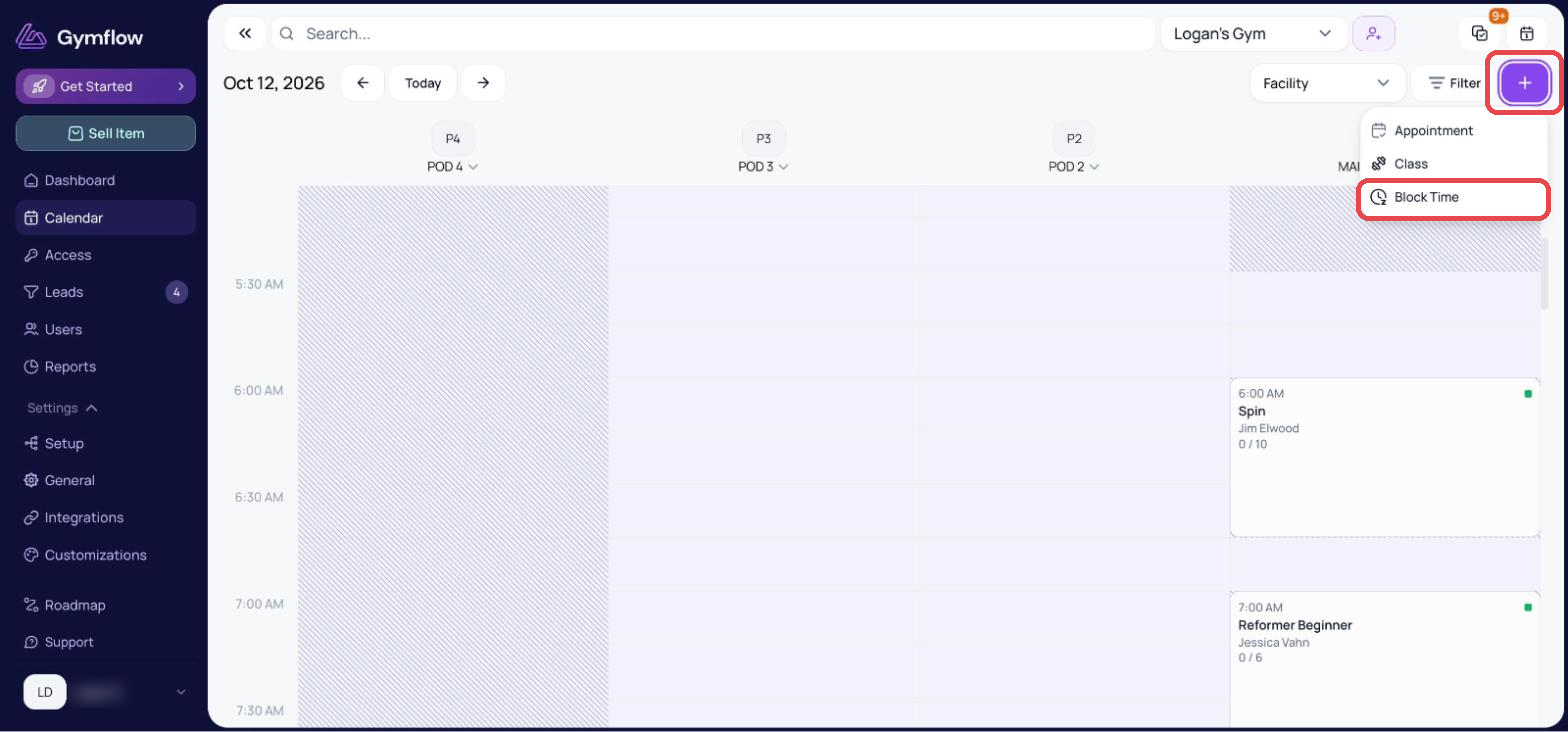
Click the + button in the top right corner and select Block Time
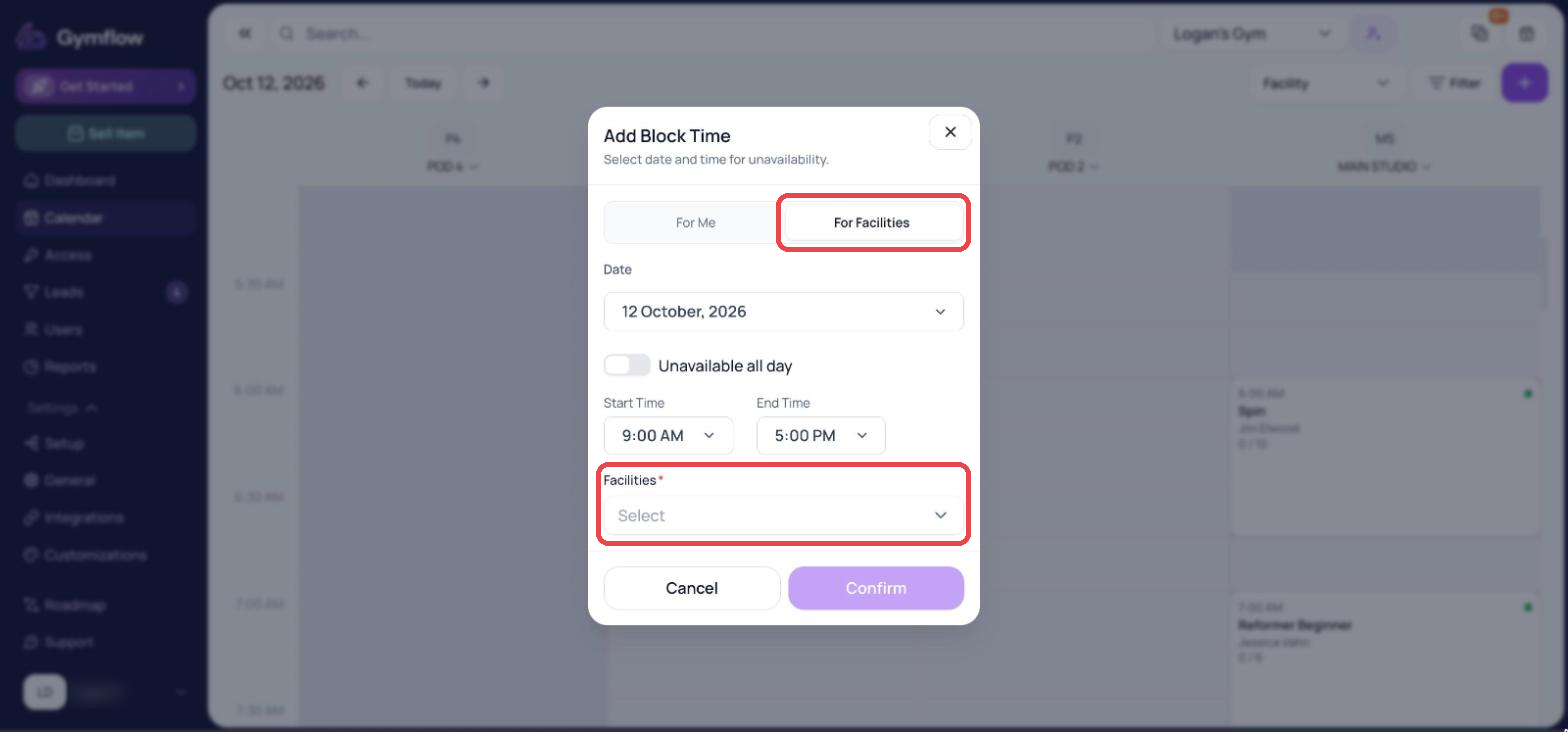
Select For Facilities
Specify the day and time the facilities will be unavailable
In the dropdown, select all the facilities you want to be unavailable
Edit or delete a blocked time
If you need to change or remove an existing blocked time entry:
Go to Settings > Setup > Facilities
Find the facility and click Availability
Select the Blocked Time tab
Find the entry you want to change and click Edit to update it, or Delete to remove it
Was this helpful?
Still need help? Share an idea