Opening Date & Collecting your first payment
Learn how to set up your pre-sale offers
Written By Logan Daly-Doersam
Last updated 7 months ago
When to Collect Payment
You have two main options:
Collect at Sign-Up: Maximizes commitment and cash flow. Best for founding member offers.
Collect on Opening Day: Lower barrier for leads who need more time, though you’ll typically have a % of failed payments on opening.
Gymflow supports both models — letting you decide when to charge based on your strategy.
Step 1: Select an Opening Date
Any sale you make between making your offers available online → and the opening date, will automatically be set to start on the opening date, and not before. In your users tab these sales show their status as “Pending” which will change to “Active” on your opening date.
The opening date you select is inputed by our support team, this is not done within the platform. Please ensure the support@gymflow.io team knows your desired opening date. If your launch is delayed, we can also change your opening date as needed.
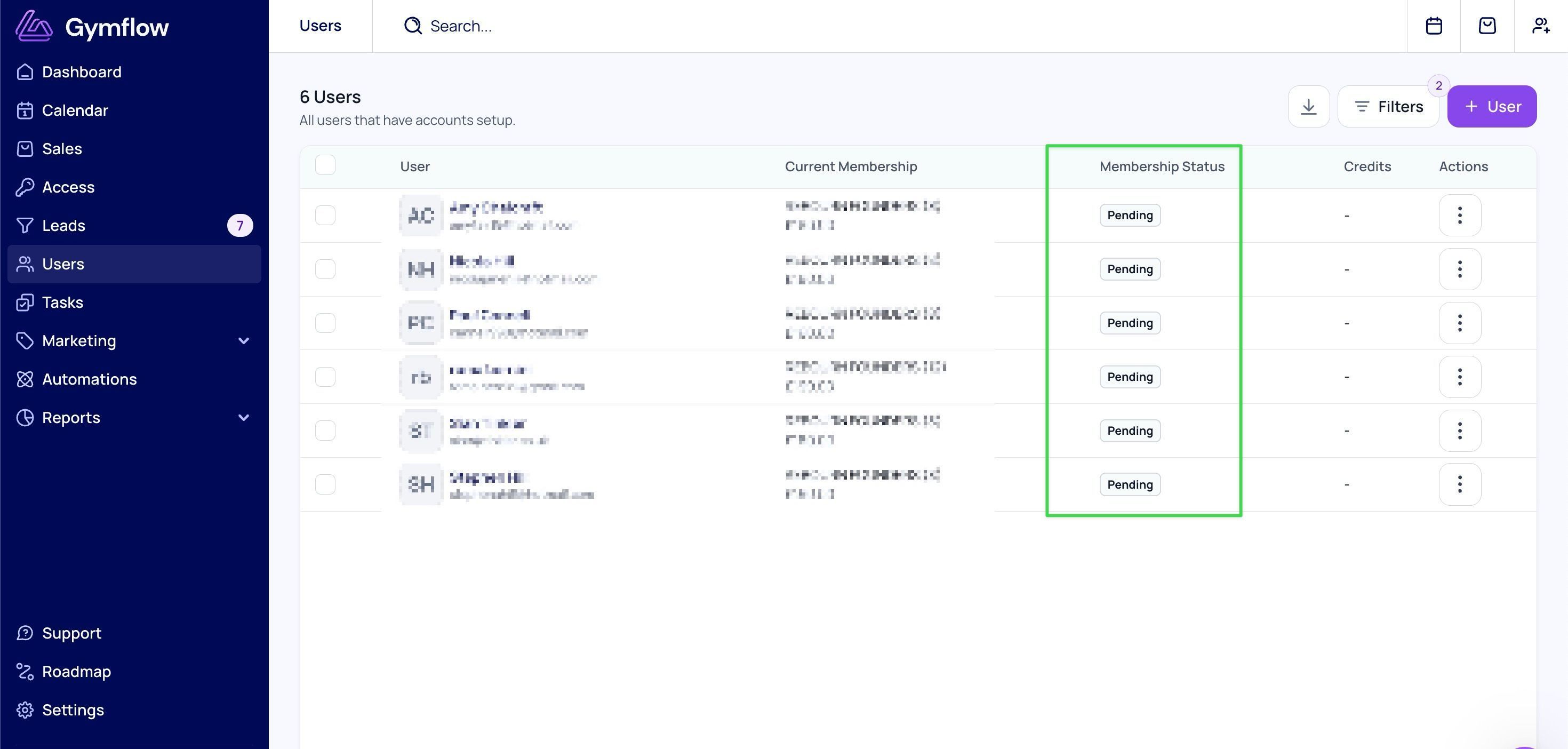
Step 2: Decide when to collect your first payment
Decide if you want to collect the first payment on sign up (Recommended), or on opening date. We can help you configure your recurring memberships to support either approach.
Option A: Collect the first payment during the pre-sale. Member pays on the date they sign up. Their membership will become active on your opening date and bill again at the end of their first billing cycle.
E.g. You set an April 1st opening date. Someone purchases a membership on Jan 18th, so they are charged immediately. Their membership begins April 1st (opening date). Because they have already paid for April 1-30th during the pre-sale, their next payment is May 1st.Option B: Collect first payment on Opening date. They can sign up during the pre-sale period, though their payment method is not charged until opening date.
E.g. You run a pre-sale from January - March, with an April 1st opening date. Someone purchases a membership Jan 18th and are not charged. Their membership begins April 1st (opening date) and they are charged the same day, their next payment is May 1st.
Note: Specifically for pre-paid memberships these are always paid for on the day they signed up, like Option A above. Pre-paid memberships begin on opening date, and end when their term is completed. Remember pre-paid memberships are not recurring.
Optional Steps:
Opening Date Changes: If you need to delay your opening date, just notify us at support@gymflow.io and we can update the date for you. Please notify us at least one week in advance.
Allowing Bookings Before Opening Date: If you want to open bookings up prior to your opening date, notify us at support@gymflow.io and we can enable this for you. This is because “Pending” members by default are not able to book until the membership starts.
Next Up: Launch Week Trial Offers (Post-Launch)
Step by Step Checklist 📋
Was this helpful?
Still need help? Share an idea