Waive Membership Pro-Rata Payment
Learn how you can waive the membership pro-rata payment
Written By Isaac Buchanan
Last updated 6 days ago
If you pro-rate your recurring membership payments so they bill all on a certain day of the month or week. From time to time you may want to run a promotional like "rest of the month free".
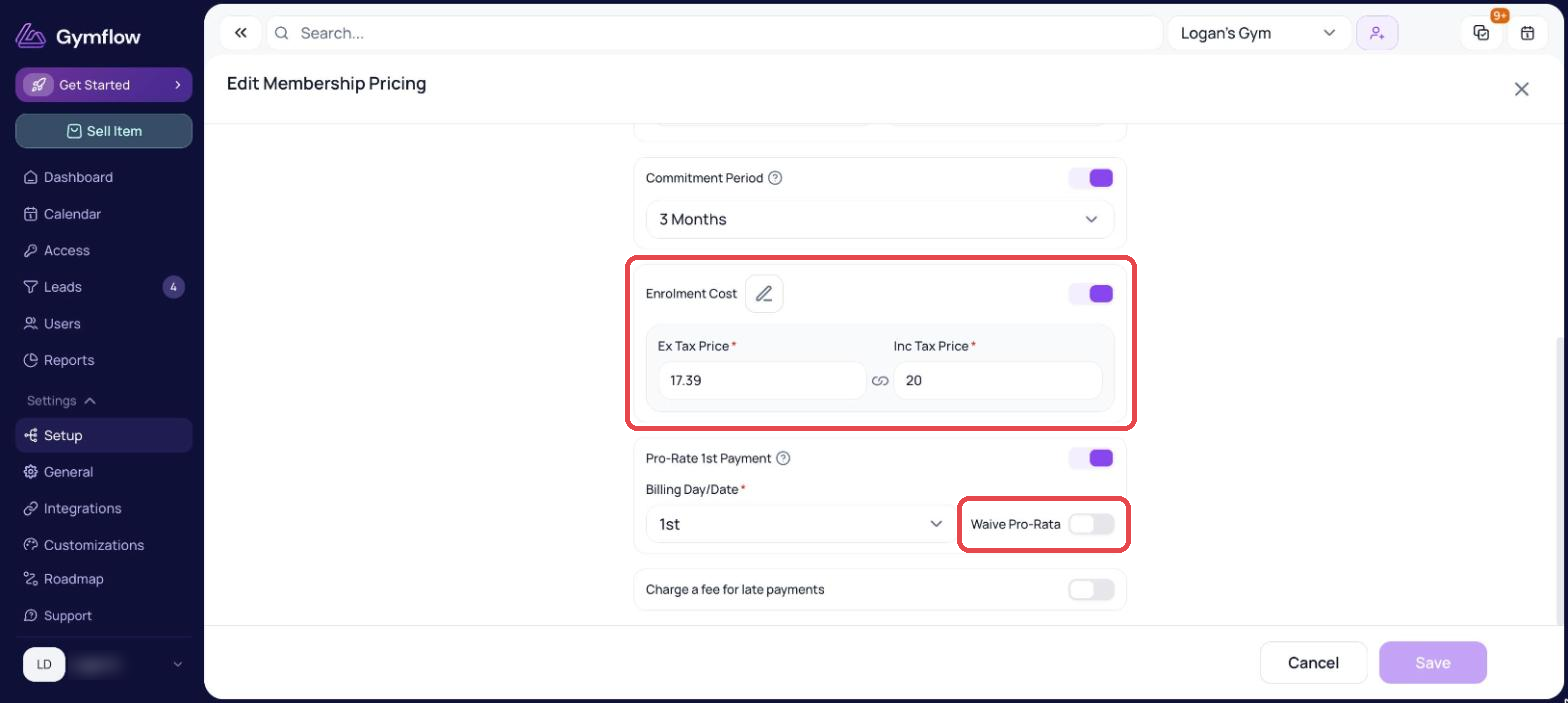
You can do this easily by just waiving the pro-rate amount. You can do this by switching on “Waive Pro-Rata” in the membership settings.
Navigate to Settings > Setup > Memberships and the Recurring tab
Click the pencil icon on the membership you want to change
Click the pencil icon on the Pricing section
Make sure Pro-Rate 1st Payment is on, then turn on Waive Pro-Rata and click Save
Was this helpful?
Still need help? Share an idea