Adjust a credit pack
Modify the credits in a credit pack
Written By Isaac Buchanan
Last updated 21 days ago
Sometimes you may want to give someone an additional credit or remove a credit from a user's pack manually.
To deduct or add a credit to an existing "Active" credit pack just follow these steps.
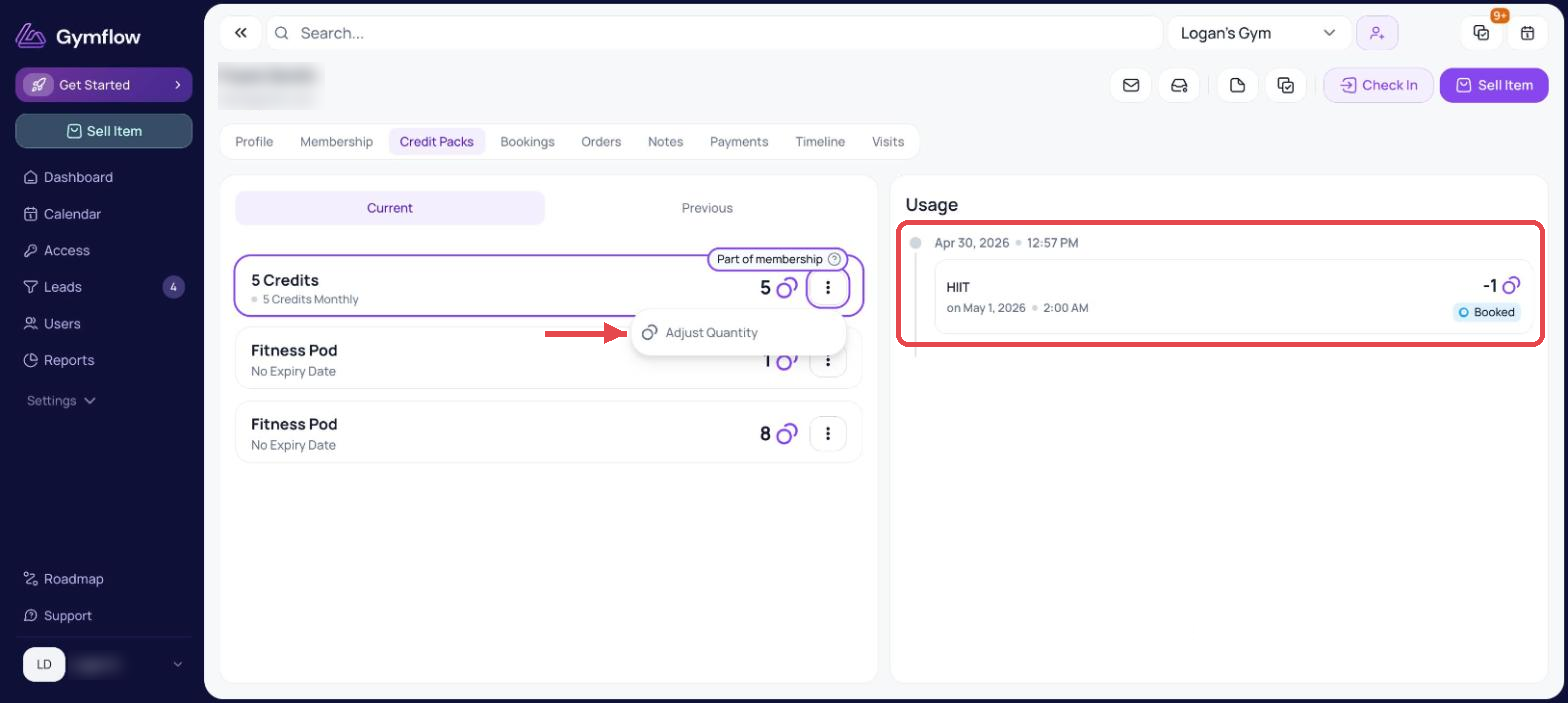
Search for the user and head to the Credit Packs tab
Find the pack you want to change, click the three dots next to it and select Adjust Quantity
Increase or decrease the quantity of credits in their pack and click Confirm
You cannot increase the number of credits in a pack beyond the original amount, e.g. if you sell a 10 pack of credits you cannot increase it to 11.
Was this helpful?
Still need help? Share an idea