Multi-Site: Create A New User Profile
Learn how to create a user profile if a customer already has an account in another location
Written By Anna Gertsen
Last updated 8 months ago
If your brand has multiple locations, it’s possible that a user wanting to purchase from your club already has an account with you, despite them not yet having a profile at your club.
When searching for a user you will see accounts that exist across your entire brand, and if the user already has an account, simply create a profile for your club.
By doing this, you can now sell the user products and services at your club and they can utilise your club with the same account.
How to create a club profile:
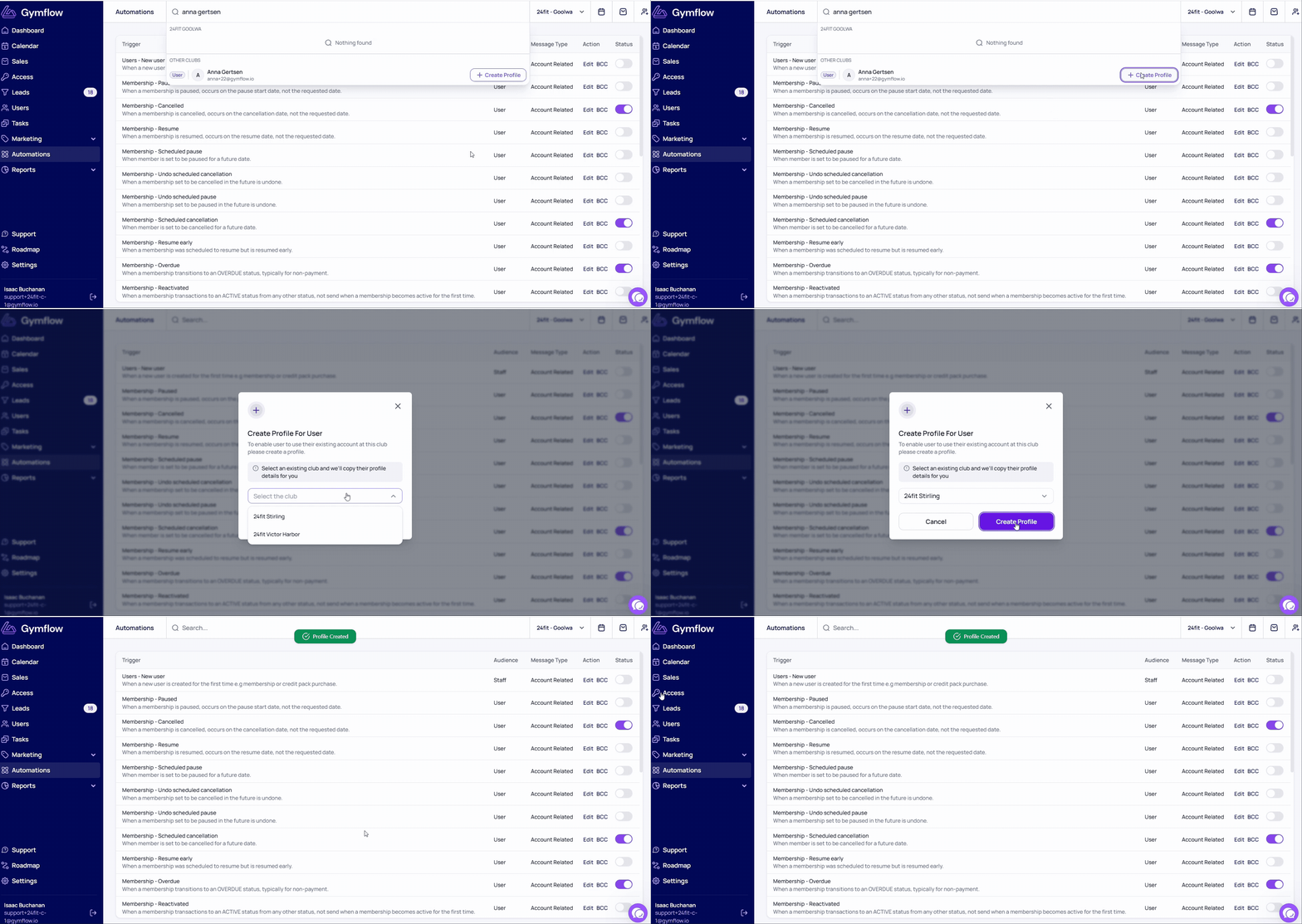
Search for the user
If they already have an account in another location, you’ll see their account in the “other clubs” section of the search bar
Click Create Profile
If the user has more than one profile at your brand already you will be prompted to select which location to copy their details, if not it will be instantly created.
Was this helpful?
Still need help? Share an idea