Grant Access For Memberships
Learn how to grant Kisi access for your memberships
Written By Logan Daly-Doersam
Last updated 7 days ago
You can automatically give memberships certain door access using the members app. This can be available 24/7 or limited to certain days and hours.
Each membership tier can have it’s own specific access, or they can have the same access - it’s completely flexible and up to you.
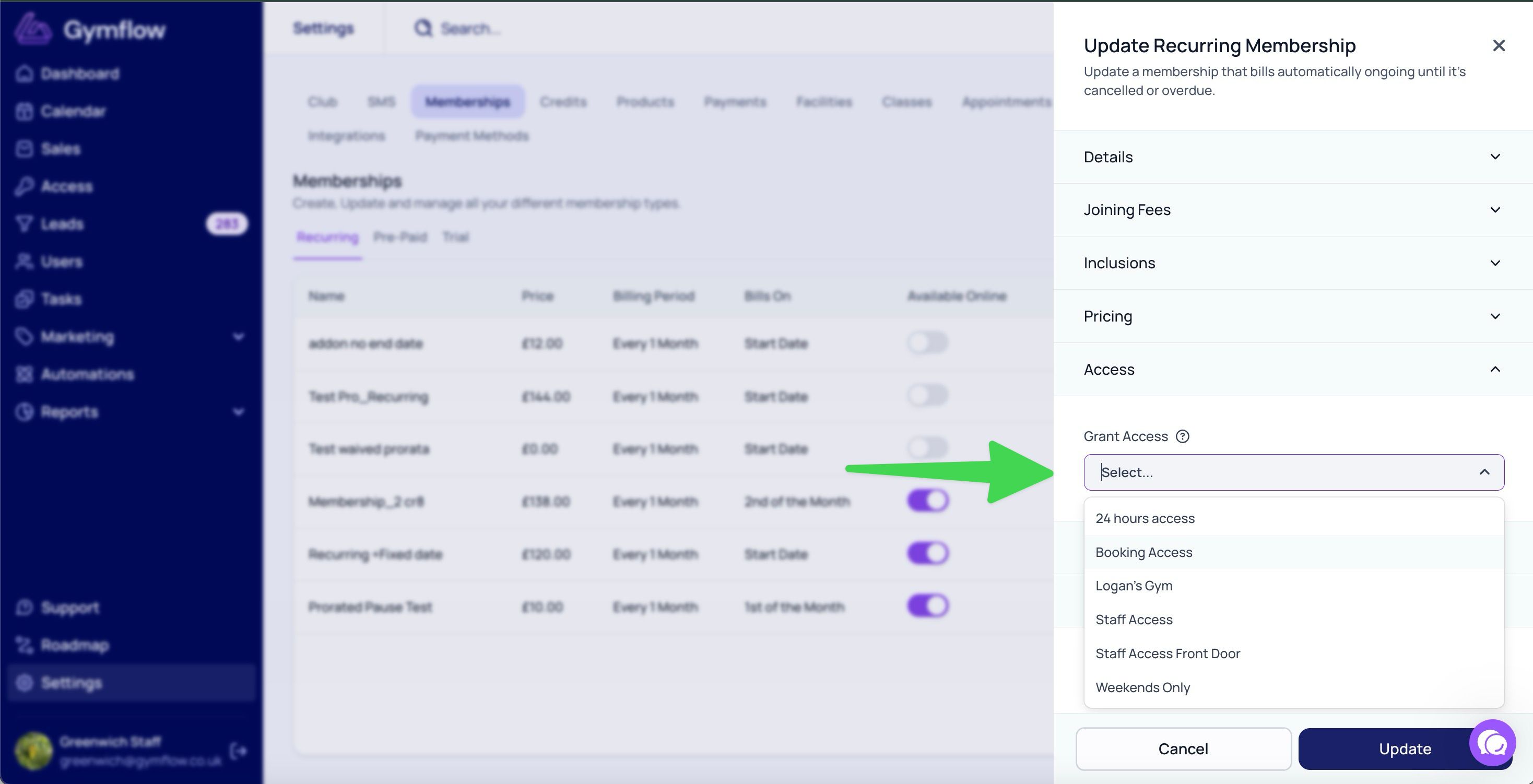
All you need to do is choose what access group you want to assign to that membership.
Go to Settings > Setup > Memberships in Gymflow
Create a new membership or edit an existing one
In the Door Access step (new membership) or the Door Access section (existing membership), select your access group
Save the changes
Remember to set up your Access Groups in Kisi first, so you can select what type of access each membership has.
Next: Grant Kisi Access for Bookings and enable Access Logs
Grant Access For Bookings
Integrate Kisi With Access Logs
Was this helpful?
Still need help? Share an idea