Getting Started
Products & Services
Calendar & Bookings
Sales & Marketing
Payment Processing
Account Management
Access Control
Communication
Reports
Website Integration
Business Settings
Integrations
Support & Feedback
Member Support
Download the Gymflow Members App
Create Your Gymflow Account
Complete Onboarding
Reset Your Password
Troubleshoot Access Issues
Add a Payment Method to Your Account
Purchase a membership
Book a Class
Book an appointment
Switch the members app language
Cancel your membership
Accessing for an appointment
Setup Access In The Members App
Update the app version
Switching Access from Kisi to Gymflow
Check your credit usage
How credit deductions work
    Home
  1. Member Support
  2. Update the app version

Update the app version

How to update the app version

Written By Anna Gertsen

Last updated 5 months ago

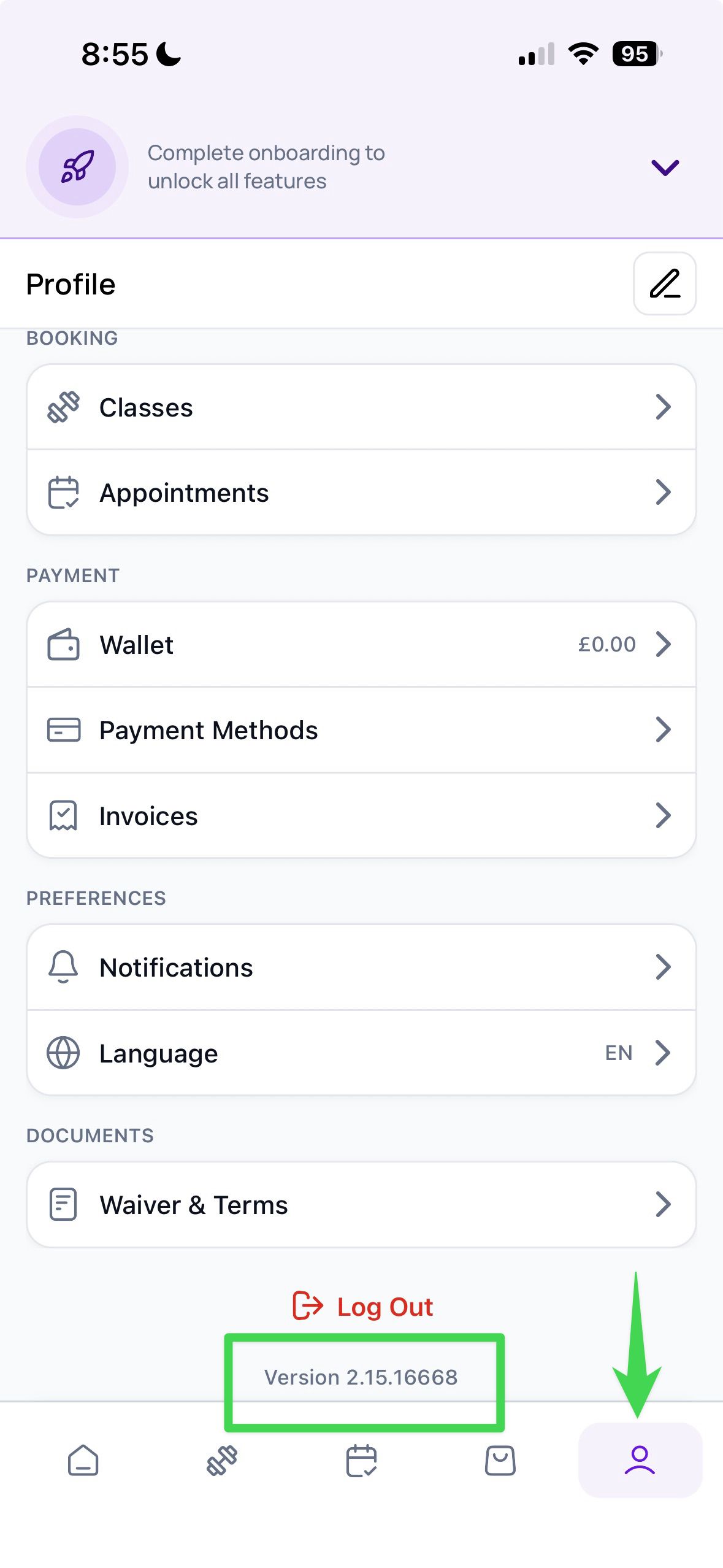
  1. Log in to your account.

  2. Tap on the Profile tab.

  3. Scroll to the bottom of the page to find the current app version number.

  4. Tap the version number β€” if a newer version is available, the app will begin updating automatically.
Was this helpful?