No Shows
Increase class attendance and revenue by charging members a fee when they don't show up for a class.
Written By Isaac Buchanan
Last updated 6 days ago
When members do not show up for a class they have booked, you can choose to charge them a no show fee.
This encourages members to more consistently attend your classes and can provide an additional revenue stream for your business.
Set Up a No Show Fee
To begin charging no show fees:
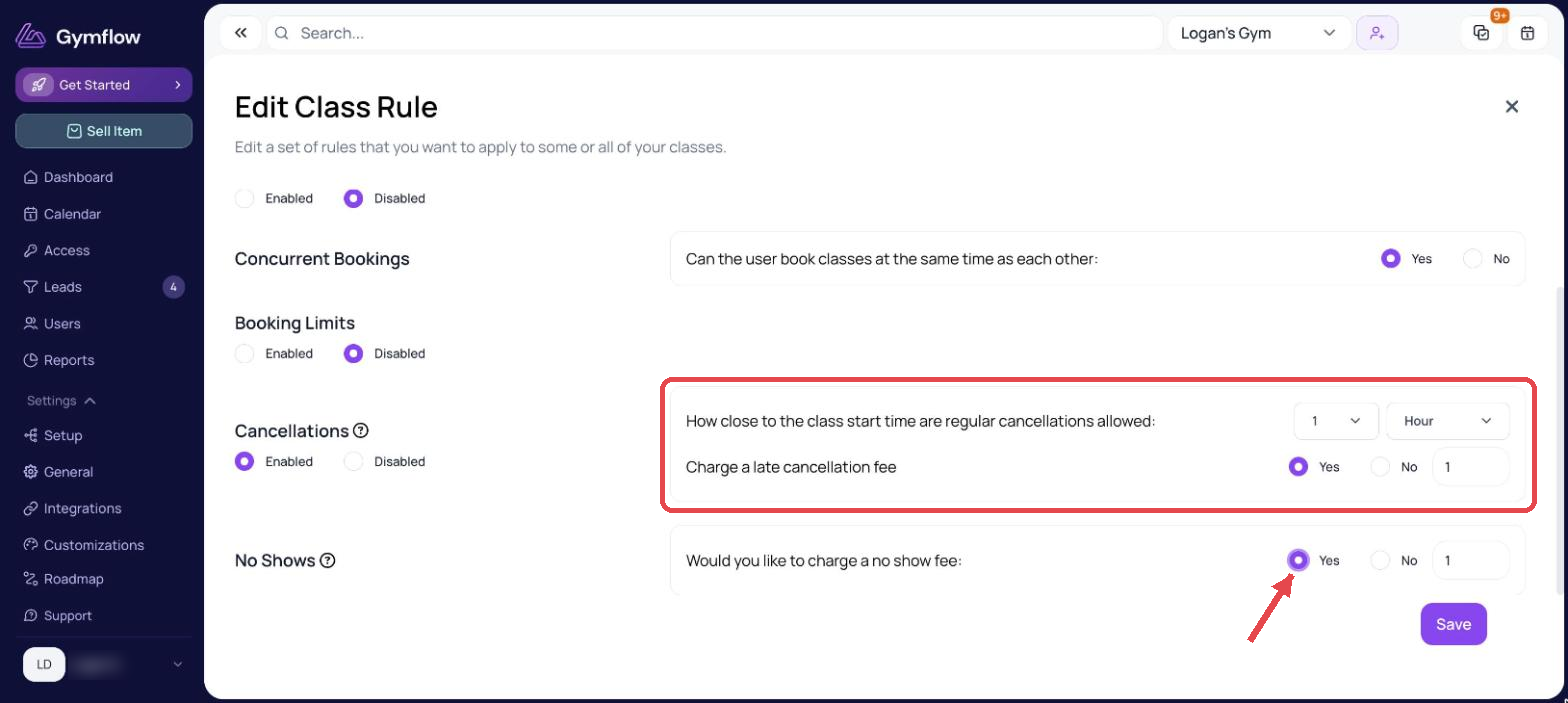
Go to Settings > General > Rules and click the pencil icon on the set of rules you want to change
In the No Shows section, select Yes
Enter the amount that you would like to charge
Select Save
Charge a No Show Fee to a Member
Once you've set up no show fees, follow these steps to mark a member as a no show and charge them a fee:
Go to your Calendar and select a class
Find the member concerned in the list and select No Show (under the Actions column)
When prompted, select Yes to charge the fee
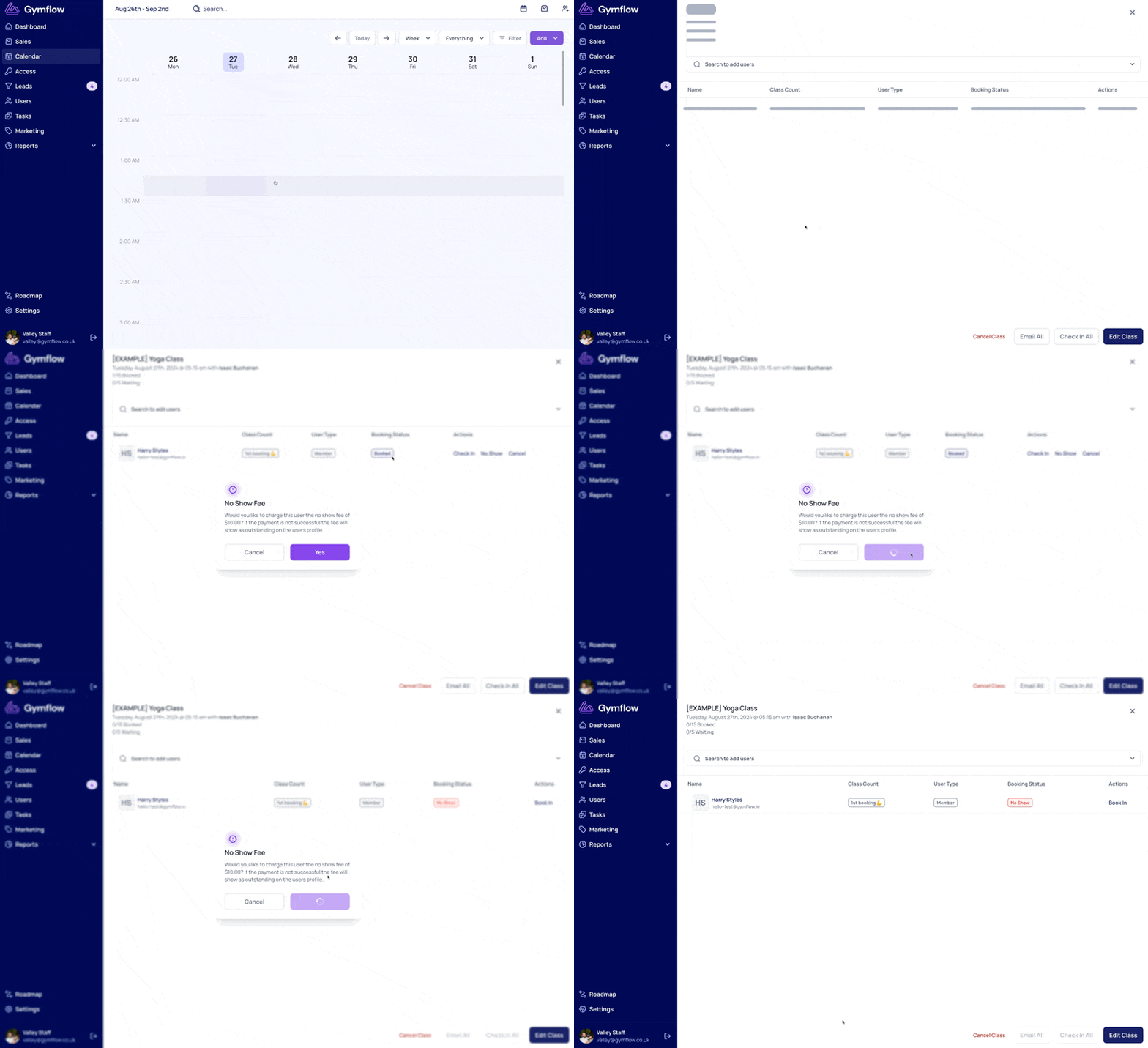
Once the fee has been charged, you can view this by going to the member's profile and selecting the Payments tab.
Was this helpful?
Still need help? Share an idea