View the agreed terms for a membership
Find out where you can view a memberships agreed terms.
Written By Isaac Buchanan
Last updated 3 months ago
All memberships automatically generate terms and conditions based on the membership’s specific configuration, and stored as a clean signed record for every member. You can always see the terms a user agreed to at the time of purchase - if your membership terms have been updated since then, they will not automatically apply to users who have already signed up.
View the Agreed Terms for a User's Membership
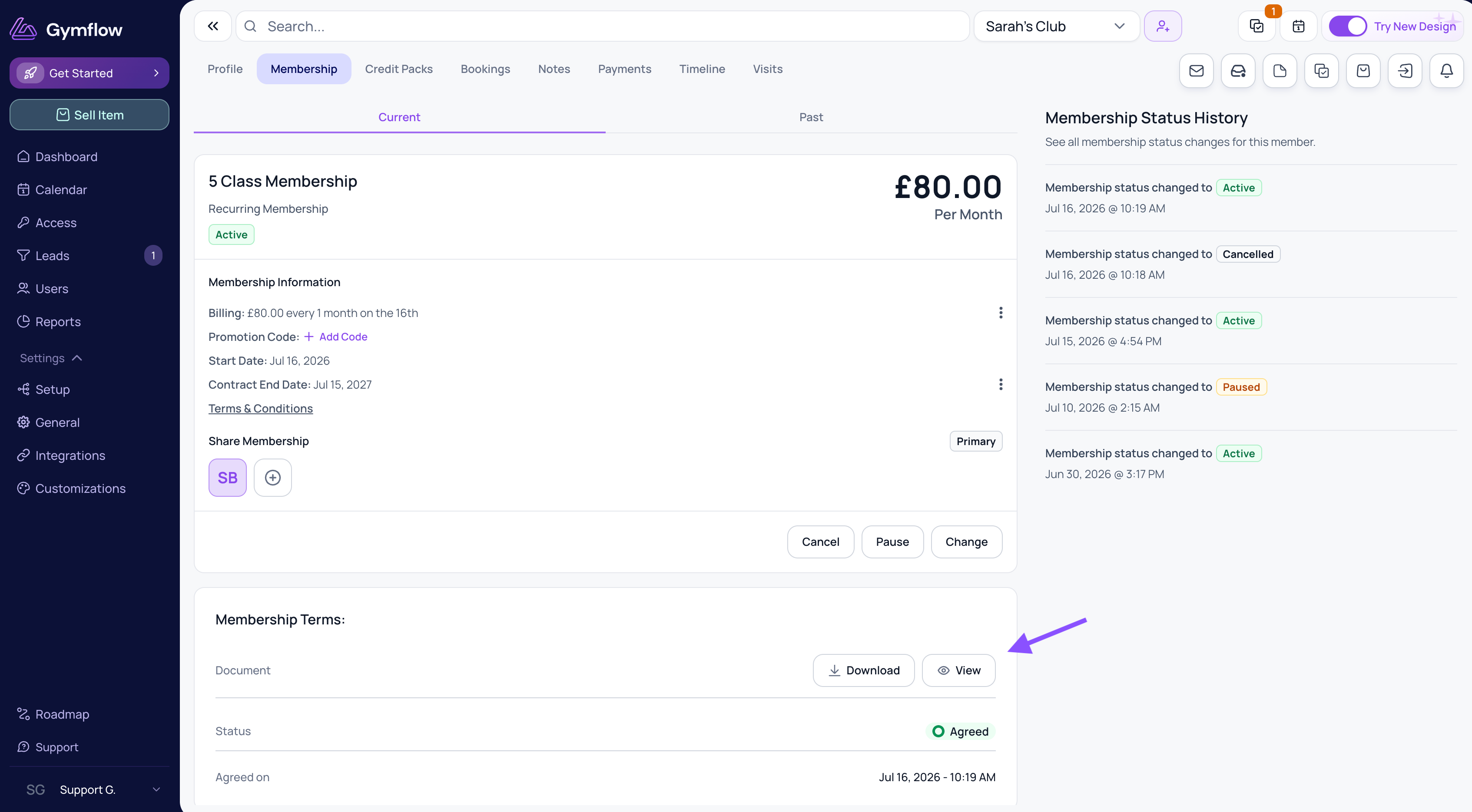
To view the terms that a user agreed to when they purchased a membership:
Go to the member's profile (e.g. by searching for them).
Select the Membership tab.
For the membership in question, select View or Download.
Was this helpful?
Still need help? Share an idea