Check your credit usage
Learn how to view your current credit balance and track your credit usage history.
Written By Anna Gertsen
Last updated 7 days ago
If you have a membership or a standalone credit pack used for booking classes and appointments, you can easily track:
Your remaining credit balance.
A history of how your credits were spent.
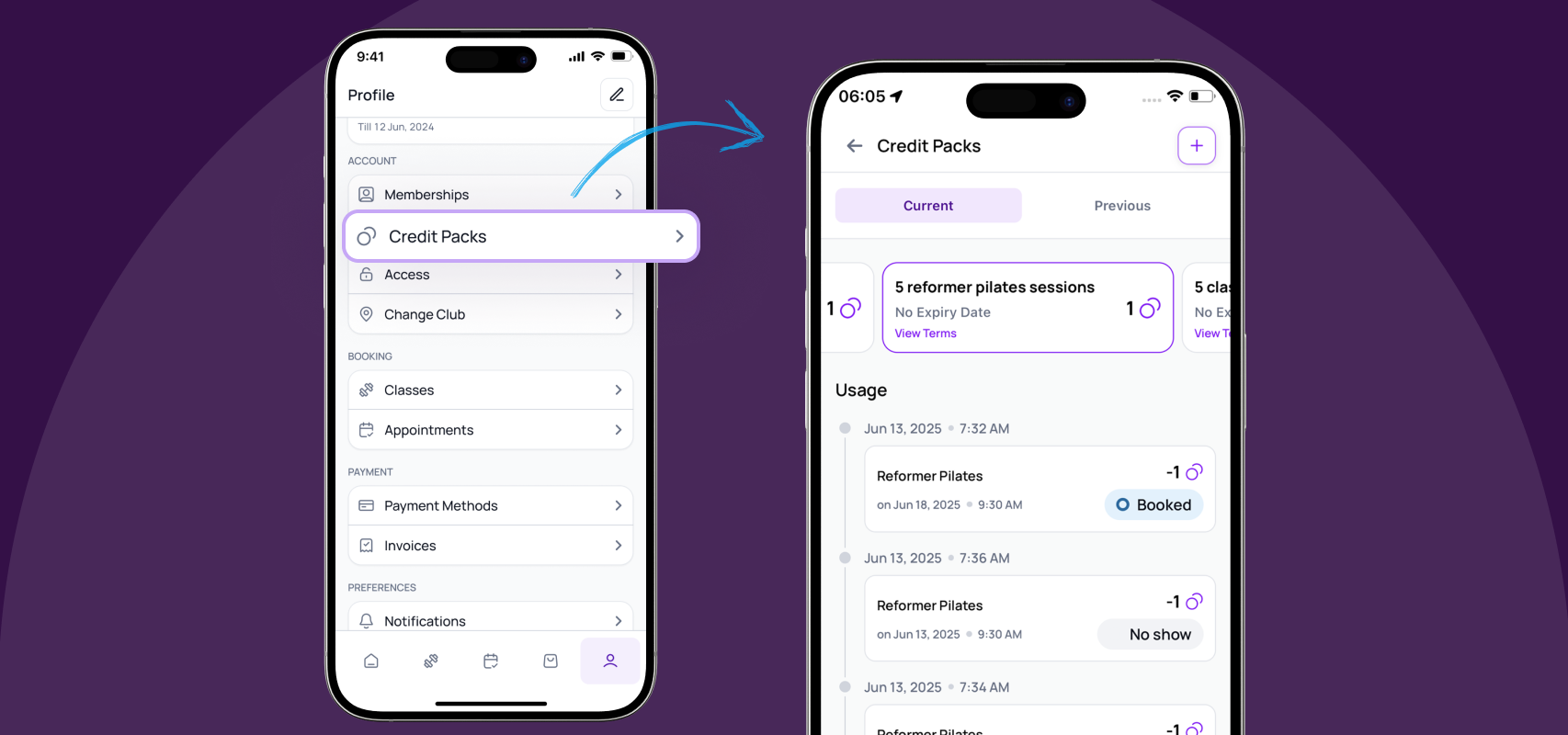
To check your credit usage:
Tap the Profile icon in the bottom menu bar.
Select Credit packs.
Tap the specific credit pack you want to view.
Your current balance and usage history will be displayed on this screen.
If you’d like to find out how credit deductions work, check this guide.
Was this helpful?
Still need help? Share an idea