Book an appointment
Find out how to book an appointment at your gym using the Gymflow Members app.
Written By Isaac Buchanan
Last updated 9 months ago
If your gym offers appointments, you can use the mobile app in order to make bookings.
Book an appointment in the mobile app
To book an appointment, follow these steps:
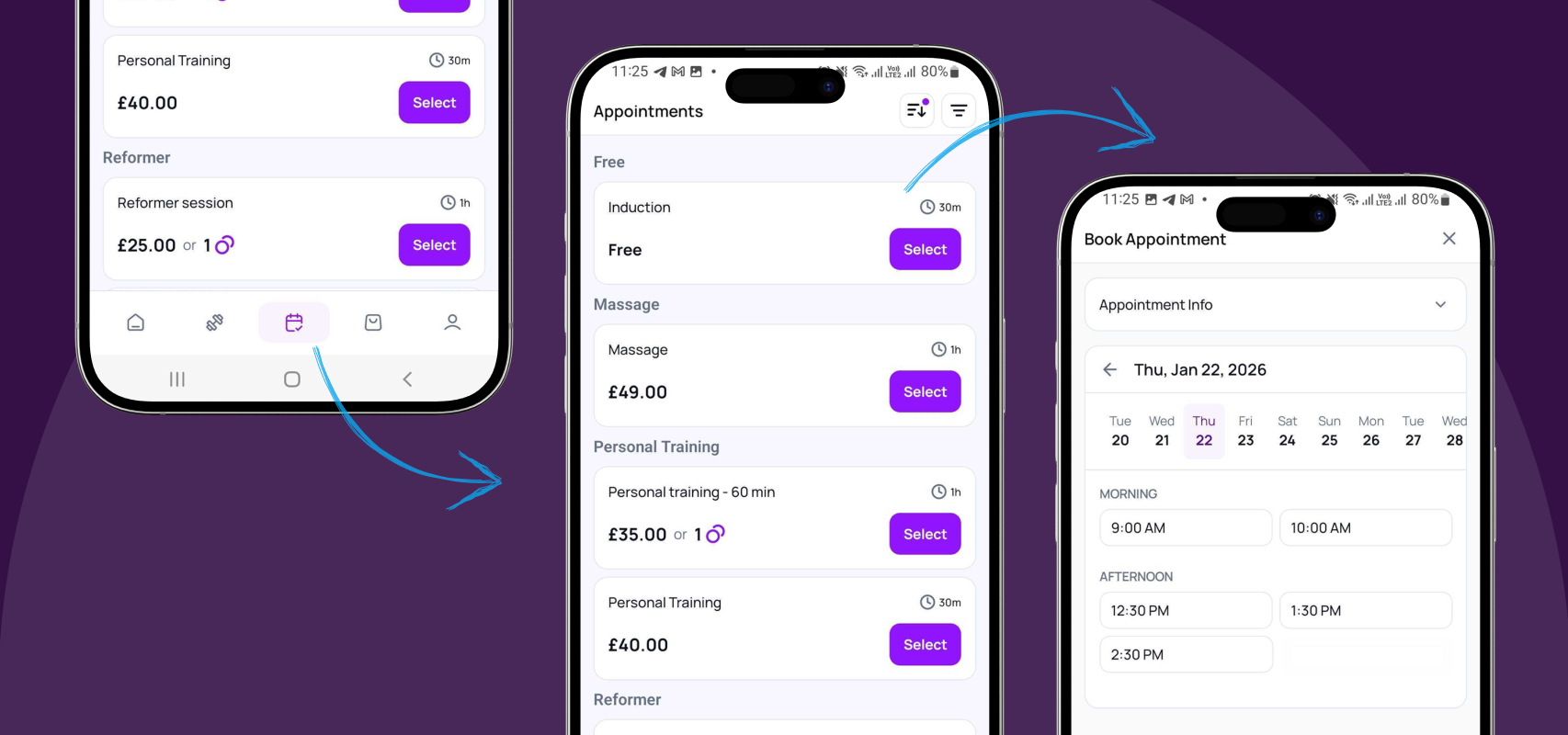
Open the mobile app and select the Appointments tab ( the Calendar icon in the menu at the bottom of the screen).
Find the appointment you’d like to book and tap Select.
Select your appointment host, date and time.
If you have qualifying credits, these will be automatically selected so you can pay with these. If not, you can select to pay the appointment fee.
Select Confirm or Pay.
View/Manage Appointments You've Already Booked
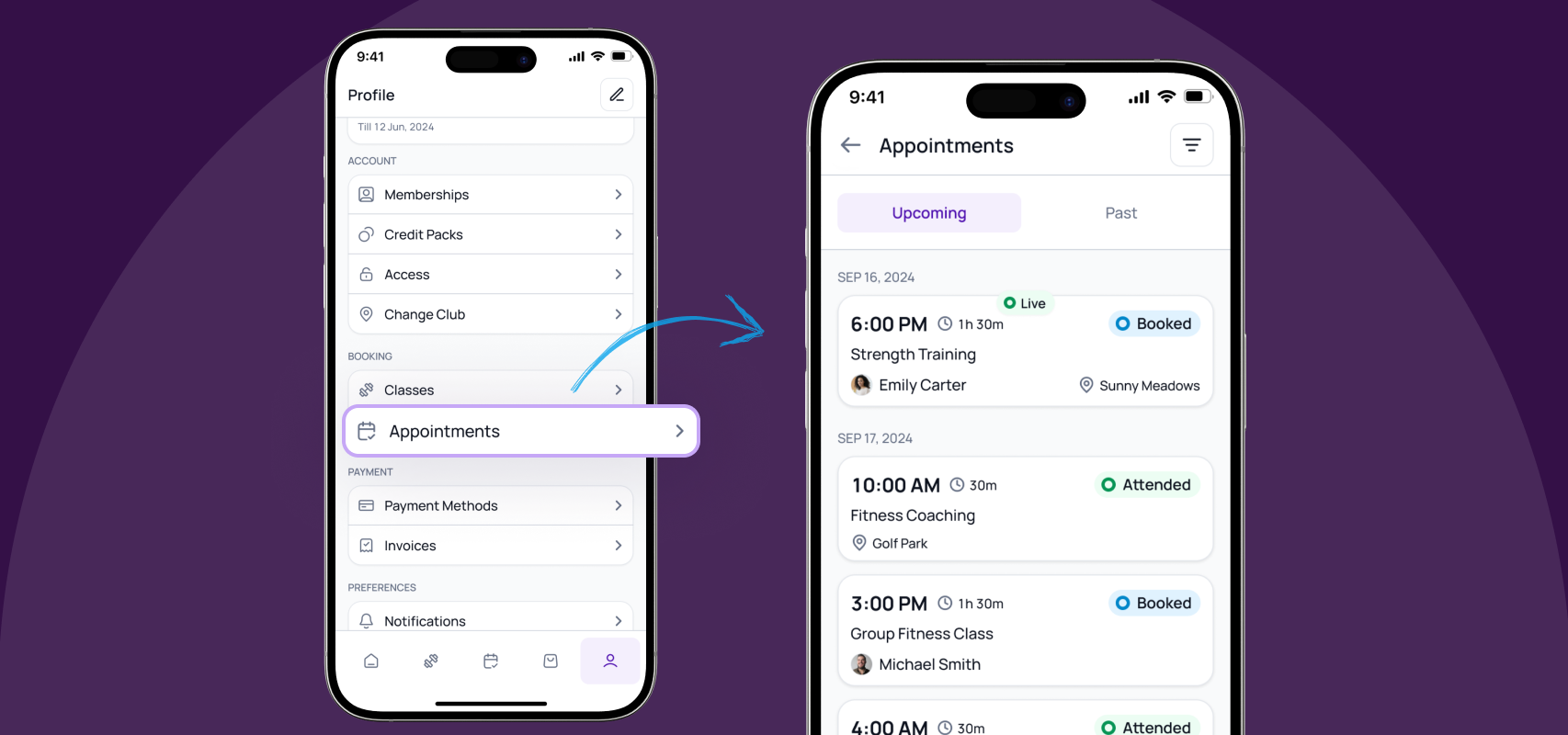
You can view your booked appointments at any time by going to Profile (in the bottom right > Appoinments).
Was this helpful?
Still need help? Share an idea