Switch the members app language
See how to switch the members app to a different language.
Written By Isaac Buchanan
Last updated About 1 year ago
By default, the member's mobile app will be in the native language of the business location. You can however switch to other supported languages.
Supported languages include:
English
Spanish
Portuguese
French
To switch the language in the member's app:
Open the Members mobile app on your device
Head to the Profile tab
Tap the language shortcut in the top right of your screen and select a new language.
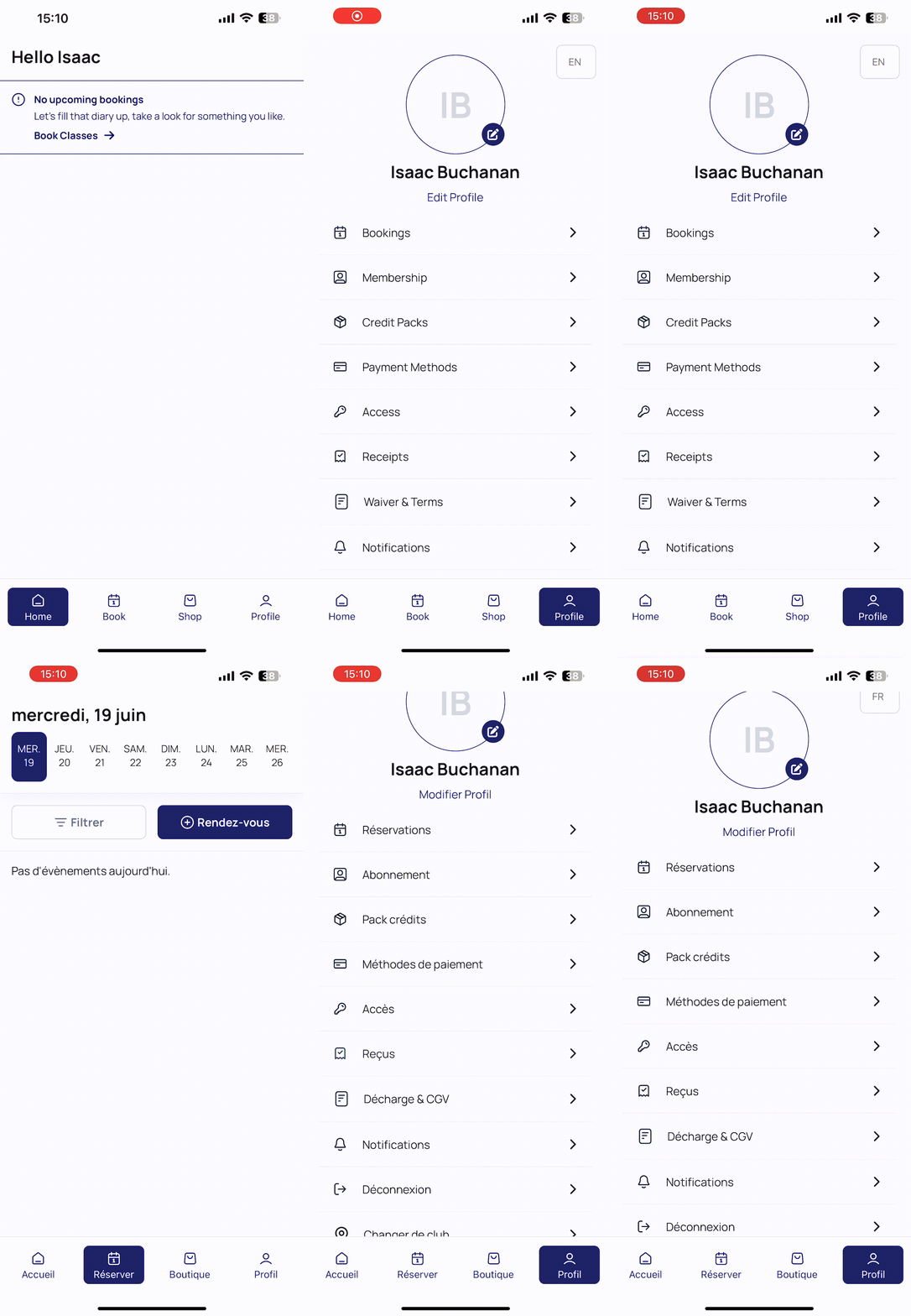
Once switched the new language will be the default language until changed.
Was this helpful?
Still need help? Share an idea